SDKs & Libraries
Official SDKs for JavaScript/TypeScript and Python, plus an MCP server for AI agents. All SDKs are lightweight wrappers around the REST API with full type safety.
Installation
npm install @copperline/rendexScreenshot Examples
import { Rendex } from "@copperline/rendex";
import { writeFile } from "node:fs/promises";

const rendex = new Rendex("YOUR_API_KEY");

// Capture screenshot (binary)
const { image, metadata } = await rendex.screenshot({
  url: "https://example.com",
  fullPage: true,
  format: "webp",
});
await writeFile("screenshot.webp", image);

// Capture screenshot (JSON with base64)
const json = await rendex.screenshotJson({ url: "https://example.com" });
console.log(json.data.bytesSize, json.meta.usage?.remaining);

// Generate signed GET URL (no network call)
const url = rendex.screenshotUrl({ url: "https://example.com" });
// Use in <img src={url}> — API key is in the URL, server-side only
HTML → Image
Render raw HTML directly — no URL to host. Ideal for invoices, social cards, OG images, and email templates. Use the renderHtml / render_html shortcut, or pass html to screenshot. (The signed GET URL helper stays URL-only, since HTML is POST-only.)
import { Rendex } from "@copperline/rendex";
import { writeFile } from "node:fs/promises";

const rendex = new Rendex("YOUR_API_KEY");

// renderHtml() — raw HTML straight to an image, no URL needed
const { image } = await rendex.renderHtml(
  "<h1>Invoice #1234</h1>",
  { format: "pdf", width: 1200 },
);
await writeFile("invoice.pdf", image);

// renderHtmlJson() — same, but base64 JSON
const json = await rendex.renderHtmlJson("<h1>OG card</h1>", { width: 1200, height: 630 });
console.log(json.data.bytesSize);

// Or pass html directly to screenshot()
await rendex.screenshot({ html: "<h1>Hello</h1>", format: "png" });
Markdown → Image
Render Markdown straight to an image or PDF — no CSS required. Rendex applies GitHub-flavored typography server-side, so tables, code blocks, and headings look right out of the box. Use the renderMarkdown / render_markdown shortcut, or pass markdown to screenshot. Set darkMode for a dark theme. Ideal for AI agents, which emit Markdown natively. See the Markdown rendering use case for more.
import { Rendex } from "@copperline/rendex";
import { writeFile } from "node:fs/promises";

const rendex = new Rendex("YOUR_API_KEY");

// renderMarkdown() — Markdown to a styled image or PDF, no CSS needed.
// GitHub-flavored typography is applied server-side.
const { image } = await rendex.renderMarkdown(
  "# Weekly report\n\n- p95 down **12%**\n- 2 features shipped",
  { format: "pdf", pdfFormat: "A4", darkMode: true },
);
await writeFile("report.pdf", image);

// Or pass markdown directly to screenshot() / screenshotJson()
await rendex.screenshot({ markdown: "# Hello", format: "png" });
Templates & Dynamic Data
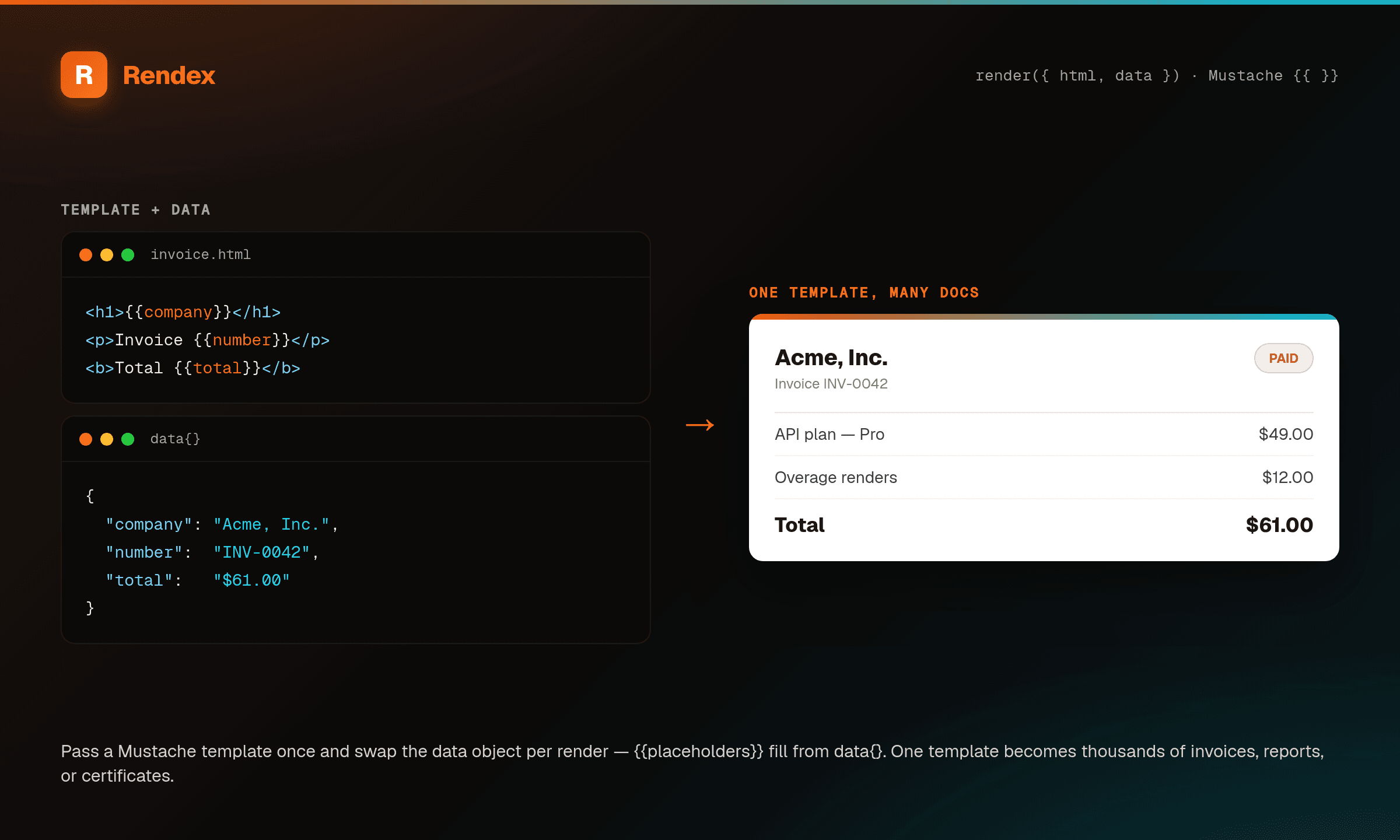
Pass a data object alongside html or markdown to fill {{placeholders}} with logic-less Mustache before rendering — interpolation, {{#items}} loops, and {{a.b}} nesting. Values are HTML-escaped by default; use {{{var}}} for trusted raw HTML. One template plus data generates invoices, reports, and certificates. data is only valid with html or markdown (combining it with url returns a 400). See the data templating use case.
import { Rendex } from "@copperline/rendex";

const rendex = new Rendex("YOUR_API_KEY");

// Pass a `data` object to fill {{placeholders}} with logic-less Mustache.
// Works with html or markdown source (not url).
const { image } = await rendex.renderMarkdown(
  "# Invoice {{number}}\n\nBilled to **{{client}}**\n\nTotal: {{total}}",
  {
    data: { number: "INV-0042", client: "Northwind", total: "$57.00" },
    format: "pdf",
    pdfFormat: "A4",
  },
);

// Loops + nesting too: {{#items}}…{{/items}} and {{a.b}}.
// {{var}} is HTML-escaped; use {{{var}}} for trusted raw HTML.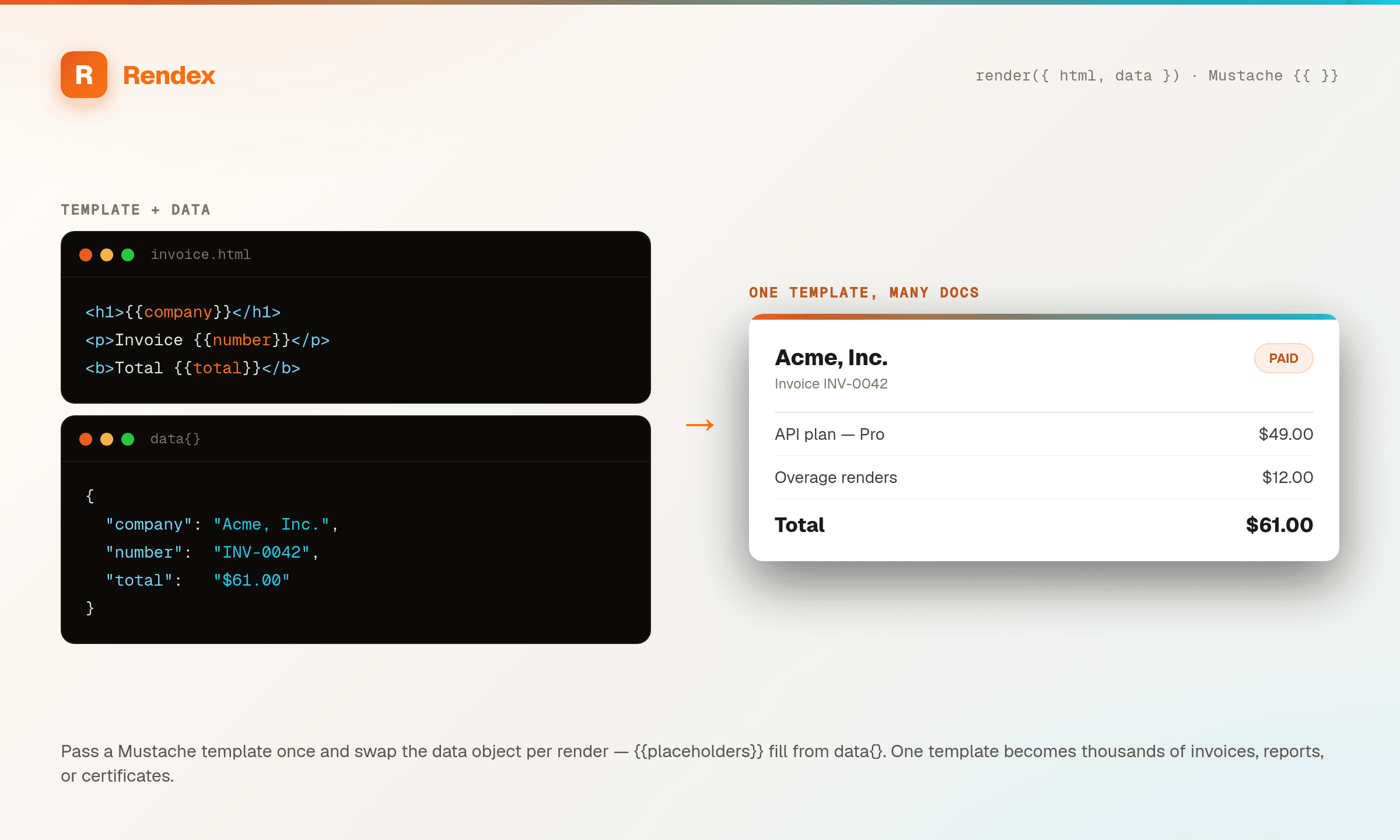
Batch Processing
Submit up to 500 URLs at once. Jobs are processed in parallel and you can poll or receive a webhook when done.
import { Rendex } from "@copperline/rendex";

const rendex = new Rendex("YOUR_API_KEY");

// Submit batch (returns immediately with job IDs)
const batch = await rendex.batch({
  urls: ["https://example.com", "https://github.com", "https://stripe.com"],
  defaults: { format: "webp", fullPage: true },
  webhookUrl: "https://your-server.com/webhook",
});

console.log(`Batch ${batch.data.batchId}: ${batch.data.totalJobs} jobs queued`);

// Poll for results
const status = await rendex.batchStatus(batch.data.batchId);
console.log(`${status.data.completedJobs}/${status.data.totalJobs} done`);
Error Handling
Both SDKs throw typed errors with the API error code, HTTP status, and request ID.
import { Rendex, RendexApiError, RendexNetworkError } from "@copperline/rendex";

const rendex = new Rendex("YOUR_API_KEY");

try {
  const { image } = await rendex.screenshot({ url: "https://example.com" });
} catch (err) {
  if (err instanceof RendexApiError) {
    // API returned an error response
    console.error(err.errorCode);   // "RATE_LIMITED", "TIMEOUT", etc.
    console.error(err.statusCode);  // 429, 408, etc.
    console.error(err.requestId);   // "req_abc123"
  } else if (err instanceof RendexNetworkError) {
    // Network failure (DNS, timeout, etc.)
    console.error("Network error:", err.message);
  }
}
SDK Methods
JavaScript / TypeScript
| Method | Returns |
|---|---|
screenshot(options) | { image: Uint8Array, metadata } |
screenshotJson(options) | { data: { image: string (base64), ... }, meta } |
renderHtml(html, options?) | { image: Uint8Array, metadata } |
renderHtmlJson(html, options?) | { data: { image: string (base64), ... }, meta } |
renderMarkdown(markdown, options?) | { image: Uint8Array, metadata } |
renderMarkdownJson(markdown, options?) | { data: { image: string (base64), ... }, meta } |
screenshotUrl(options) | string (signed GET URL) |
renderLink(options) | { url, expiresAt, format, cacheTtl } (hosted og:image URL) |
extract(options) | { url, format, content, title, ... } (reader-mode content) |
artifact(options) | { pdfUrl?, pngUrl?, shareUrl, expiresAt } (branded PDF/PNG + share page) |
batch(options) | { data: { batchId, jobs[] } } |
jobStatus(jobId) | { data: { status, resultUrl? } } |
batchStatus(batchId) | { data: { status, jobs[] } } |
account() | { plan, usage: { used, limit, remaining, resetsAt }, rateLimitPerMinute, upgrade } (plan + usage; free, read-only) |
Python
| Method | Returns |
|---|---|
screenshot(url=None, *, html=None, **options) | ScreenshotResult (image bytes + metadata) |
screenshot_json(url=None, *, html=None, **options) | dict (base64 image + metadata) |
render_html(html, **options) | ScreenshotResult (image bytes + metadata) |
render_html_json(html, **options) | dict (base64 image + metadata) |
render_markdown(markdown, **options) | ScreenshotResult (image bytes + metadata) |
render_markdown_json(markdown, **options) | dict (base64 image + metadata) |
screenshot_url(url, **options) | str (signed GET URL) |
render_link(**options) | dict ({ url, expiresAt, format, cacheTtl }) |
extract(url, *, extract_format="markdown", **options) | dict ({ url, format, content, title, ... }) |
artifact(content, *, input_format="markdown", **options) | dict ({ pdfUrl?, pngUrl?, shareUrl, expiresAt }) |
batch(urls, *, defaults=None, ...) | dict ({ batchId, jobs[] }) |
job_status(job_id) | dict ({ status, resultUrl? }) |
batch_status(batch_id) | dict ({ status, jobs[] }) |
account() | dict ({ plan, usage{ used, limit, remaining, resetsAt }, rateLimitPerMinute, upgrade }; free, read-only) |
The Python SDK (1.2.0+) is at full feature parity with the JavaScript/TypeScript SDK — same methods, same async/batch support.
Raw HTTP
Don't want an SDK? The API works with any HTTP client. See the API Reference for the full spec.
curl -X POST https://api.rendex.dev/v1/screenshot \
  -H "Authorization: Bearer YOUR_API_KEY" \
  -H "Content-Type: application/json" \
  -d '{"url": "https://example.com"}' \
  --output screenshot.png