Render Markdown to an Image or PDF — No CSS Required
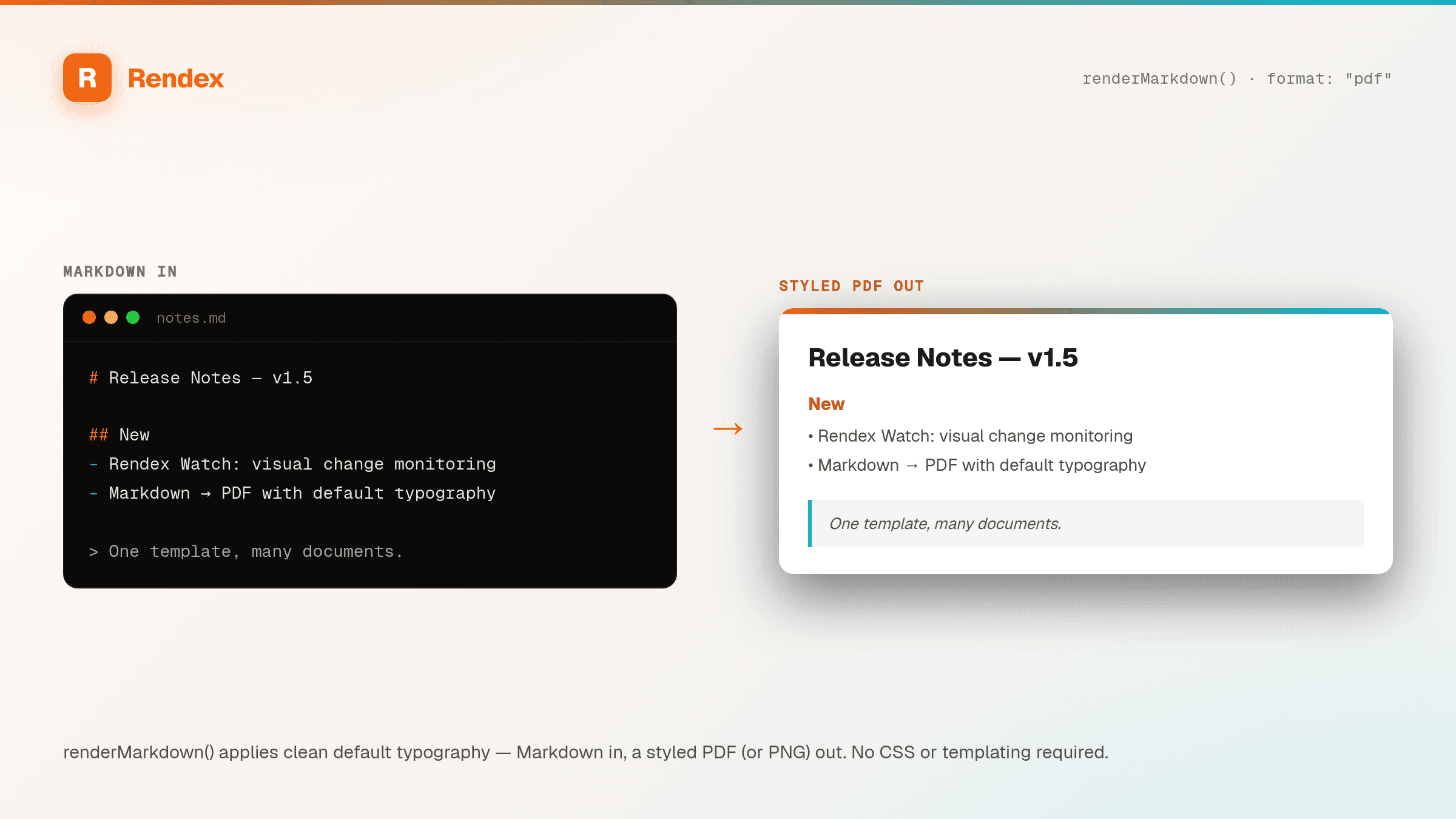
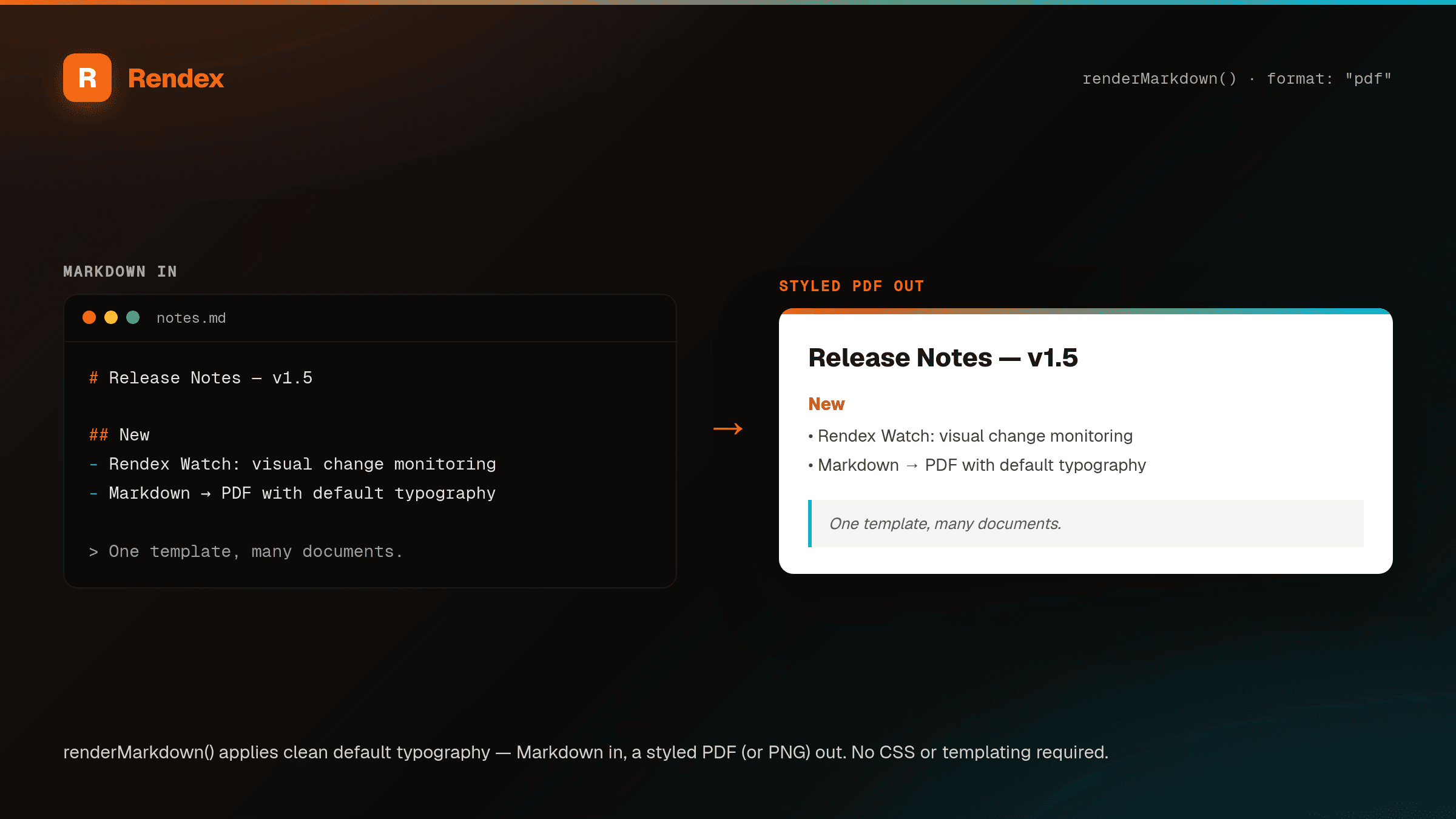
POST your Markdown, get back a styled PNG, JPEG, WebP, or PDF. Rendex applies GitHub-flavored typography server-side, so headings, tables, code blocks, and blockquotes look right with zero styling. Ideal for AI agents — which already speak Markdown — and for READMEs, changelogs, release notes, and status reports.
The Problem
LLMs and automation tools emit Markdown by default, but you can't drop Markdown into a Slack message, an email, or a PDF and have it look like anything. Turning it into a presentable image usually means three moving parts: convert Markdown to HTML, hand-write a stylesheet, then drive a headless browser to capture it — for what should be a single call.
The Solution
Rendex collapses that pipeline into one request. Send your Markdown in the `markdown` field; Rendex parses it with GitHub-flavored rules, wraps it in a clean default stylesheet (light or dark), and renders it to whatever format you ask for. No CSS to write, no conversion step, no browser to host. Pass your own `css` and it still wins the cascade when you want to fine-tune.
See it in action
Get Started in Minutes
curl -X POST https://api.rendex.dev/v1/screenshot \
  -H "Authorization: Bearer YOUR_API_KEY" \
  -H "Content-Type: application/json" \
  -d '{
    "markdown": "# Deploy v2.4.0\n\n**Status:** shipped to production\n\n| Service | Region | p95 |\n| --- | --- | --- |\n| api | iad | 82 ms |\n| web | sfo | 41 ms |\n\n> Rollback window closes in 24h.",
    "format": "png",
    "width": 820
}' --output release.pngfrom rendex import Rendex
from pathlib import Path
rendex = Rendex("YOUR_API_KEY")
# Render a CHANGELOG section straight to a shareable PDF — no CSS.
notes = """
# Changelog — May 2026
## Added
- Markdown rendering: POST `markdown`, get an image or PDF back
- Mustache templating via a `data` object
## Fixed
- darkMode now reskins Markdown documents
"""
result = rendex.render_markdown(notes, format="pdf", pdf_format="A4")
Path("changelog.pdf").write_bytes(result.image)import Rendex from "@copperline/rendex";
import { writeFileSync } from "fs";
const rendex = new Rendex("YOUR_API_KEY");
// An AI agent already emitted this Markdown — render it as-is, dark theme.
const summary = `# Weekly summary
- 3 incidents, all resolved
- p95 latency down **12%**
- 2 features shipped
See the [dashboard](https://status.example.com) for detail.`;
const { image } = await rendex.renderMarkdown(summary, {
format: "png",
darkMode: true,
width: 800,
});
writeFileSync("summary.png", Buffer.from(image));100 free API calls/month — no credit card required. Get your API key and start building.
Built for This Use Case
Markdown In, Image or PDF Out
Send Markdown in the markdown field and render it to PNG, JPEG, WebP, or PDF. No HTML-conversion step, no separate template engine.
Zero CSS Required
A GitHub-flavored stylesheet is baked in — headings, tables, code blocks, blockquotes, and lists are styled out of the box.
Built for AI Agents
LLMs emit Markdown natively. Pipe a model's output straight into a render with no post-processing, glue code, or stylesheet.
Light & Dark Themes
Set darkMode and Rendex reskins the document with a dark GitHub theme — ideal for embedding into dark dashboards and UIs.
Your CSS Still Wins
Pass a css string to override fonts, colors, or spacing. It cascades on top of the defaults, so you tweak only what you need.
Edge Rendering
Rendered on Cloudflare's 300+ edge locations in seconds, with zero cold starts and no browser infrastructure to maintain.
Start Free, Scale as You Grow
100 calls/month free. Starter at $69/mo for 10K calls (or $58/mo billed annually — 2 months free). Pro at $179/mo for 100K calls.