API Reference
Complete reference for all Rendex rendering API endpoints.
npm install @copperline/rendex or pip install rendex — see the Quick Start for examples.Base URL
https://api.rendex.devPOST /v1/screenshot
Capture a screenshot and return the image as binary data (PNG, JPEG, WebP, or PDF).
Free tier:image output carries a light “rendex.dev” watermark tiled across the whole render (a footer on PDFs) — your content stays readable underneath, and resolution and quality are otherwise identical to paid plans. Every paid plan — starting with Basic ($19/month) — is fully watermark-free; the JSON response sets metadata.watermarked: true when a render was marked.
Request Headers
| Header | Required | Value |
|---|---|---|
Authorization | Yes | Bearer YOUR_API_KEY |
Content-Type | Yes | application/json |
Request Body
| Parameter | Type | Default | Description |
|---|---|---|---|
url | string | — | The URL to capture. Provide exactly one of url, html, or markdown. |
html | string | — | Raw HTML to render directly (max 5 MB). Provide exactly one of url, html, or markdown. |
markdown | string | — | Markdown to render (max 5 MB). Rendex converts it to a styled HTML document with sensible default typography, then captures it as an image or PDF. Provide exactly one of url, html, or markdown. |
data | object | — | Mustache template data. When present, the html or markdown string is treated as a logic-less Mustache template and rendered against this object before capture. Valid only with html or markdown \u2014 returns 400 if combined with url. Capped at 256 KB serialized. Syntax: {{var}} (HTML-escaped), {{{var}}} (raw), {{#items}}\u2026{{/items}} (loop), {{^x}}\u2026{{/x}} (inverted), {{a.b}} (nested access). |
format | "png" | "jpeg" | "webp" | "pdf" | "png" | Output format. Use "pdf" to generate a PDF document instead of an image. |
width | number | 1280 | Viewport width (320–3840). |
height | number | 800 | Viewport height (240–2160). |
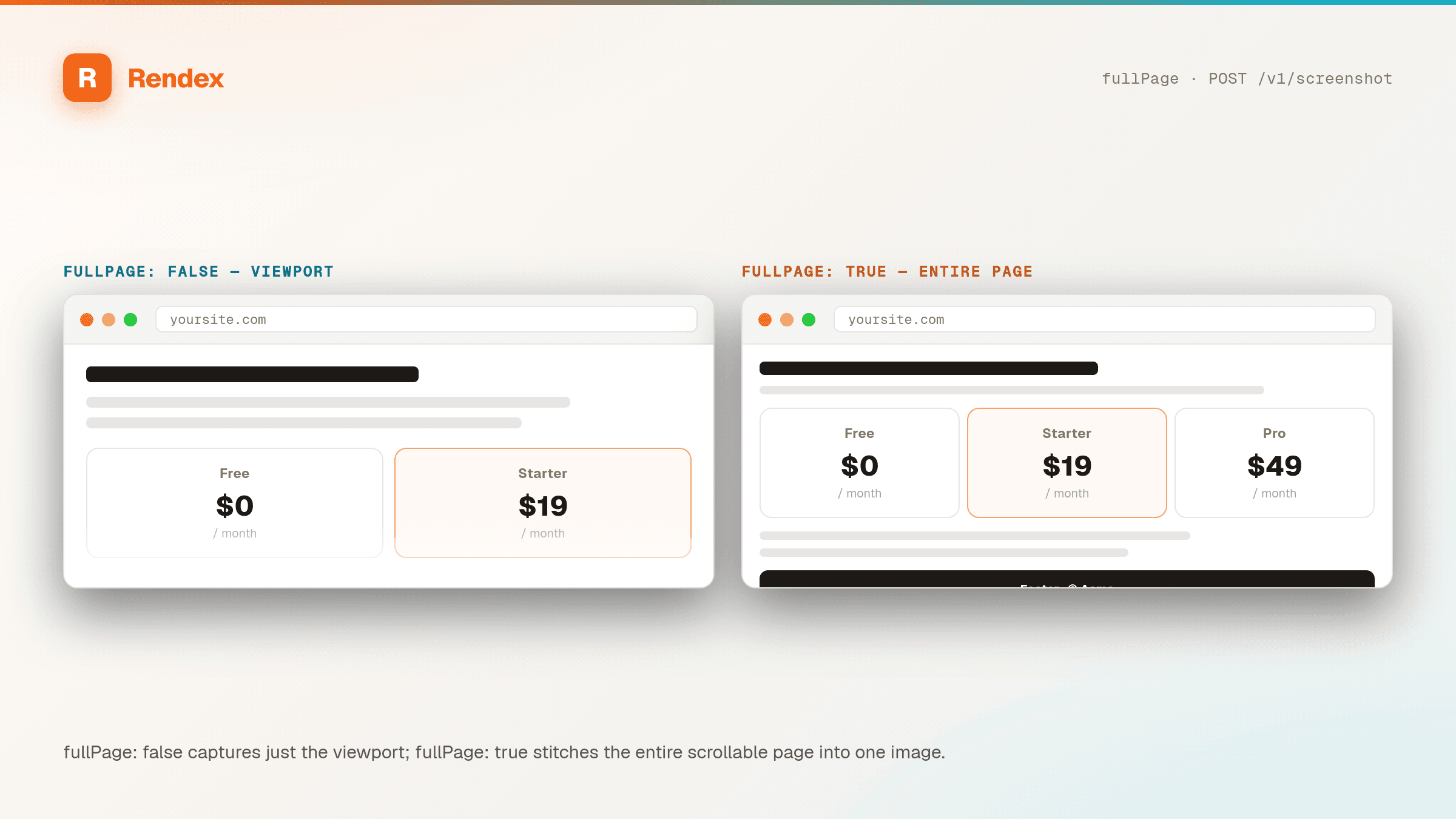
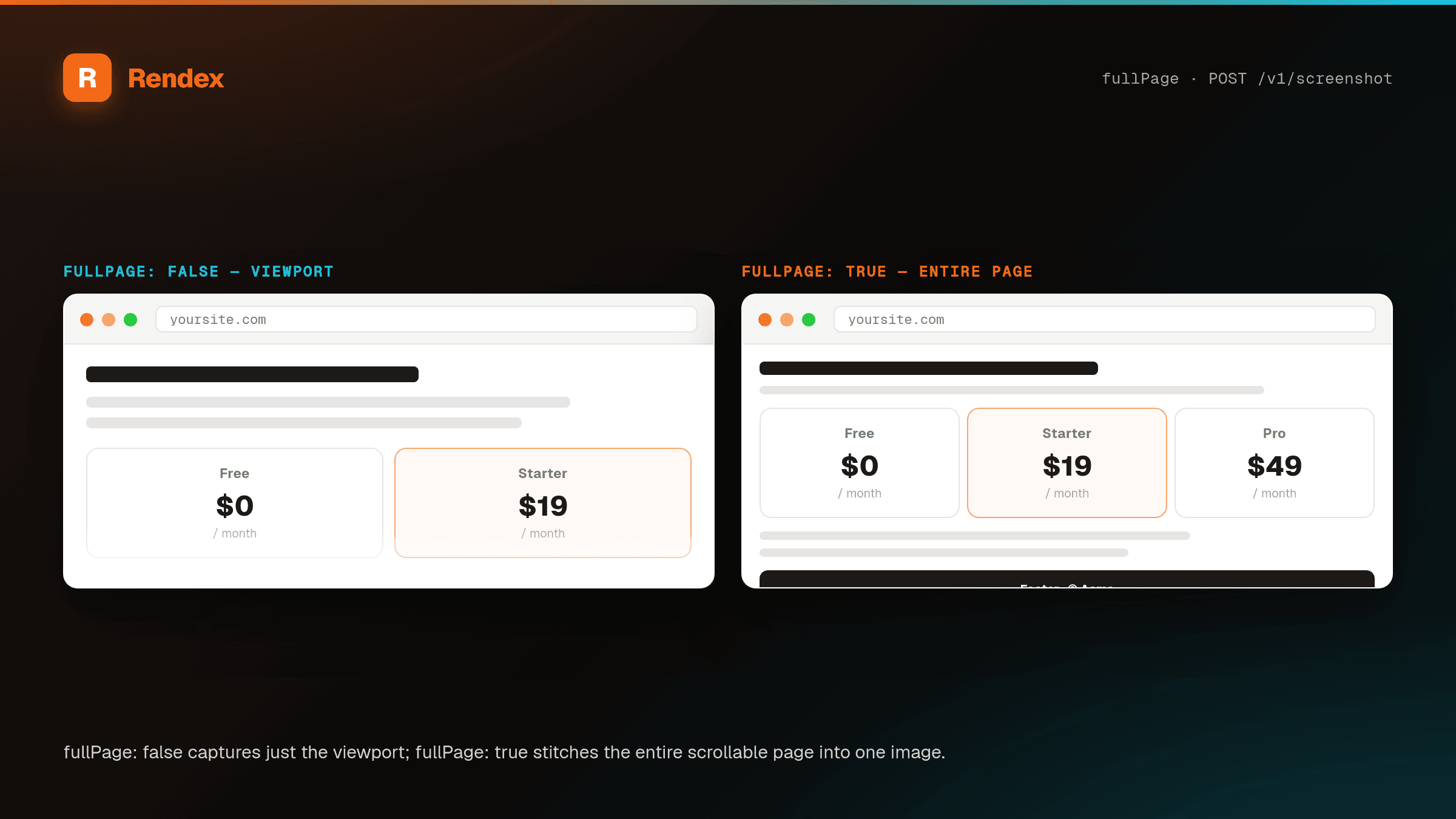
fullPage | boolean | false | Capture the full scrollable page. |
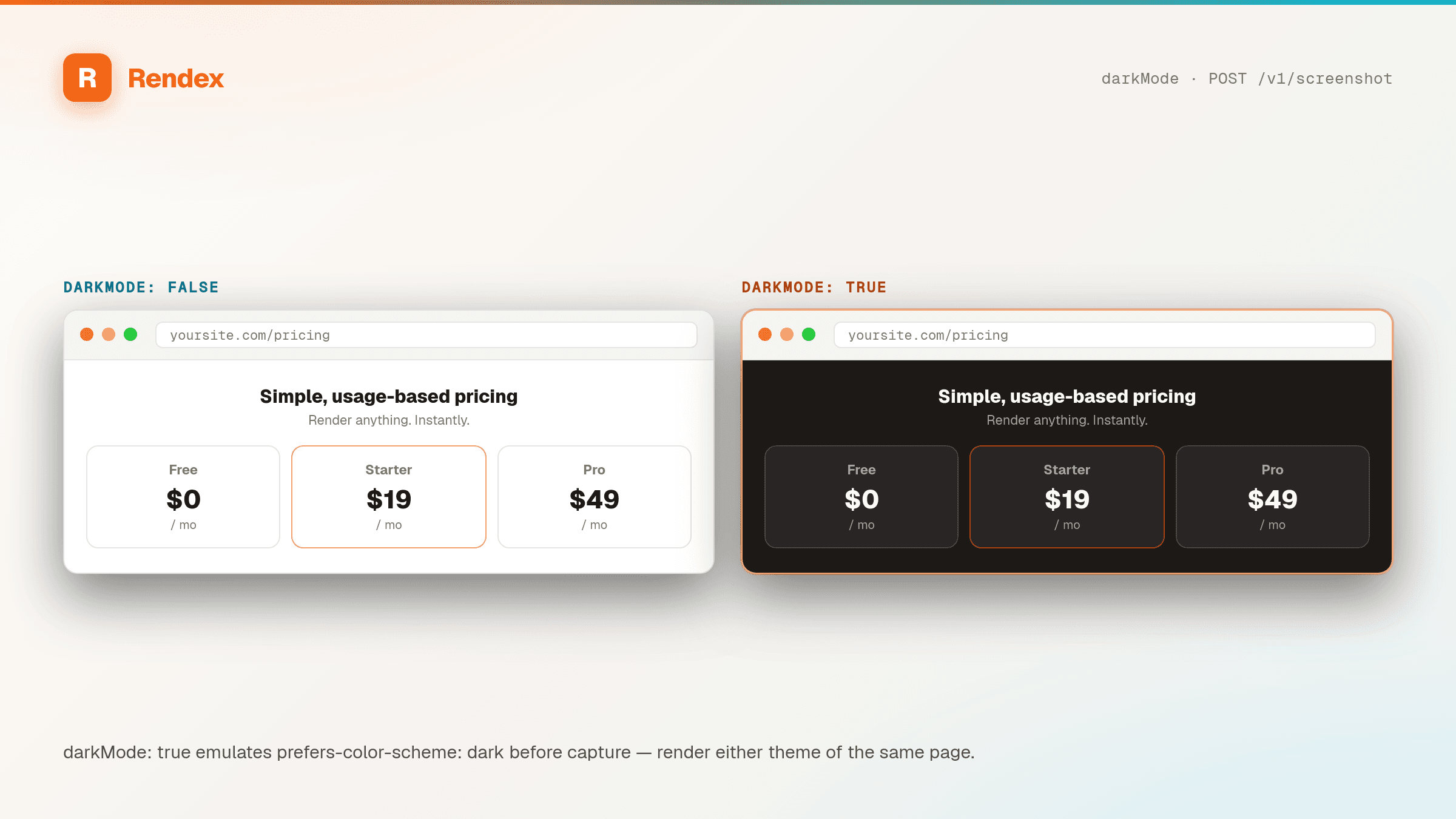
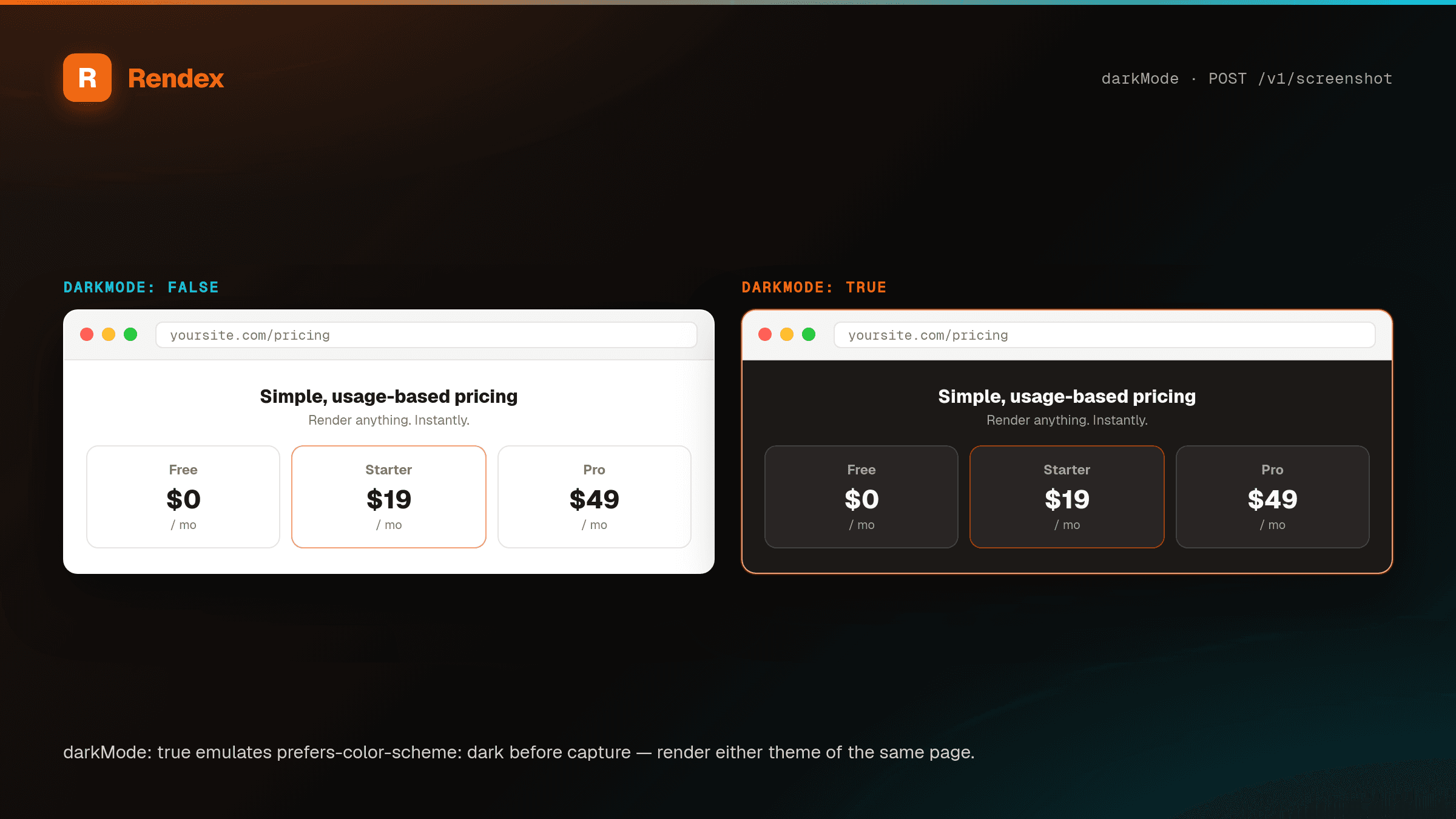
darkMode | boolean | false | Emulate dark color scheme. |
blockAds | boolean | true | Block ads and trackers. |
quality | number | 80 | JPEG/WebP quality (1–100, default 80). Ignored for PNG and PDF. |
delay | number | 0 | Wait time in ms after page load (0–10000). |
deviceScaleFactor | number | 2 | Device pixel ratio (1–3) for retina captures. Default produces 2× Retina output. |
blockResourceTypes | string[] | — | Resource types to block. Options: "font", "image", "media", "stylesheet", "other". |
timeout | number | 30 | Navigation timeout in seconds (5–60). |
waitUntil | "load" | "domcontentloaded" | "networkidle0" | "networkidle2" | "networkidle2" | When to consider navigation complete. |
waitForSelector | string | — | CSS selector to wait for before capturing (max 500 chars). |
bestAttempt | boolean | true | If true, returns a partial screenshot on timeout instead of failing. |
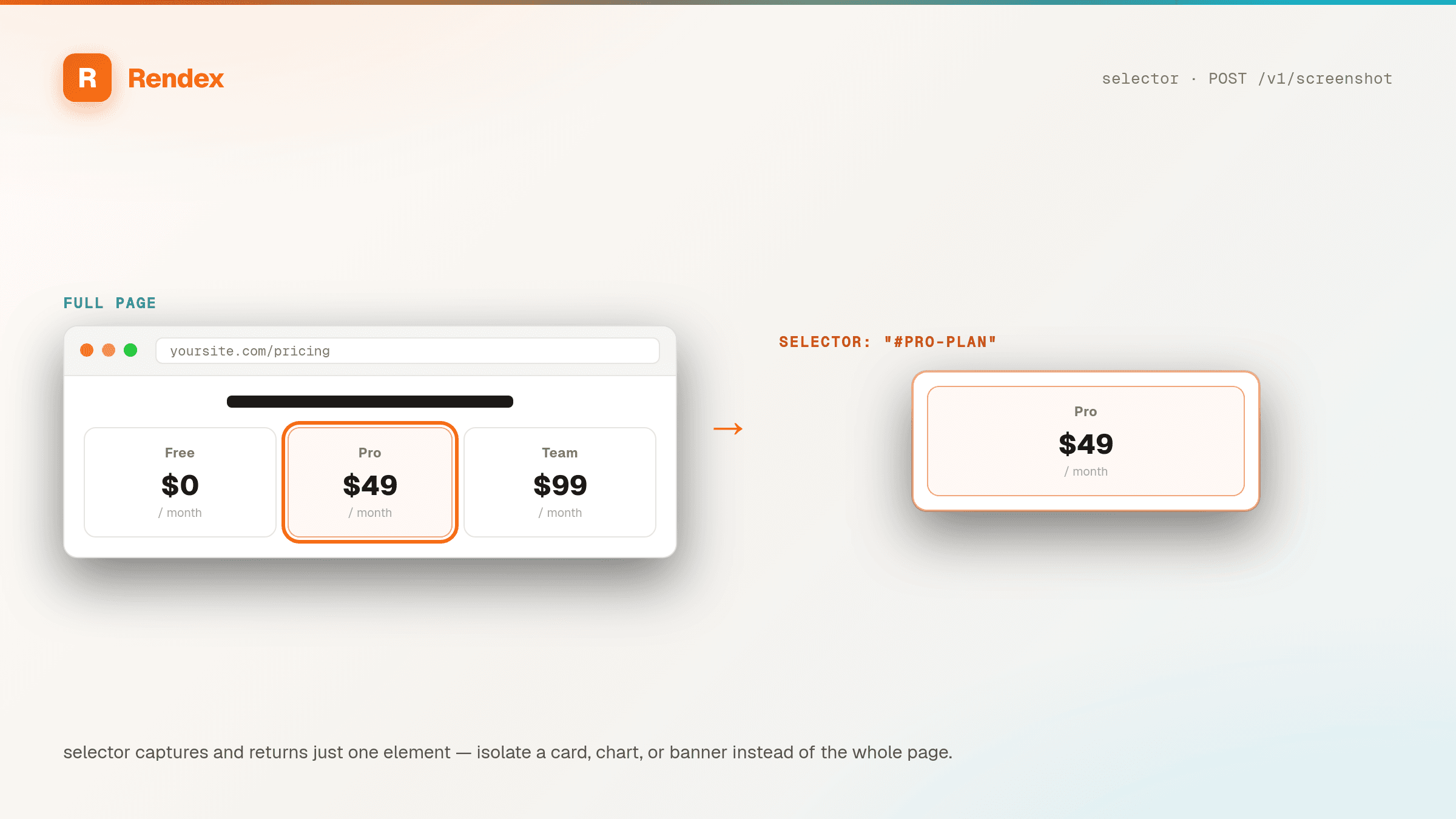
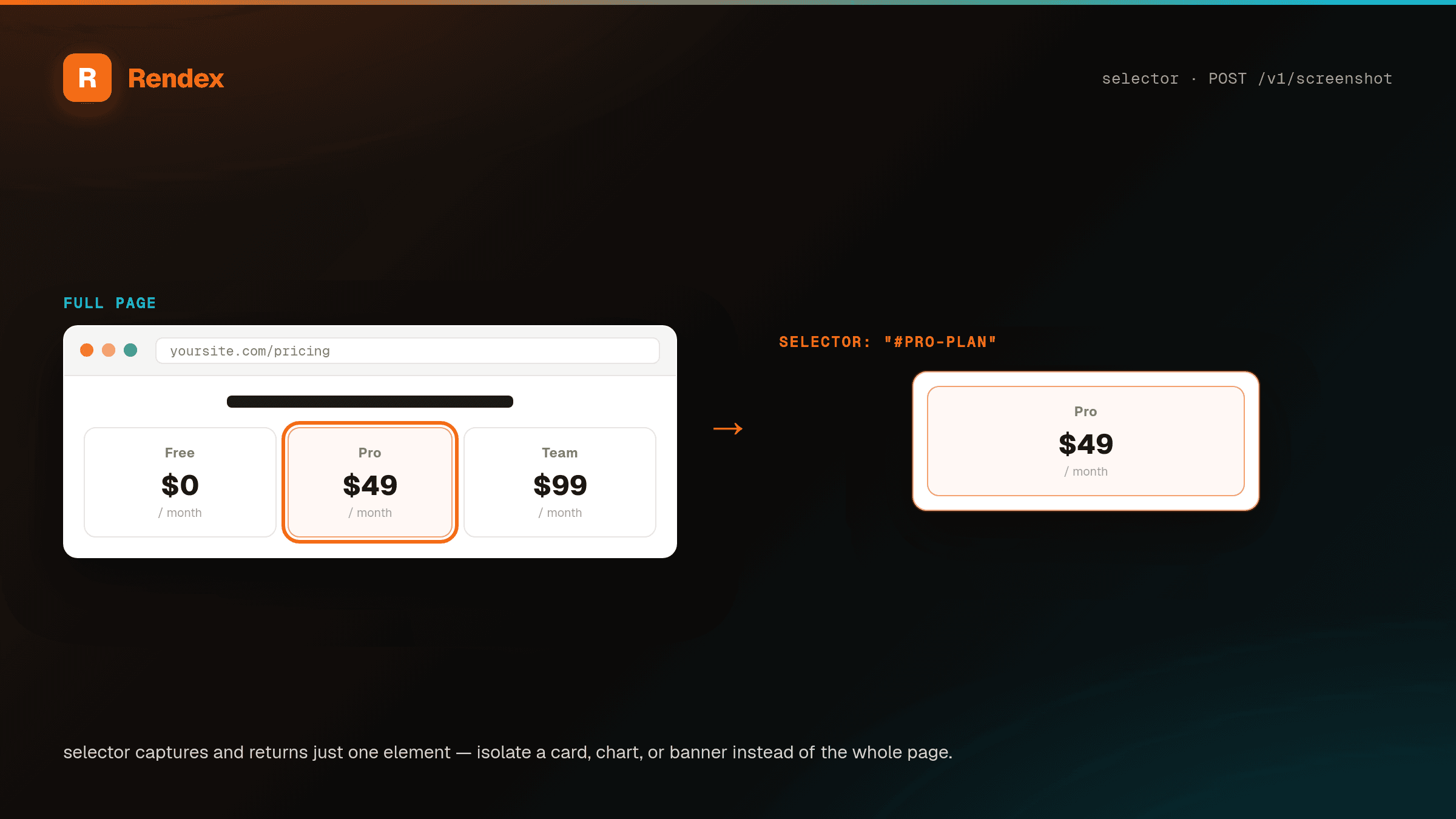
selector | string | — | CSS selector of a specific element to capture instead of the full page (max 500 chars). |
device | "desktop" | "iphone_15" | "iphone_se" | "pixel_8" | "ipad" | "ipad_pro" | — | Device preset that sets viewport, device scale factor, and user agent in one parameter. Explicit width, height, and userAgent still override the preset. |
hideSelectors | string[] | — | CSS selectors to hide (set to display: none) before capture \u2014 popups, sticky nav, chat bubbles (max 50, each max 500 chars). Never errors when a selector matches nothing. |
blockCookieBanners | boolean | false | Hide common cookie/consent walls (OneTrust, Cookiebot, Quantcast, and similar) via a curated CSS list before capture. |
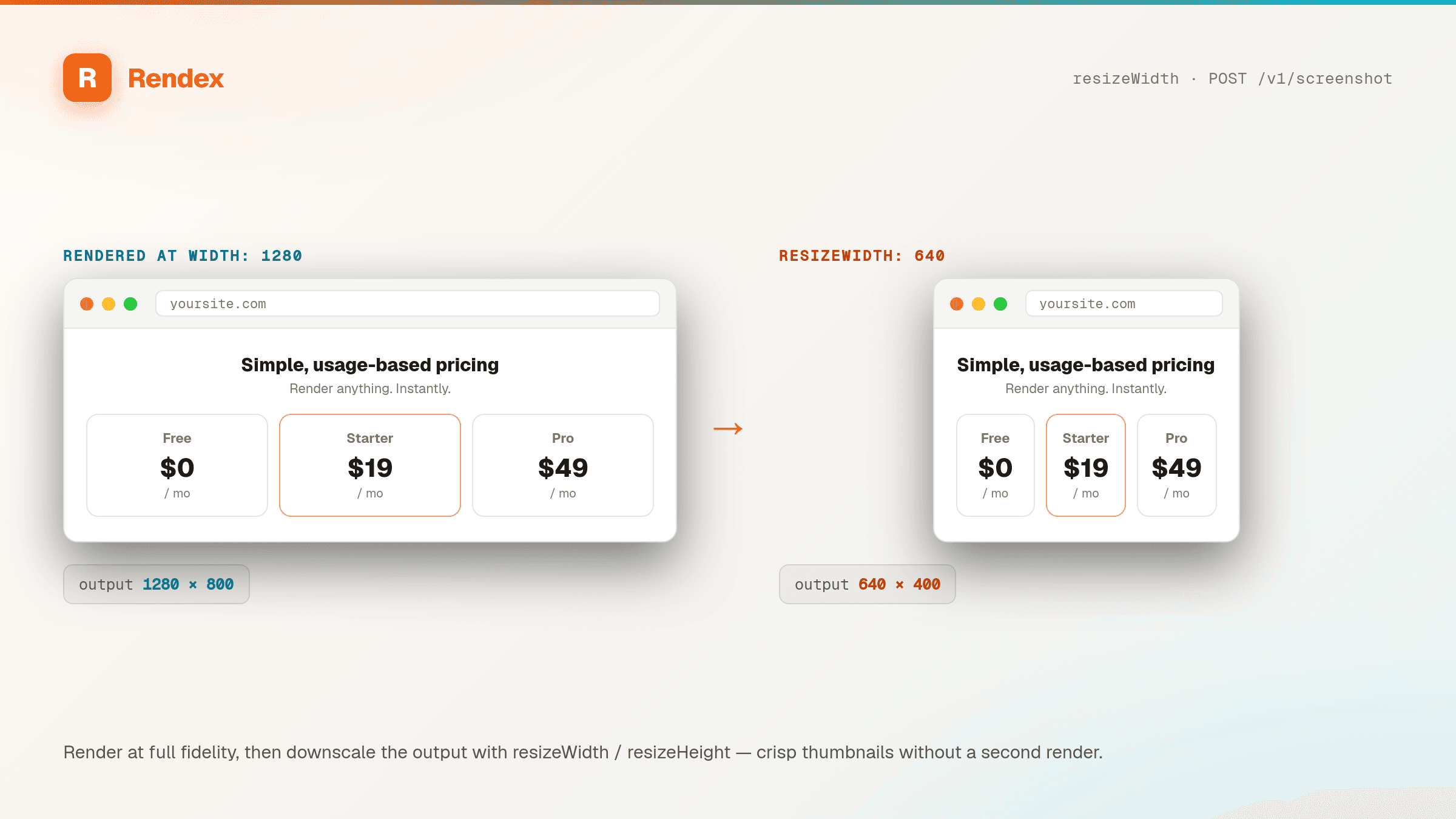
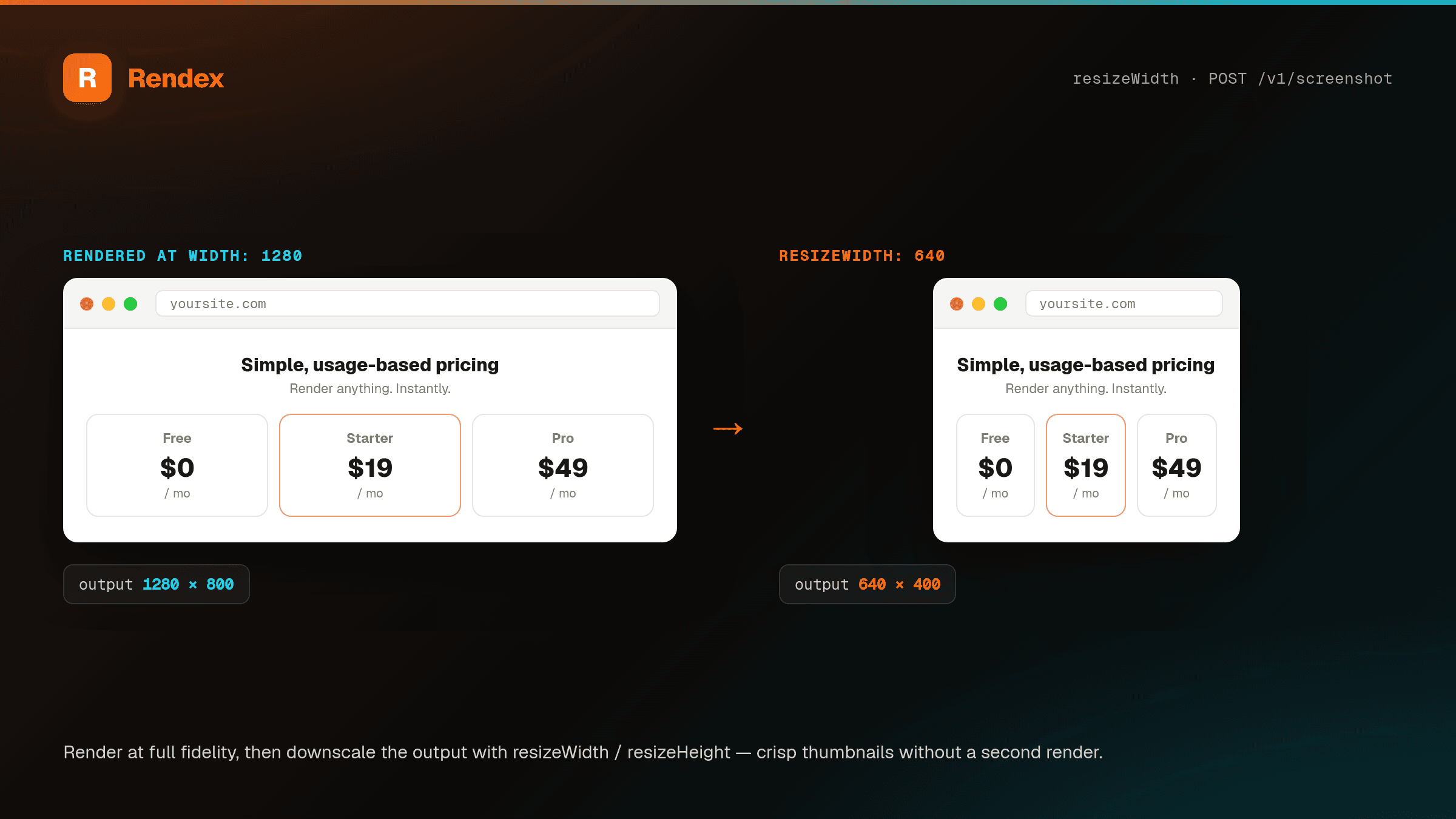
resizeWidth | number | — | Downscale the output to this width in pixels (16\u20133840). Image formats only \u2014 ignored for PDF. Aspect ratio is preserved when only one of resizeWidth/resizeHeight is set. Never upscales. |
resizeHeight | number | — | Downscale the output to this height in pixels (16\u20132160). Image formats only \u2014 ignored for PDF. Aspect ratio is preserved when only one of resizeWidth/resizeHeight is set. Never upscales. |
css | string | — | Custom CSS to inject into the page before capture (max 50 KB). Useful for hiding elements, changing fonts, or overriding styles. |
js | string | — | Custom JavaScript to execute on the page before capture (max 50 KB). Runs after navigation completes. |
cookies | object[] | — | Array of cookie objects to set before navigation (max 50). Each cookie requires name and value. Optional fields: domain, path, httpOnly, secure, sameSite ("Strict" | "Lax" | "None"), expires (Unix timestamp). |
headers | Record<string, string> | — | Custom HTTP headers to send with the page request. Cannot override Host, Connection, Content-Length, or Transfer-Encoding. |
userAgent | string | — | Custom browser user agent string (max 512 chars). |
pdfFormat | "A4" | "Letter" | "Legal" | "Tabloid" | "A3" | "A4" | PDF page size. Only applies when format is "pdf". |
pdfLandscape | boolean | false | Landscape orientation for PDF output. Only applies when format is "pdf". |
pdfPrintBackground | boolean | true | Include background colors and images in PDF output. Only applies when format is "pdf". |
pdfScale | number | 1 | Scale factor for PDF rendering (0.1\u20132). Only applies when format is "pdf". |
pdfMargin | object | — | PDF page margins with top, right, bottom, left as CSS values (e.g. "1in", "20mm"). Defaults to zero margins. Only applies when format is "pdf". |
geo | string | — | Two-letter ISO country code (e.g. "US", "DE", "JP") for geo-targeted captures. The page is loaded from the specified country. Pro and Enterprise plans only. |
geoCity | string | — | City name for more precise geo-targeting (max 100 chars). Requires geo to be set. |
geoState | string | — | State or region for geo-targeting (max 100 chars). Requires geo to be set. |
hosted | boolean | false | Store the result in R2 and return { url, expiresAt } — a signed, CDN-backed URL — instead of the image/PDF bytes. Drop the URL straight into an <img> or og:image. |
extract | boolean | false | Also return clean reader-mode extracted content from the same render pass. Only valid on POST /v1/screenshot/json — the binary endpoint rejects it. Shape is set by extractFormat. |
extractFormat | "markdown" | "json" | "html" | "markdown" | Shape of the extracted content when extract is true. |
async | boolean | false | Process the capture asynchronously. Returns a jobId immediately instead of waiting for the result. Poll /v1/jobs/:jobId for status. |
webhookUrl | string | — | URL to receive a POST callback when an async capture completes. Must be a valid HTTPS URL. Requires async: true. |
cacheTtl | number | 86400 | How long to cache the result in seconds (3600–2592000, i.e. 1 hour to 30 days). |
Rendering options, rendered
Each capture parameter above changes the pixels you get back. Here is what the most-used ones do \u2014 and every panel below is a live Rendex render of the same page, not a mockup:
Response
Returns the image or PDF binary with appropriate Content-Type header. Screenshot metadata is returned in response headers:
x-screenshot-url— Captured URLx-screenshot-width— Image widthx-screenshot-height— Image heightx-screenshot-size— File size in bytesx-screenshot-captured-at— ISO timestampx-rendex-quality— Capture quality (full,degraded, orbest_attempt)x-rendex-wait-strategy— Actual wait strategy usedx-rendex-load-time-ms— Page load time in millisecondsx-ratelimit-remaining— Remaining requestsx-ratelimit-reset— Rate limit reset time
GET /v1/screenshot
Capture a screenshot via query parameters and return the image as binary data. Enables <img> tag embedding and browser-based access.
Authentication
In addition to the Authorization and x-api-key headers, the GET endpoint also accepts a ?key= query parameter. This enables direct usage in <img src="..."> tags and browser address bars.
Query Parameters
Most POST body parameters are available as query strings, except blockResourceTypes, cookies, headers, html, hideSelectors, pdfMargin, async, and webhookUrl (complex types that don't serialize cleanly in URLs). The hosted, extract, extractFormat, and hideSelectors options are available on the POST endpoints only.
| Parameter | Type | Default | Description |
|---|---|---|---|
url | string | — | Required. The URL to capture. |
format | "png" | "jpeg" | "webp" | "pdf" | "png" | Output format. |
width | number | 1280 | Viewport width (320–3840). |
height | number | 800 | Viewport height (240–2160). |
fullPage | boolean | false | Capture the full scrollable page. |
darkMode | boolean | false | Emulate dark color scheme. |
blockAds | boolean | true | Block ads and trackers. |
quality | number | 80 | JPEG/WebP quality (1–100, default 80). Ignored for PNG and PDF. |
delay | number | 0 | Wait time in ms after page load (0–10000). |
deviceScaleFactor | number | 2 | Device pixel ratio (1–3) for retina captures. Default produces 2× Retina output. |
timeout | number | 30 | Navigation timeout in seconds (5–60). |
waitUntil | "load" | "domcontentloaded" | "networkidle0" | "networkidle2" | "networkidle2" | When to consider navigation complete. |
waitForSelector | string | — | CSS selector to wait for before capturing (max 500 chars). |
bestAttempt | boolean | true | If true, returns a partial screenshot on timeout instead of failing. |
selector | string | — | CSS selector of a specific element to capture instead of the full page (max 500 chars). |
device | "desktop" | "iphone_15" | "iphone_se" | "pixel_8" | "ipad" | "ipad_pro" | — | Device preset \u2014 sets viewport, device scale factor, and user agent in one parameter. Explicit width, height, and userAgent still override the preset. |
blockCookieBanners | boolean | false | Hide common cookie/consent walls (OneTrust, Cookiebot, Quantcast, and similar) via a curated CSS list before capture. |
resizeWidth | number | — | Downscale the output to this width in pixels (16–3840). Image formats only — ignored for PDF. Aspect ratio is preserved when only one of resizeWidth/resizeHeight is set. Never upscales. |
resizeHeight | number | — | Downscale the output to this height in pixels (16–2160). Image formats only — ignored for PDF. Aspect ratio is preserved when only one of resizeWidth/resizeHeight is set. Never upscales. |
userAgent | string | — | Custom browser user agent string (max 512 chars). |
pdfFormat | "A4" | "Letter" | "Legal" | "Tabloid" | "A3" | "A4" | PDF page size. Only applies when format is "pdf". |
pdfLandscape | boolean | false | Landscape orientation. Only applies when format is "pdf". |
pdfPrintBackground | boolean | true | Include backgrounds in PDF. Only applies when format is "pdf". |
pdfScale | number | 1 | PDF scale factor (0.1\u20132). Only applies when format is "pdf". |
geo | string | — | Two-letter ISO country code for geo-targeted captures. Pro and Enterprise plans only. |
geoCity | string | — | City for geo-targeting. Requires geo. |
geoState | string | — | State/region for geo-targeting. Requires geo. |
Example
https://api.rendex.dev/v1/screenshot?url=https://example.com&format=webp&key=YOUR_API_KEYResponse
Returns the same binary image with metadata headers as the POST endpoint. See the POST response section above for header details.
POST /v1/screenshot/json
Same parameters as /v1/screenshot, but returns the image as a base64-encoded JSON response. Set extract: true here to also receive clean reader-mode content in an extracted field alongside the image — available on every plan, including Free.
Response Body
{
  "success": true,
  "data": {
    "image": "base64-encoded-string",
    "contentType": "image/png",
    "url": "https://example.com",
    "width": 1280,
    "height": 800,
    "format": "png",
    "bytesSize": 145832,
    "capturedAt": "2026-03-26T12:00:00.000Z",
    "quality": "full",
    "waitStrategy": "networkidle2",
    "loadTimeMs": 2450
  },
  "meta": {
    "requestId": "req_abc123",
    "timestamp": "2026-03-26T12:00:00.000Z",
    "usage": {
      "credits": 1,
      "remaining": 499
    }
  }
}
POST /v1/render/link
Mint a signed, self-contained hosted-render URL you can paste straight into <meta property="og:image"> or an <img src> — no storage or backend on your side. The body is the same capture parameters as POST /v1/screenshot (URL, HTML, or Markdown plus data, format, viewport, etc.), with an optional expiresIn. Available on every plan, including Free.
The returned link encodes the (signed, tamper-proof) render params, the owning account, and an expiry. GET /v1/render renders it on the first request, caches the result in R2 under a deterministic key, and serves the cached copy on every repeat — so a widely-shared link costs one render, not one per crawl. Credits are charged to the link owner on each cache-miss render only. async, webhookUrl, extract, and geo-targeting are not valid on a render link.
Request Body
| Parameter | Type | Default | Description |
|---|---|---|---|
…capture params | object | — | All POST /v1/screenshot capture parameters — one of url/html/markdown, format, width, height, data, etc. |
expiresIn | number | 2592000 | Link validity in seconds (3600–2592000). Defaults to cacheTtl or 30 days. |
Example Request
curl -X POST https://api.rendex.dev/v1/render/link \
  -H "Authorization: Bearer rdx_your_key" \
  -H "Content-Type: application/json" \
  -d '{
    "html": "<html><body><h1>{{title}}</h1></body></html>",
    "data": { "title": "Launch Day" },
    "format": "png",
    "width": 1200,
    "height": 630,
    "expiresIn": 2592000
  }'
Response
{
  "success": true,
  "data": {
    "url": "https://api.rendex.dev/v1/render?p=...&uid=...&exp=1714003200&sig=...",
    "expiresAt": "2026-04-25T00:00:00.000Z",
    "format": "png",
    "cacheTtl": 2592000
  }
}
Paste data.url into your page's og:image meta tag. Returns 400 if combined with unsupported options (async, webhookUrl, extract, or geo-targeting).
GET /v1/render
Serves a render link minted by POST /v1/render/link. Public and signature-authenticated— the HMAC signature in the URL is the auth boundary, so no API key is required. Renders on the first hit and returns the image/PDF bytes; subsequent hits serve the cached copy. You normally don't call this directly — embed the URL returned by POST /v1/render/link.
Query Parameters
All four parameters are included automatically in the minted URL — you do not construct them yourself.
| Parameter | Type | Description |
|---|---|---|
p | string | Signed render params token. |
uid | string | Owning account ID. |
exp | number | Expiry (Unix seconds). |
sig | string | HMAC signature over the params. |
Response
Returns the rendered image or PDF binary. The x-rendex-cache response header is hit or miss. An expired or invalid signature returns 403 FORBIDDEN.
POST /v1/extract
Turn a single URL into clean reader-mode content — Markdown, JSON, or article HTML — pulled from the fully-rendered page (so it works on JavaScript-heavy sites and SPAs that fetch-only readers miss). Strips nav, ads, and boilerplate. Text only — for image plus text in one call, use POST /v1/screenshot/json with extract: true. Available on every plan, including Free.
Request Body
| Parameter | Type | Default | Description |
|---|---|---|---|
url | string | — | Required. The webpage URL to extract readable content from. |
extractFormat | "markdown" | "json" | "html" | "markdown" | Output shape — markdown (LLM-friendly prose), json (structured fields), or html (cleaned reader-mode HTML). |
waitUntil | "load" | "domcontentloaded" | "networkidle0" | "networkidle2" | "networkidle2" | When to consider navigation complete. |
timeout | number | 30 | Navigation timeout in seconds (5–60). |
device | "desktop" | "iphone_15" | "iphone_se" | "pixel_8" | "ipad" | "ipad_pro" | — | Device preset — extract the mobile or tablet version of a page. |
blockCookieBanners | boolean | — | Hide common cookie/consent walls before extraction. |
hideSelectors | string[] | — | CSS selectors to hide (e.g. overlays, popups) before extraction (max 50). |
Example Request
curl -X POST https://api.rendex.dev/v1/extract \
  -H "Authorization: Bearer rdx_your_key" \
  -H "Content-Type: application/json" \
  -d '{
    "url": "https://example.com/blog/post",
    "extractFormat": "markdown"
  }'
Response
{
  "success": true,
  "data": {
    "url": "https://example.com/blog/post",
    "format": "markdown",
    "content": "# Article title\n\nClean reader-mode prose...",
    "title": "Article title",
    "byline": "Jane Doe",
    "excerpt": "A short summary of the article.",
    "siteName": "Example Blog",
    "length": 4820,
    "loadTimeMs": 2310
  }
}
Returns url, format, content, title, byline, excerpt, siteName, length, and loadTimeMs. Returns 422 EXTRACTION_FAILED when no article-like content is found.
POST /v1/artifact
Turn Markdown or HTML plus a small branding theme into a branded PDF, a PNG, and a hosted share page in one call. Built for AI agents that produce a finished report and need downloadable, shareable URLs. Pass the document body in content (Markdown by default, or set inputFormat: "html"), an optional branding theme, and an optional pageSetup. Choose the output formats: pdf, png, or both. Each requested format charges 1 credit from the same shared pool, using the same rdx_ key; the charge is refunded if a render fails. Available on every plan; the Free tier includes 100 renders per month.
Request Body
| Parameter | Type | Default | Description |
|---|---|---|---|
content | string | — | Required. The Markdown or HTML body to render (up to ~4MB). |
inputFormat | "markdown" | "html" | "markdown" | How to interpret content. markdown is converted to styled HTML; html is used as a body fragment. |
formats | ("pdf" | "png")[] | ["pdf", "png"] | Which artifact formats to produce (1 or 2). Each format charges 1 credit. |
branding | object | — | Optional theme with logo (http(s) URL), accentColor, font, header, and footer. |
pageSetup | object | — | Optional paper and viewport setup with size (A4, Letter, Legal, Tabloid, A3), orientation, margin, scale, width, height, and fullPage. |
data | object | — | Optional Mustache data applied to content (plus the branding fields) before conversion. |
expiresIn | number | 86400 | Seconds until the hosted URLs expire (3600–2592000). Default 24h. |
Example Request
curl -X POST https://api.rendex.dev/v1/artifact \
  -H "Authorization: Bearer rdx_your_key" \
  -H "Content-Type: application/json" \
  -d '{
    "content": "# Weekly report\n\n- p95 down **12%**\n- 2 features shipped",
    "formats": ["pdf", "png"],
    "branding": { "header": "Acme Inc.", "accentColor": "#EA580C" },
    "pageSetup": { "size": "A4" }
  }'
Response
{
  "success": true,
  "data": {
    "pdfUrl": "https://api.rendex.dev/v1/images/usr_123/8f1c....pdf?expires=1750896000&sig=...",
    "pngUrl": "https://api.rendex.dev/v1/images/usr_123/2b7e....png?expires=1750896000&sig=...",
    "shareUrl": "https://api.rendex.dev/v1/images/usr_123/a90d....html?expires=1750896000&sig=...",
    "expiresAt": "2026-06-25T00:00:00.000Z"
  }
}
Returns short-lived signed URLs: pdfUrl and/or pngUrl (one per requested format), a shareUrl to a hosted preview page, and expiresAt. Returns a 400 VALIDATION_ERROR for an invalid body.
POST /v1/screenshot/batch
Submit multiple URLs for asynchronous capture in a single request. Returns immediately with a batch ID and individual job IDs that you can poll for results. Each URL in the batch counts as one credit.
Request Headers
| Header | Required | Value |
|---|---|---|
Authorization | Yes | Bearer YOUR_API_KEY |
Content-Type | Yes | application/json |
Request Body
| Parameter | Type | Default | Description |
|---|---|---|---|
urls | string[] | — | Required. Array of URLs to capture (1\u2013500). Batch is a paid-plan feature; the size cap depends on your plan: Basic (10), Starter (25), Pro (100), Enterprise (500). |
defaults | object | {} | Shared capture settings applied to every URL — viewport, format, full-page, dark mode, wait strategy, quality, delay, CSS/JS injection, user agent, geo-targeting, and PDF page options. The per-job-only parameters url, html, async, webhookUrl, cookies, headers, selector, waitForSelector, blockResourceTypes, and pdfMargin are not accepted in batch defaults. |
webhookUrl | string | — | HTTPS URL to receive a POST callback when the entire batch completes. |
cacheTtl | number | 86400 | How long to cache results in seconds (3600–2592000). |
Example Request
{
  "urls": [
    "https://example.com",
    "https://example.org",
    "https://example.net"
  ],
  "defaults": {
    "format": "png",
    "width": 1280,
    "height": 800,
    "fullPage": false,
    "darkMode": true
  },
  "webhookUrl": "https://your-app.com/webhook/batch-done",
  "cacheTtl": 86400
}
Response (202 Accepted)
{
  "success": true,
  "data": {
    "batchId": "b8f3e1a2-...",
    "totalJobs": 3,
    "jobs": [
      { "jobId": "j1a2b3c4-...", "url": "https://example.com", "status": "queued" },
      { "jobId": "j5d6e7f8-...", "url": "https://example.org", "status": "queued" },
      { "jobId": "j9a0b1c2-...", "url": "https://example.net", "status": "queued" }
    ]
  },
  "meta": {
    "requestId": "req_xyz789",
    "timestamp": "2026-03-26T12:00:00.000Z",
    "usage": {
      "credits": 3,
      "remaining": 497
    }
  }
}
GET /v1/jobs/:jobId
Poll the status of an asynchronous capture job. Use this after submitting a request with async: true or after creating a batch.
Path Parameters
| Parameter | Type | Description |
|---|---|---|
jobId | string (UUID) | Required. The job ID returned from an async capture or batch request. |
Response
{
  "success": true,
  "data": {
    "jobId": "j1a2b3c4-...",
    "status": "completed",
    "resultUrl": "https://api.rendex.dev/v1/images/user123/j1a2b3c4.png?expires=1711540800&sig=...",
    "error": null,
    "createdAt": "2026-03-26T12:00:00.000Z",
    "completedAt": "2026-03-26T12:00:05.000Z"
  },
  "meta": {
    "requestId": "req_poll456",
    "timestamp": "2026-03-26T12:00:06.000Z"
  }
}
Job Statuses
| Status | Description |
|---|---|
queued | Job is waiting to be processed. |
processing | Job is currently being captured. |
completed | Capture succeeded. The resultUrl field contains a signed URL to download the image. |
failed | Capture failed. The error field contains the reason. |
GET /v1/batches/:batchId
Poll the status of a batch and all its individual jobs.
Path Parameters
| Parameter | Type | Description |
|---|---|---|
batchId | string (UUID) | Required. The batch ID returned from POST /v1/screenshot/batch. |
Response
{
  "success": true,
  "data": {
    "batchId": "b8f3e1a2-...",
    "status": "completed",
    "totalJobs": 3,
    "completedJobs": 3,
    "failedJobs": 0,
    "createdAt": "2026-03-26T12:00:00.000Z",
    "completedAt": "2026-03-26T12:00:12.000Z",
    "jobs": [
      {
        "jobId": "j1a2b3c4-...",
        "status": "completed",
        "resultUrl": "https://api.rendex.dev/v1/images/...",
        "error": null,
        "createdAt": "2026-03-26T12:00:00.000Z",
        "completedAt": "2026-03-26T12:00:05.000Z"
      }
    ]
  },
  "meta": {
    "requestId": "req_batch789",
    "timestamp": "2026-03-26T12:00:13.000Z"
  }
}
The response includes a summary of the batch (totalJobs, completedJobs, failedJobs) and an array of all individual job statuses with their result URLs.
GET /v1/images/*
Retrieve a captured image or PDF using a signed URL. These URLs are returned in the resultUrl field of completed async jobs and batches.
resultUrlfrom a completed job response — no additional authentication is needed.Query Parameters
| Parameter | Type | Description |
|---|---|---|
expires | string | Unix timestamp when the URL expires. Included automatically in signed URLs. |
sig | string | Signature token for URL verification. Included automatically in signed URLs. |
Response
Returns the image or PDF binary with the appropriate Content-Type header and cache headers based on the remaining URL lifetime.
Error Codes
| Status | Code | Description |
|---|---|---|
| 400 | INVALID_URL | Missing or malformed URL parameters. |
| 403 | FORBIDDEN | Signature is invalid or the URL has expired. |
| 404 | NOT_FOUND | Image not found or has been deleted. |
GET /health
Returns a simple health check.
{
  "status": "ok",
  "product": "rendex",
  "version": "1.4.0",
  "timestamp": "2026-03-26T12:00:00.000Z"
}
GET /v1/account
Read your plan and this month's usage — used, limit, remaining, and the reset date — plus the per-minute rate limit and a recommended upgrade link. Read-only and free; it never spends a credit. Handy for showing remaining credits, gating on plan, or surfacing an upgrade prompt in an agent or dashboard.
GET /v1/usage is an alias for this endpoint — both return the same summary, so use whichever name you reach for.
Response
{
  "success": true,
  "data": {
    "plan": "free",
    "usage": {
      "used": 50,
      "limit": 100,
      "remaining": 50,
      "unlimited": false,
      "resetsAt": "2026-07-01T00:00:00.000Z"
    },
    "rateLimitPerMinute": 10,
    "upgrade": {
      "recommendedPlan": "starter",
      "recommendedPlanCredits": 10000,
      "upgradeUrl": "https://rendex.dev/pricing",
      "manageBillingUrl": "https://rendex.dev/dashboard/billing"
    }
  }
}
upgrade is null when you are already on the top plan; on Enterprise, usage.unlimited is true and the numeric fields may be null.
Webhooks
When you provide a webhookUrl on an async or batch request, Rendex sends a signed POST callback when the job completes or fails. Batch requests receive a single batch.completed webhook when all jobs finish.
Event Types
| Event | Trigger | Key Fields |
|---|---|---|
job.completed | An async screenshot finished successfully. | jobId, resultUrl, metadata |
job.failed | An async screenshot failed after all retries. | jobId, error |
batch.completed | All jobs in a batch finished (success, partial, or failed). | batchId, totalJobs, completedJobs, failedJobs, jobs[] |
Payload — job.completed
{
  "event": "job.completed",
  "jobId": "j1a2b3c4-...",
  "status": "completed",
  "resultUrl": "https://api.rendex.dev/v1/images/...",
  "metadata": {
    "url": "https://example.com",
    "format": "png",
    "width": 1280,
    "height": 800,
    "loadTimeMs": 2450
  },
  "completedAt": "2026-03-26T12:00:05.000Z"
}
Payload — job.failed
{
  "event": "job.failed",
  "jobId": "j5d6e7f8-...",
  "status": "failed",
  "error": "The page took too long to load. Try increasing the timeout or using bestAttempt=true.",
  "completedAt": "2026-03-26T12:00:30.000Z"
}
Payload — batch.completed
{
  "event": "batch.completed",
  "batchId": "b8f3e1a2-...",
  "status": "completed",
  "totalJobs": 3,
  "completedJobs": 2,
  "failedJobs": 1,
  "completedAt": "2026-03-26T12:00:12.000Z",
  "jobs": [
    { "jobId": "j1a2b3c4-...", "status": "completed", "resultUrl": "https://..." },
    { "jobId": "j5d6e7f8-...", "status": "completed", "resultUrl": "https://..." },
    { "jobId": "j9a0b1c2-...", "status": "failed", "error": "Could not reach the target URL." }
  ]
}
Headers
Every webhook request includes these headers:
| Header | Description |
|---|---|
x-rendex-signature | HMAC-SHA256 hex digest for payload verification. |
x-rendex-timestamp | Unix timestamp (seconds) when the webhook was signed. |
x-rendex-event | Event type: job.completed, job.failed, or batch.completed. |
x-rendex-delivery-id | Unique ID per delivery attempt. Same across retries — use for idempotency. |
User-Agent | Rendex-Webhook/1.0 |
Signature Verification
Webhooks are signed with HMAC-SHA256 using the format timestamp.body. Always verify signatures to confirm the webhook came from Rendex. Reject timestamps older than 5 minutes to prevent replay attacks.
Node.js / TypeScript
import crypto from "crypto";

function verifyWebhook(body: string, headers: Headers, secret: string): boolean {
  const signature = headers.get("x-rendex-signature");
  const timestamp = headers.get("x-rendex-timestamp");
  if (!signature || !timestamp) return false;

  // Reject timestamps older than 5 minutes to prevent replay attacks
  const age = Math.floor(Date.now() / 1000) - parseInt(timestamp);
  if (age > 300) return false;

  const expected = crypto
    .createHmac("sha256", secret)
    .update(`${timestamp}.${body}`)
    .digest("hex");

  return crypto.timingSafeEqual(
    Buffer.from(signature),
    Buffer.from(expected)
  );
}
Python
import hmac, hashlib, time

def verify_webhook(body: bytes, headers: dict, secret: str) -> bool:
    signature = headers.get("x-rendex-signature")
    timestamp = headers.get("x-rendex-timestamp")
    if not signature or not timestamp:
        return False

    # Reject timestamps older than 5 minutes
    if time.time() - int(timestamp) > 300:
        return False

    expected = hmac.new(
        secret.encode(),
        f"{timestamp}.{body.decode()}".encode(),
        hashlib.sha256,
    ).hexdigest()

return hmac.compare_digest(signature, expected)WEBHOOK_SIGNING_SECRET configured in your Rendex deployment. Contact support if you need to rotate it.Retry Behavior
| Attempt | Delay | Behavior |
|---|---|---|
| 1st | Immediate | First delivery attempt. |
| 2nd | ~5 seconds | Exponential backoff with jitter. |
| 3rd | ~15 seconds | Second retry. |
| 4th | ~45 seconds | Final retry (capped at 120s). |
4xx responses (client errors) are not retried — fix your endpoint and re-trigger the job. 5xx responses and timeouts are retried up to 3 times. Webhook delivery times out after 10 seconds — your endpoint must respond within that window.
Use the x-rendex-delivery-id header for idempotency. The same ID is sent across all retry attempts for a given delivery, so you can safely deduplicate.
Async Jobs & Limits
Job Lifecycle
When you set async: true or submit a batch, each capture goes through this state machine:
queued → processing → completed
↘ failed| Status | Meaning |
|---|---|
queued | Job is in the queue waiting for a worker. |
processing | A worker has picked up the job and is capturing the screenshot. |
completed | Capture succeeded. resultUrl contains the signed image URL. |
failed | Capture failed. error contains a safe, user-facing message. |
Transitions are guarded — a job can only move from queued to processing, and from processing to completed or failed. This prevents duplicate processing.
Polling is Free
GET /v1/jobs/:jobId and GET /v1/batches/:batchId do not consume credits. Poll as often as you need — you are only billed for actual screenshot captures. We recommend polling every 2–5 seconds.Concurrent Job Limits
Each plan has a maximum number of simultaneous active jobs (queued + processing). Exceeding this returns a 429 error.
| Plan | Max Concurrent Jobs |
|---|---|
| Free | 10 |
| Starter | 50 |
| Pro | 200 |
| Enterprise | 1,000 |
Batch Size Limits
| Plan | Max URLs per Batch |
|---|---|
| Free | — (Starter+) |
| Starter | 25 |
| Pro | 100 |
| Enterprise | 500 |
Batch requests are billed per URL, not per request. A 10-URL batch costs 10 credits.
Error Messages
Failed job errors are sanitized for security — raw internal errors are never exposed. Common messages:
| Message | Cause |
|---|---|
| The page took too long to load. | Target page didn't load within the timeout. Increase timeout or enable bestAttempt. |
| The specified element was not found. | CSS selector didn't match any element on the page. |
| Invalid cookie domain. | Cookie domain doesn't match the target URL's domain. |
| Could not reach the target URL. | DNS failure, connection refused, or the URL is behind a firewall. |
| Failed to store capture result. | Storage error (R2 or custom S3). Retry or check storage configuration. |
| Screenshot capture failed. | Generic error. Check your parameters and try again. |
Capture Behavior
Best Attempt Fallback Chain
When bestAttempt is true(the default), Rendex tries progressively less strict wait strategies if the page doesn't settle within the timeout:
networkidle0 → networkidle2 → load → domcontentloadedThe response header x-rendex-quality tells you what happened:
| Value | Meaning |
|---|---|
full | Page loaded with your chosen wait strategy — best quality. |
degraded | Page loaded with a less strict strategy. Some content may be missing. |
best_attempt | All strategies timed out. Screenshot was captured anyway — expect incomplete content. |
Full-Page Capture & Auto-Scroll
When fullPage is true, Rendex scrolls the page incrementally before capture. This triggers lazy-loaded images, scroll-based animations (Framer Motion, AOS, GSAP), and deferred content. After scrolling completes, an 800ms settlement wait ensures content finishes rendering.
Full-page captures have a maximum height of 16,384 pixels. Pages taller than this are truncated and the response includes an x-rendex-truncated: true header.
Response Headers
Successful screenshot responses include metadata in headers. Some headers are conditional — they only appear when relevant.
| Header | Always? | Description |
|---|---|---|
x-screenshot-url | Yes | The URL that was captured. |
x-screenshot-width | Yes | Viewport width in pixels. |
x-screenshot-height | Yes | Viewport height in pixels. |
x-screenshot-size | Yes | Image file size in bytes. |
x-screenshot-captured-at | Yes | ISO 8601 timestamp of capture. |
x-rendex-format | Yes | Output format: png, jpeg, webp, or pdf. |
x-rendex-quality | Yes | full, degraded, or best_attempt. |
x-rendex-wait-strategy | Yes | The wait strategy that succeeded. |
x-rendex-load-time-ms | Yes | Total capture time in milliseconds. |
x-rendex-truncated | No | Present and true when a full-page capture exceeded 16,384px. |
x-rendex-auto-scrolled | No | Present and true when auto-scroll was used. |
x-rendex-rendering-engine | No | Present for geo captures. Value: geo-proxy. |
x-rendex-geo-country | No | Present for geo captures. The ISO country code used. |
Caching
Synchronous image responses (PNG, JPEG, WebP) include cache headers: Cache-Control: public, max-age=3600, s-maxage=3600 (1 hour). PDF responses are not cached — they always generate fresh content.
Async job result URLs (signed URLs) expire based on the cacheTtl parameter (default: 24 hours, range: 1 hour to 30 days). Once expired, the URL returns 403 FORBIDDEN.
URL Validation & SSRF Protection
All target URLs and webhook URLs are validated before processing. The following are blocked to prevent server-side request forgery:
- Private network ranges:
10.x.x.x,172.16-31.x.x,192.168.x.x - Loopback addresses:
127.0.0.1,localhost,::1 - Link-local:
169.254.x.x - Metadata endpoints:
169.254.169.254 - Non-HTTP(S) protocols
If a blocked URL is submitted, the API returns 400 VALIDATION_ERROR.
PDF Output
Set format: "pdf" to render any page, raw HTML, or Markdown as a PDF document. PDF output is available on every plan, including Free.
PDF Parameters
| Parameter | Type | Default | Description |
|---|---|---|---|
pdfFormat | "A4" | "Letter" | "Legal" | "Tabloid" | "A3" | "A4" | Page size. Letter is standard US (8.5" × 11"), A4 is international (210mm × 297mm). |
pdfLandscape | boolean | false | Landscape orientation. Good for wide dashboards and comparison tables. |
pdfPrintBackground | boolean | true | Include background colors, gradients, and images. Set to false for printer-friendly output. |
pdfScale | number | 1 | Scale factor (0.1–2). Use 0.8 to fit wide content, or 1.2 to enlarge text. |
pdfMargin | object | Zero margins | Page margins with top, right, bottom, left. Accepts CSS values: "1in", "20mm", "2cm", "72px". |
Example — PDF from URL
curl -X POST https://api.rendex.dev/v1/screenshot \
  -H "Authorization: Bearer rdx_your_key" \
  -H "Content-Type: application/json" \
  -d '{
    "url": "https://example.com/invoice/123",
    "format": "pdf",
    "pdfFormat": "Letter",
    "pdfLandscape": false,
    "pdfPrintBackground": true,
    "pdfScale": 1,
    "pdfMargin": {
      "top": "0.5in",
      "right": "0.5in",
      "bottom": "0.75in",
      "left": "0.5in"
    }
  }' -o invoice.pdf
Example — PDF from Raw HTML
Use html instead of url to render HTML directly — perfect for invoices, receipts, reports, and social cards. Max HTML size is 5 MB.
curl -X POST https://api.rendex.dev/v1/screenshot \
  -H "Authorization: Bearer rdx_your_key" \
  -H "Content-Type: application/json" \
  -d '{
    "html": "<html><body><h1>Invoice #123</h1><p>Amount: $49.00</p></body></html>",
    "format": "pdf",
    "pdfFormat": "A4",
    "pdfMargin": { "top": "1in", "right": "1in", "bottom": "1in", "left": "1in" }
  }' -o invoice.pdf
Example — PDF from Markdown
Pass markdown and Rendex converts it to a styled HTML document with sensible default typography before rendering — no templating required. Ideal for AI agents (which emit Markdown natively), READMEs, and docs. Works for image formats too, not just PDF.
curl -X POST https://api.rendex.dev/v1/screenshot \
  -H "Authorization: Bearer rdx_your_key" \
  -H "Content-Type: application/json" \
  -d '{
    "markdown": "# Release Notes\n\n## v1.2.0\n\n- Markdown input support\n- Sensible default typography\n\nGreat for AI agents, READMEs, and docs.",
    "format": "pdf",
    "pdfFormat": "A4"
  }' -o notes.pdf
Example — Mustache Data Templating
Supply a data object alongside html or markdown and Rendex treats the source string as a logic-less Mustache template, filling in {{placeholders}} before render. Generate invoices, reports, or certificates from a single template — just swap the data payload per request. Not valid with url (returns 400).
curl -X POST https://api.rendex.dev/v1/screenshot \
  -H "Authorization: Bearer rdx_..." -H "Content-Type: application/json" \
  -d '{
    "markdown": "# Invoice {{number}}\n\nTotal: **{{total}}**\n\n{{#items}}- {{name}}: {{price}}\n{{/items}}",
    "data": { "number": "A-100", "total": "$2,400", "items": [{"name":"Design","price":"$2,000"},{"name":"Hosting","price":"$400"}] },
    "format": "pdf"
  }' -o invoice.pdf
PDF-Specific Behavior
- PDF responses include a
Content-Disposition: inline; filename="rendex-capture.pdf"header. - PDFs are never cached — no
Cache-Controlheader is sent. - Set
fullPage: trueto scroll the page before rendering so lazy-loaded images and scroll-triggered content are present in the PDF. Pagination itself is always handled automatically by the browser's print layout, regardless of this flag. qualityhas no effect on PDFs (it only applies to JPEG and WebP).- PDFs support CSS/JS injection, cookies, headers, and custom viewports — but viewport
widthaffects the page layout, not the PDF page size.
Geo-Targeted Captures
Capture screenshots as seen from a specific country, state, or city. Geo-targeting routes through a proxy network instead of Cloudflare Browser Rendering. Available on Pro and Enterprise plans.
Example
curl -X POST https://api.rendex.dev/v1/screenshot \
  -H "Authorization: Bearer rdx_your_key" \
  -H "Content-Type: application/json" \
  -d '{
    "url": "https://example.com",
    "geo": "DE",
    "geoState": "Bavaria",
    "geoCity": "Munich"
  }' -o screenshot.png
Supported Countries (59)
Pass a 2-letter ISO 3166-1 alpha-2 code. All countries below support city and state targeting.
AF AfghanistanAL AlbaniaDZ AlgeriaAR ArgentinaAU AustraliaAT AustriaBD BangladeshBE BelgiumBR BrazilBG BulgariaCA CanadaCL ChileCN ChinaCO ColombiaHR CroatiaCZ Czech RepublicDK DenmarkEG EgyptEE EstoniaFI FinlandFR FranceDE GermanyGR GreeceHK Hong KongHU HungaryIN IndiaID IndonesiaIE IrelandIL IsraelIT ItalyJP JapanKE KenyaKR South KoreaLV LatviaLT LithuaniaMY MalaysiaMX MexicoNL NetherlandsNZ New ZealandNG NigeriaNO NorwayPK PakistanPE PeruPH PhilippinesPL PolandPT PortugalRO RomaniaRU RussiaSA Saudi ArabiaSG SingaporeSK SlovakiaZA South AfricaES SpainSE SwedenCH SwitzerlandTW TaiwanTH ThailandTR TurkeyUA UkraineAE UAEGB United KingdomUS United StatesVN VietnamGeo Output Differences
Geo-targeted captures use a different rendering engine. This means some features work differently:
| Aspect | Standard Capture | Geo Capture |
|---|---|---|
| Output format | PNG, JPEG, WebP, PDF | PNG only |
| Viewport | Configurable (320–3840 × 240–2160) | Fixed 1280 × 800 |
| Rendering engine | cf-browser | geo-proxy |
| Wait strategy | Configurable (networkidle0/2, load, etc.) | Managed by proxy |
Unsupported Parameters with Geo
These parameters are silently ignored or will return a 400 error if explicitly set (non-default values):
htmlcssjscookiesheadersuserAgentselectorwaitForSelectordarkModeblockAdsblockResourceTypesfullPagedeviceScaleFactorpdfFormatpdfLandscapepdfPrintBackgroundpdfMarginpdfScaleIf you need these features with geo-targeting, capture with geo first, then re-process the URL with a standard capture.
Cookies & Headers
Inject cookies and custom HTTP headers to capture authenticated pages, set language preferences, or test A/B experiments.
Requires a paid plan (Basic and up). Cookie injection, custom request headers, and URL-embedded credentials (user:pass@host) are blocked on the Free tier — such requests return 403 PLAN_UPGRADE_REQUIRED. This is a liability control: any request that passes third-party credentials through Rendex is tied to a billing record.
Example
{
  "url": "https://app.example.com/dashboard",
  "cookies": [
    {
      "name": "session_id",
      "value": "abc123xyz",
      "domain": ".example.com",
      "path": "/",
      "httpOnly": true,
      "secure": true,
      "sameSite": "Lax"
    },
    {
      "name": "theme",
      "value": "dark"
    }
  ],
  "headers": {
    "Accept-Language": "en-US,en;q=0.9"
  }
}
Cookie Fields
| Field | Type | Required | Constraints |
|---|---|---|---|
name | string | Yes | Max 256 characters. |
value | string | Yes | Max 4,096 characters. |
domain | string | No | Max 256 chars. Must match the target URL domain or a parent domain. Auto-derived from URL if omitted. |
path | string | No | Max 256 chars. Defaults to "/". |
httpOnly | boolean | No | Prevents client-side JS from reading the cookie. |
secure | boolean | No | Only send over HTTPS. |
sameSite | string | No | "Strict", "Lax", or "None". |
expires | number | No | Unix timestamp for cookie expiration. |
Maximum 50 cookies per request. If you omit domain, the target URL's hostname is used automatically. Domain validation prevents setting cookies for unrelated domains — the cookie domain must exactly match or be a parent of the target URL.
Custom Headers
Pass a headers object with string key-value pairs. Each value is limited to 4,096 characters. The following headers cannot be overridden for security:
HostConnectionContent-LengthTransfer-Encoding
Common use cases: Accept-Language for locale testing, Authorization for authenticated pages, custom headers for feature flags.
Custom Storage (Bring Your Own S3)
Pro and Enterprise plans can route async capture results to your own S3-compatible bucket instead of Rendex's default storage. See the Custom Storage guide for setup instructions, supported providers (AWS S3, Cloudflare R2, Google Cloud Storage, Backblaze B2, MinIO, DigitalOcean Spaces), and IAM policy templates.
Error Responses
All errors return a JSON body with this structure:
{
  "success": false,
  "error": {
    "code": "VALIDATION_ERROR",
    "message": "Invalid request parameters.",
    "details": [...]
  },
  "meta": {
    "requestId": "req_abc123",
    "timestamp": "2026-03-26T12:00:00.000Z"
  }
}| Status | Code | Description |
|---|---|---|
| 202 | — | Accepted. Async job or batch queued successfully (not an error). |
| 400 | VALIDATION_ERROR | Invalid request parameters. |
| 400 | CAPTURE_FAILED | Screenshot capture failed (e.g. selector not found). |
| 401 | UNAUTHORIZED | Missing or invalid API key. |
| 403 | FORBIDDEN | API key disabled or insufficient permissions. |
| 403 | PLAN_UPGRADE_REQUIRED | Feature requires a higher plan (e.g. geo-targeting on Free/Starter). |
| 404 | NOT_FOUND | Resource not found (job, batch, or image). |
| 408 | TIMEOUT | Page did not load within the configured timeout. |
| 413 | PAYLOAD_TOO_LARGE | Rendered output (after templating/markdown) or render-link URL exceeds the size cap. |
| 422 | EXTRACTION_FAILED | No article-like content found to extract (POST /v1/extract). |
| 429 | RATE_LIMITED | Rate limit exceeded. Check Retry-After header. |
| 429 | QUEUE_LIMIT | Too many concurrent async jobs. Wait for jobs to complete or upgrade. |
| 500 | INTERNAL_ERROR | Server error. Retry after a brief delay. |