Rate Limits
Rate limits protect the API and ensure fair usage. Limits are applied per API key.
Plan Limits
| Plan | Monthly Calls | Rate Limit | At the cap |
|---|---|---|---|
| Free | 100 | 3 req/min | Hard cap — HTTP 429 |
| Basic ($19/mo) | 400 | 10 req/min | Hard cap — HTTP 429 |
| Starter ($69/mo) | 10,000 | 60 req/min | Hard cap — HTTP 429 |
| Pro ($179/mo) | 100,000 | 300 req/min | Hard cap — HTTP 429 |
| Enterprise | Unlimited | 1,000 req/min | Custom SLA |
Watermark by plan
Renders on the Freeplan carry a “rendex.dev” mark — a light watermark tiled across PNG/JPEG/WebP images (content stays readable underneath) and a footer line on PDFs. Every paid plan — starting with Basic ($19/month)— is fully watermark-free. Text extraction (/v1/extract) is never marked. The mark is rendered into the output server-side, so it can't be removed in code — it's gone the moment you upgrade. See Watermark by Plan for the full breakdown.
Rendex Watch limits
Rendex Watch (website change monitoring) shares your plan, API key, and credit pool — there is no separate subscription. Each scheduled check counts as one render call against your monthly cap. Your plan sets how many watches you can run and how often:
| Plan | Watches | Fastest check | Alerts |
|---|---|---|---|
| Free | 1 | Daily | Email only |
| Basic ($19/mo) | 2 | Every 3 hours | Email only |
| Starter ($69/mo) | 10 | Every 3 hours | Email + webhook |
| Pro ($179/mo) | 50 | Every 30 minutes | Email + webhook |
| Enterprise | 1,000 | Every 5 minutes | Email + webhook |
Separately, a single website (host) can have at most 10 active watches — an anti-abuse guardrail on every plan. This only matters on plans that allow more than 10 watches (Pro and Enterprise); on Free and Starter your plan's watch count is already at or below that limit, so it never applies.
If your shared credit pool runs out, scheduled watches pause (they are not deleted, just deactivated); resuming is manual — once you upgrade or your monthly cap resets, resume the watch from the dashboard and checks continue. See the Watch API reference for the full parameter set.
Rate Limit Headers
Every response includes rate limit information:
| Header | Description |
|---|---|
x-ratelimit-remaining | Requests remaining in the current window |
x-ratelimit-reset | Unix timestamp when the rate limit resets |
Retry-After | Seconds to wait (only on 429 responses) |
Retry Strategy
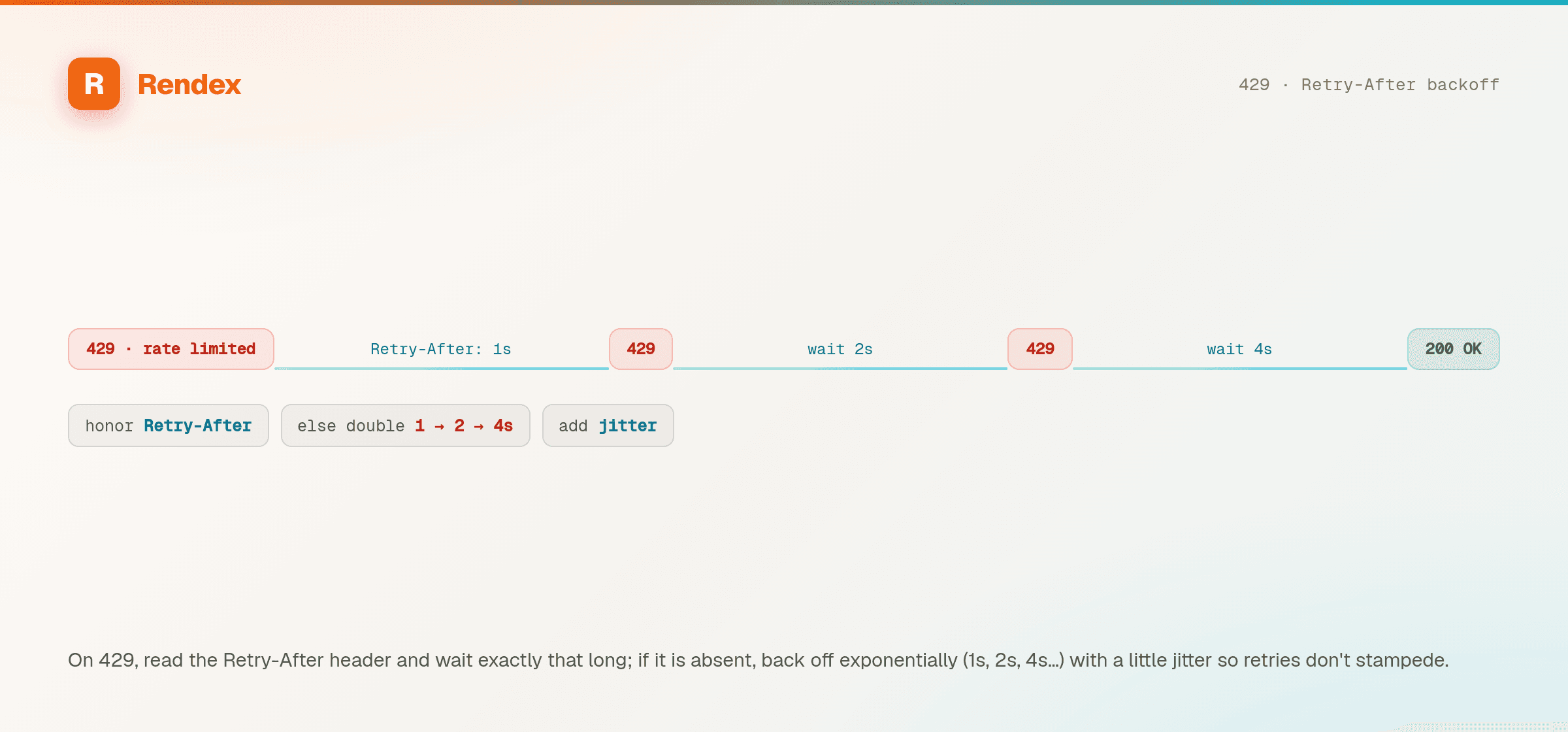
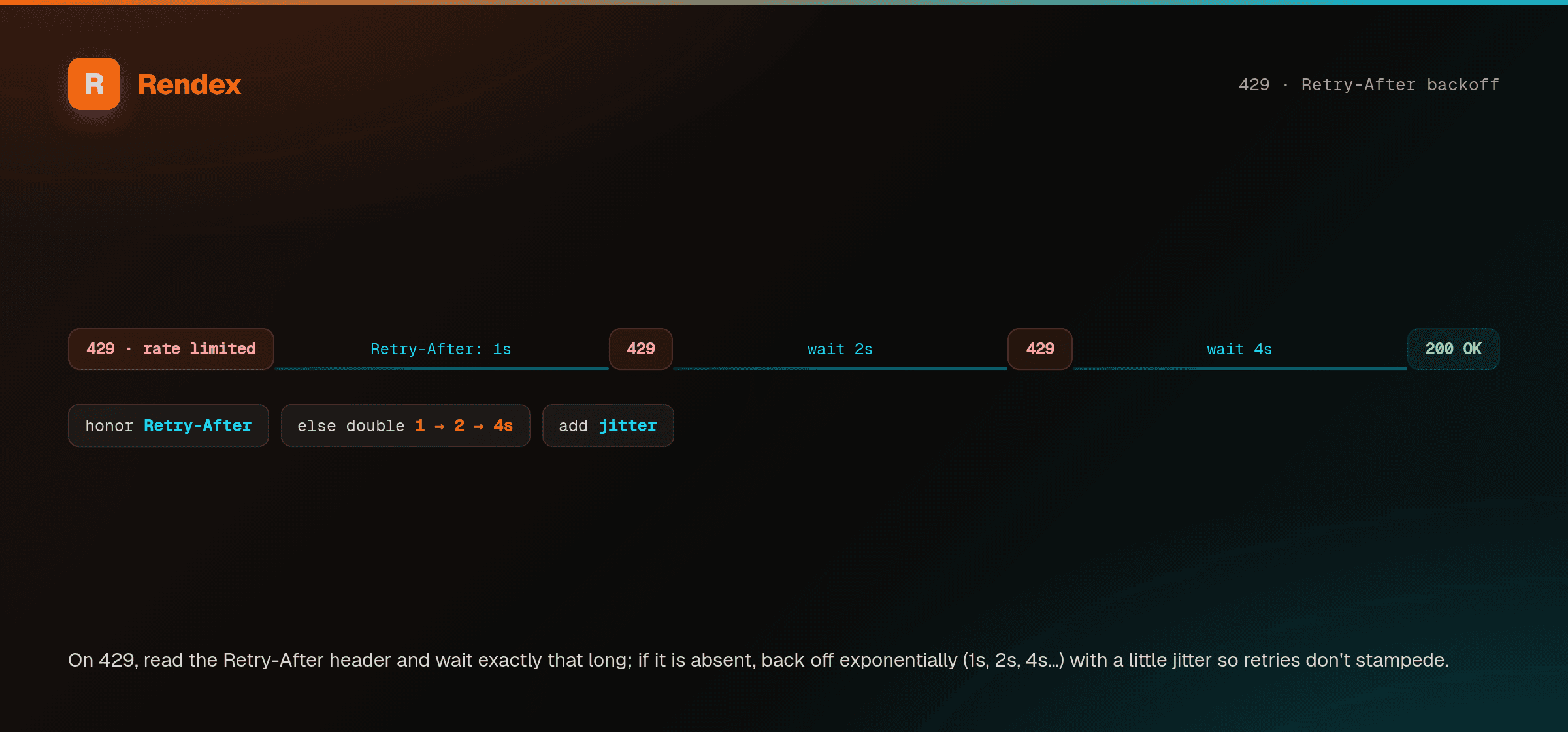
When you receive a 429 response:
- Read the
Retry-Afterheader for the wait time - Wait the specified number of seconds
- Retry the request
- Use exponential backoff if retries continue to fail
async function captureWithRetry(url, apiKey, maxRetries = 3) {
  for (let i = 0; i < maxRetries; i++) {
    const res = await fetch("https://api.rendex.dev/v1/screenshot", {
      method: "POST",
      headers: {
        "Authorization": `Bearer ${apiKey}`,
        "Content-Type": "application/json",
      },
      body: JSON.stringify({ url }),
    });

    if (res.status !== 429) return res;

    const retryAfter = parseInt(res.headers.get("Retry-After") || "1");
    await new Promise(r => setTimeout(r, retryAfter * 1000));
  }
  throw new Error("Rate limit exceeded after retries");
}
Using the SDK? The official SDKs throw typed errors with the status code and retry-after value, making retry logic simpler:
import { Rendex, RendexApiError } from "@copperline/rendex";

const rendex = new Rendex(process.env.RENDEX_API_KEY);
try {
  const { image } = await rendex.screenshot({ url: "https://example.com" });
} catch (err) {
  if (err instanceof RendexApiError && err.statusCode === 429) {
    // Rate limited — wait and retry
  }
}
Best Practices
- Cache screenshots: Store results to avoid redundant API calls for the same URL.
- Batch wisely: Space out bulk screenshot jobs rather than sending all requests simultaneously.
- Monitor usage: Check your usage dashboard regularly to stay within plan limits.
- Upgrade proactively: If you consistently hit limits, upgrade your plan for higher quotas.