Custom Storage
Route async capture results directly to your own S3-compatible bucket. Available on Pro and Enterprise plans.
Overview
By default, Rendex stores all async captures in our Cloudflare R2 storage and returns time-limited signed URLs. With Custom Storage, your images upload directly to your own bucket, giving you full control over data residency, retention, and access.
When custom storage is active, webhook payloads and job status responses include S3 presigned URLs pointing to your bucket instead of Rendex URLs.
Supported Providers
| Provider | Endpoint |
|---|---|
| AWS S3 | Default (no custom endpoint needed) |
| Google Cloud Storage | https://storage.googleapis.com |
| Backblaze B2 | https://s3.{region}.backblazeb2.com |
| Cloudflare R2 | https://{account-id}.r2.cloudflarestorage.com |
| MinIO | Your MinIO server URL |
| DigitalOcean Spaces | https://{region}.digitaloceanspaces.com |
Setup
- Go to Dashboard → Settings → Storage
- Enter your S3-compatible credentials (Access Key ID and Secret Access Key)
- Specify the bucket name and region
- For non-AWS providers, enter the custom endpoint URL
- Click Test Connection to verify access
- Toggle Active and click Save
AWS IAM Policy
Create a dedicated IAM user with the minimum permissions Rendex needs to upload captures and generate presigned download URLs:
{
  "Version": "2012-10-17",
  "Statement": [
    {
      "Effect": "Allow",
      "Action": [
        "s3:PutObject",
        "s3:GetObject",
        "s3:HeadBucket"
      ],
      "Resource": [
        "arn:aws:s3:::YOUR-BUCKET-NAME",
        "arn:aws:s3:::YOUR-BUCKET-NAME/*"
      ]
    }
  ]
}
File Structure
Captures are stored with a date-based key structure under your configured prefix:
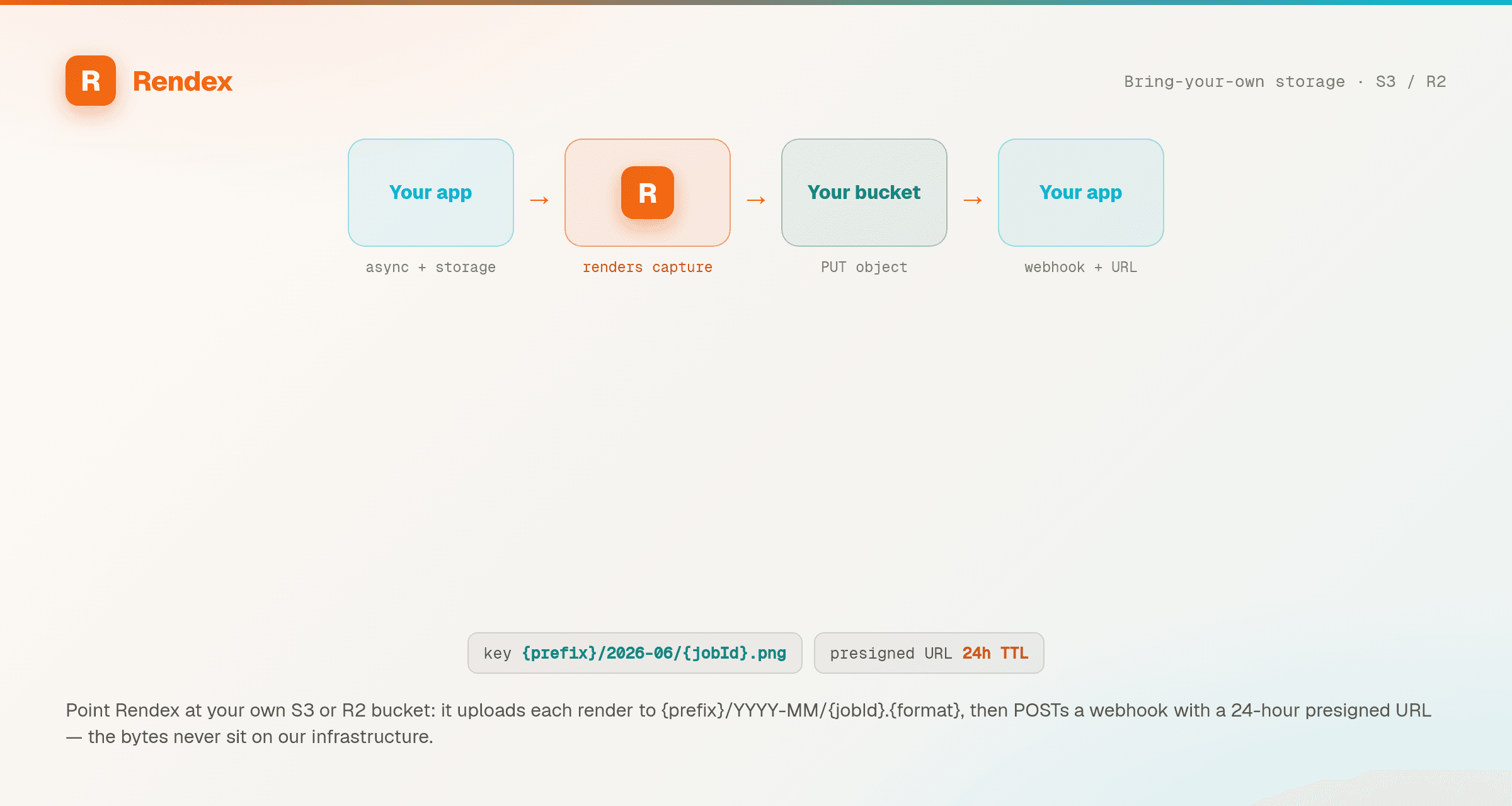
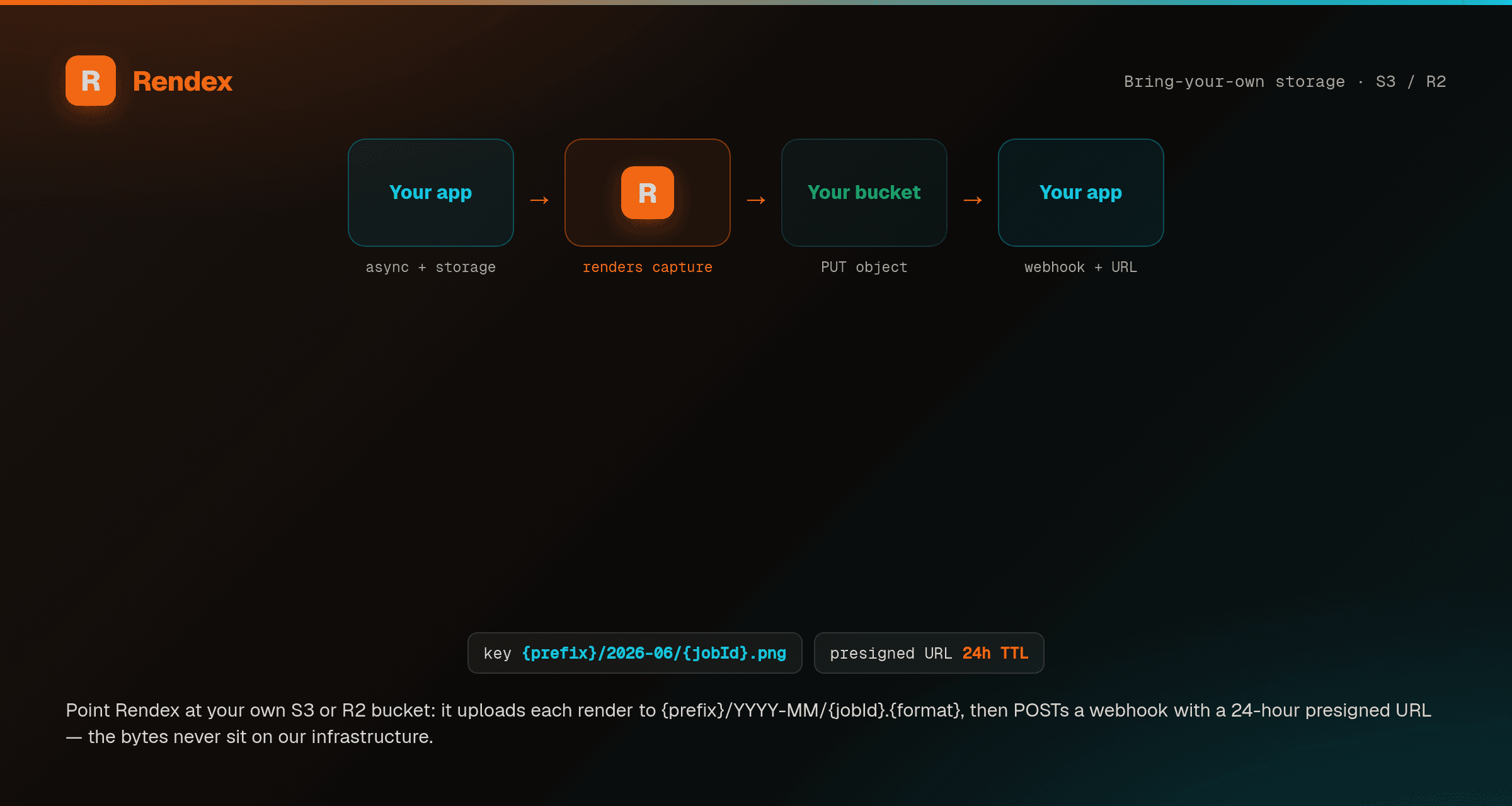
{key_prefix}/{YYYY-MM}/{jobId}.{format}

Examples:
  rendex/2026-04/a1b2c3d4-e5f6-7890-abcd-ef1234567890.png
  rendex/2026-04/a1b2c3d4-e5f6-7890-abcd-ef1234567890.webp
  screenshots/2026-04/a1b2c3d4-e5f6-7890-abcd-ef1234567890.pdf
How It Works
- You submit an async screenshot request (with
async: true) - Rendex captures the screenshot as normal
- Instead of uploading to Rendex R2, the image uploads to your bucket via S3 PutObject
- An S3 presigned URL (default 24h TTL) is generated for the object
- The presigned URL is stored in the job record and delivered via webhook
Webhook Payload
When custom storage is active, the resultUrl in webhook payloads is an S3 presigned URL to your bucket:
{
  "event": "job.completed",
  "jobId": "a1b2c3d4-...",
  "status": "completed",
  "resultUrl": "https://your-bucket.s3.us-east-1.amazonaws.com/rendex/2026-04/a1b2c3d4-....png?X-Amz-...",
  "metadata": {
    "url": "https://example.com",
    "width": 1280,
    "height": 800,
    "format": "png"
  },
  "completedAt": "2026-04-05T12:00:00.000Z"
}
Security
| Measure | Details |
|---|---|
| Encryption at rest | Your S3 credentials are encrypted with AES-256-GCM before storage |
| Credential isolation | Decrypted only in memory during upload — never logged |
| Plan gating | Only available on Pro and Enterprise plans |
| Validation | Credentials verified via HeadBucket test before activation |
| Presigned URLs | Download URLs expire after 24 hours by default |
Limitations
- Custom storage only applies to async captures (requests with
async: true). Sync responses return the image directly in the HTTP response. - One storage configuration per account.
- Presigned URL TTL follows your configured
cacheTtl(default 24 hours).