Activepieces Integration
Render HTML, a URL, or Markdown to a pixel-perfect image or PDF inside any Activepieces flow — no hosted page, no headless browser to install. The native Rendex piece turns raw markup, a live URL, or Markdown into a PNG, JPEG, WebP, or PDF and hands the result back as a ready-to-use file, so the next step can upload, email, or post it. Because Activepieces is open-source, the same piece works on Cloud or your own self-hosted instance.
What the Rendex Piece Does
Rendex publishes a native Activepieces piece (@activepieces/piece-rendex) with one core action, Render to Image, plus a Custom API Call action for everything else. It talks to api.rendex.dev and returns the render as a file rather than a base64 string, so the output slots straight into a downstream piece.
- Render HTML to an image — paste an invoice, OG card, certificate, or email template and get a PNG back. No hosting step in between.
- Render Markdown — drop in Markdown and Rendex styles and captures it, which is handy for reports and release notes.
- Screenshot any URL on a schedule or trigger and archive the image to S3, Drive, or a database.
- Generate PDFs from HTML, Markdown, or a URL by setting the format to
pdf. - Reach the full REST surface — data templating, async jobs, batch, and content extraction run from the Custom API Call action with the same connection.
Quick Setup
Getting from zero to a rendered image takes under five minutes. If you already have a flow and a Rendex key, jump to step 3.
1. Add the Rendex piece
In any Activepieces flow, add a step, search for Rendex, and select the Render to Image action. It appears in the piece library alongside every other Activepieces piece. On a self-hosted instance you can also install it from npm as @activepieces/piece-rendex.
2. Connect your Rendex account
Sign in to your dashboard at rendex.dev/login, open API Keys, and click Create Key. The free plan includes 100 renders per month — enough to validate a flow before upgrading. Copy the key; it looks like rdx_ followed by 22 characters.
Back in the Rendex step, create a new Connection and paste the key into the API Key field. Activepieces validates it against the Rendex /v1/credential-check endpoint, stores it encrypted, and reuses the same connection across every Rendex step — you never set the Authorization header by hand.
3. Render HTML, a URL, or Markdown
With the connection in place, pick a Source — HTML, URL, or Markdown — and the matching input field appears. Activepieces expressions work inline, so you can merge data from earlier steps. Here is a Markdown report driven by a webhook trigger:
# Weekly Report — {{trigger.body.week}}

Generated for **{{trigger.body.team}}**.

## Highlights

- New signups: {{trigger.body.signups}}
- Renders this week: {{trigger.body.renders}}
- Uptime: {{trigger.body.uptime}}

> Rendered to a PDF by Rendex inside Activepieces.
Leave Format at png (or switch to pdf for a document), tick Full Page to capture the whole scrollable page, then run the step.
4. Use the rendered file
The action returns the render as a file on the step output, alongside its metadata:
{
  "file": { /* an Activepieces file reference */ },
  "format": "pdf",
  "width": 1280,
  "height": 1810,
  "bytesSize": 48211
}
Pass the file value into any downstream piece that accepts a file — a Google Drive Upload File, a Slack message attachment, or a Gmail Send Email attachment. Because it is already a file, there is no base64 to decode.
Action Props
The Render to Image action exposes a Source selector that swaps in the right input field, plus format and full-page options.
| Prop | Required | Description |
|---|---|---|
Source | Yes | HTML, URL, or Markdown. Picking one reveals the matching content field below. |
Content | Yes | The HTML markup, page URL, or Markdown to render — shown based on the Source you picked. Supports inline Activepieces expressions. |
Format | Optional | png (default), jpeg, webp, or pdf. Set to pdf to produce a document instead of an image. |
Full Page | Optional | Capture the full scrollable page instead of just the viewport. Off by default. |
The action returns the rendered file alongside format, width, height, and bytesSize.
Beyond the Action — Custom API Call
The Render to Image action covers the common HTML/URL/Markdown → image path. For the rest of the Rendex surface — Mustache data templating, async jobs with webhook callbacks, batch captures, and content extraction — use the piece's Custom API Call action. It reuses the same connection, so the Authorization header is added for you; just set the method, path, and body:
// Custom API Call action (full REST surface)
// Reuse the same Rendex connection you authorized on the piece.

Method   POST
URL      /v1/extract            // base URL is https://api.rendex.dev/v1
Headers  Content-Type: application/json   // Authorization is added by the connection
Body     {
  "url": "{{trigger.body.url}}",
  "extractFormat": "markdown"
}

// → returns clean reader-mode content extracted from the page.
Every parameter from the REST API reference is available this way — viewport, full-page scroll, dark mode, element capture, wait strategy, ad and resource blocking, custom CSS/JS/headers/cookies, PDF page options, and geo-targeting (Pro/Enterprise).
Website monitoring (Watch). There is no native Watch action yet, but you create and manage Rendex Watch monitors the same way — point Custom API Call at /v1/watches. Only url is required; intervalMinutes sets the check cadence (plan floors: 1440 / daily on Free, 180 on Starter, 30 on Pro), and diffMode (both default — visual + text, alerting on either; or visual / text to narrow it), threshold, webhookUrl (Starter+), and notifyEmail are optional:
// Custom API Call action — create a Rendex Watch
Method   POST
URL      /v1/watches            // base URL is https://api.rendex.dev/v1
Headers  Content-Type: application/json   // Authorization is added by the connection
Body     {
  "url": "{{trigger.body.url}}",
  "intervalMinutes": 180,
  "diffMode": "both",
  "notifyEmail": "you@youraccount.com"
}

// → Rendex monitors the page; on a change it POSTs a signed
//   watch.changed event you can catch on a webhook trigger.
On a change, Rendex POSTs an HMAC-signed watch.changed event (with a one-line summary of what changed, the textDiff lines, diffScore, and before/after/ overlay/crop image URLs) that an Activepieces Catch Webhook trigger can receive in a second flow — see the webhooks reference. Each check uses 1 credit from your shared pool.
Rendex as an MCP Tool
Activepieces can expose your connected pieces as MCP tools, which means the Render to Image action becomes callable by Claude, Cursor, Windsurf, and any MCP-aware agent — using the same Rendex connection, with no extra build. If you would rather connect agents straight to Rendex, the Rendex MCP server runs remotely at mcp.rendex.dev and locally via npx @copperline/rendex-mcp.
Flow Recipes
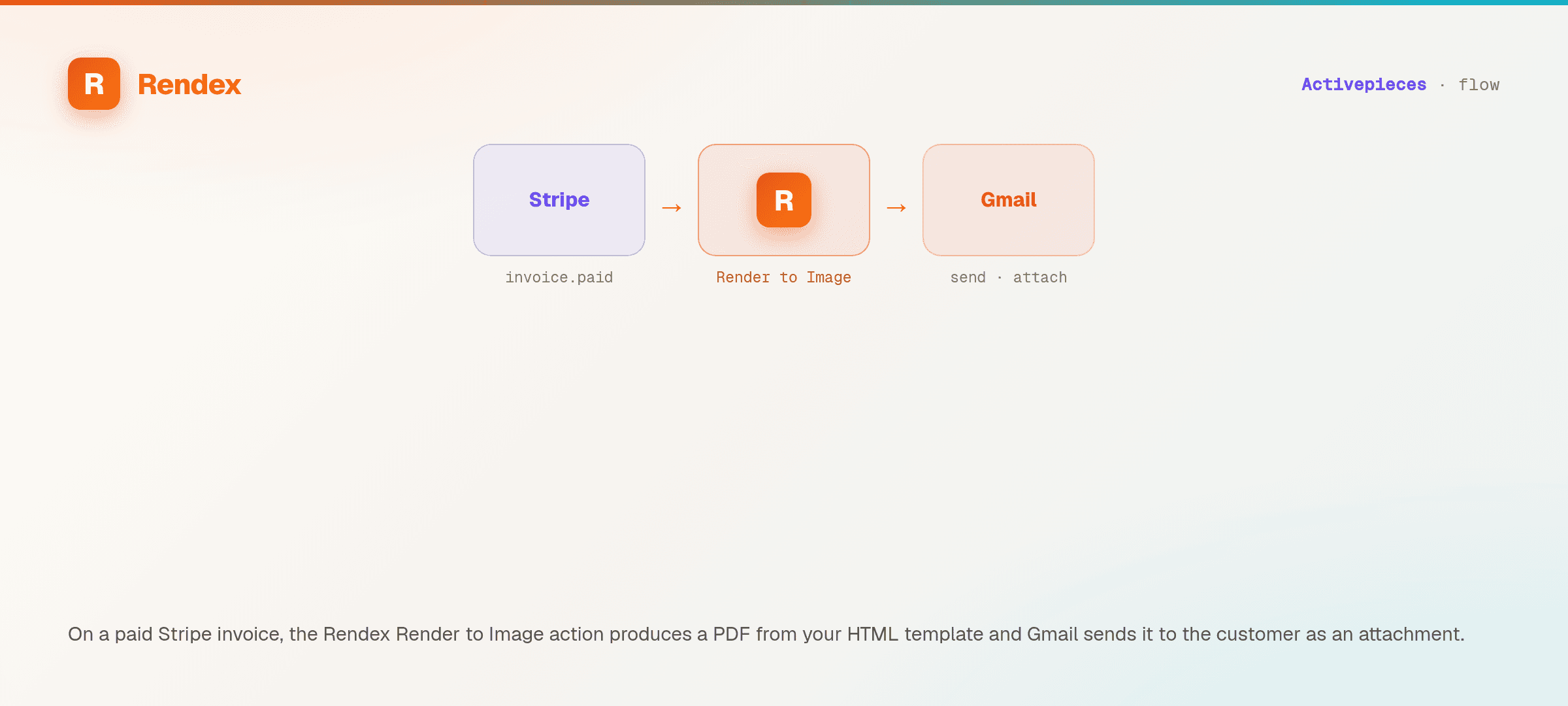
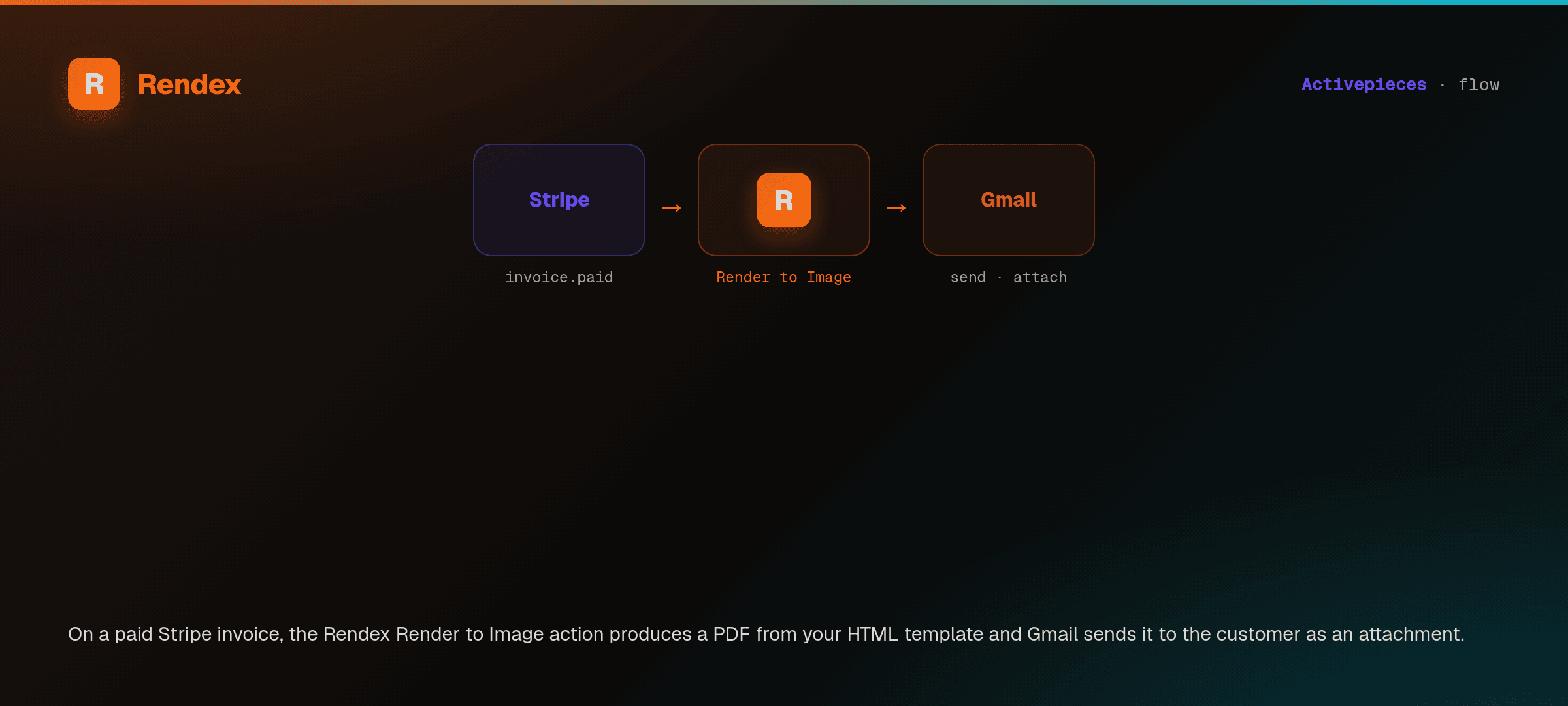
Recipe 1 — Render an invoice PDF on each new order
- Trigger: a new row in Google Sheets, a Stripe event, or any order source.
- Rendex action: Render to Image with Source = HTML, your invoice template in the content field, and order fields merged via expressions. Set Format to
pdf. - Gmail — Send Email (or Google Drive — Upload File) — attach the returned
file.
Recipe 2 — Turn a Markdown report into a weekly PDF
- Trigger: a Scheduleset to Friday 5pm, or a webhook carrying the week's numbers.
- Rendex action: Source = Markdown, content holds your report template with expressions. Format
pdf. - Slack — Send Message — post the
fileto your team channel.
Recipe 3 — Weekly competitor screenshot to Slack
- Trigger: a Schedule set to Monday 9am.
- Rendex action: Source = URL, set the page you track, tick Full Page. Format
png. - Slack — send the returned image file to your
#market-intelchannel.
Plan Limits
Every Rendex API limit applies inside Activepieces.
| Limit | Free | Basic | Starter | Pro | Enterprise |
|---|---|---|---|---|---|
| Rate limit (req/min) | 3 | 20 | 60 | 300 | 1000 |
| Batch size | — | 10 | 25 | 100 | 500 |
| Concurrent async jobs | 3 | 15 | 50 | 200 | 1000 |
| Geo-targeting | — | — | — | Yes | Yes |
See the pricing page for full plan details.
Tips & Best Practices
- Map data with expressions. The content field accepts Activepieces expressions, so you can build one template and feed it from any upstream step.
- Pass the file, not a copy. The output is already an Activepieces file — reference it directly in the next piece instead of re-encoding it.
- Keep HTML self-contained. Reference web fonts and images by absolute
https://URLs so they resolve during the render. - Reach for Custom API Call when you need more. Data templating, extraction, batch, and async all live on the REST API and share the same connection.
Troubleshooting
The connection won't validate
Confirm the key starts with rdx_ and has exactly 22 characters after the prefix, with no trailing space. Activepieces checks the key against /v1/credential-check, so a rotated or mistyped key fails immediately — re-copy it from your dashboard and reconnect.
The image is blank
For live URLs that render via JavaScript, the page may need more time to settle, or render a self-contained HTML string instead. For raw HTML or Markdown, check that your markup references fonts and remote images by absolute URL.
Support
For Rendex API questions, email support@rendex.dev or check the error reference. The piece is open-source — its source lives in the Activepieces repository.
Next Steps
- Rendex for Activepieces — what the piece unlocks and how it fits your stack.
- Create a free Rendex API key — 100 renders/month, no credit card.
- Quickstart — see the SDK and REST equivalents of every render.
- API Reference — every rendering parameter you can pass from Custom API Call.
- MCP Server — connect Rendex straight to Claude, Cursor, and Windsurf.