Make.com Integration
Render HTML to a pixel-perfect image inside any Make.com scenario — no hosted page, no code. Rendex exposes a clean REST endpoint, so Make's built-in HTTP module is all you need to turn raw markup or a live URL into a PNG, JPEG, WebP, or PDF and pass it straight to the next module.
What You Can Automate
- Render HTML to an image — POST an invoice, OG card, certificate, or email template and get a PNG back. No hosting step in between.
- Screenshot any URL on a schedule and archive the image to Google Drive, Dropbox, or S3.
- Generate PDFs from HTML or a URL for invoices, reports, and compliance snapshots.
- Batch and async jobs for heavy pages or large URL lists, with an optional webhook callback into a second scenario.
Quick Setup
Calling Rendex from Make takes under five minutes. If you already have a Rendex key, jump to step 2.
1. Create a Rendex API key
Sign up for a free Rendex account at rendex.dev/login. After logging in, open your dashboard and click Create API Key. The free plan includes 100 renders per month. Copy the key — it looks like rdx_ followed by 22 characters.
2. Add an HTTP module
In your Make scenario, add the HTTP > Make a request module after any trigger. Rendex has no native Make app, so this generic module is the supported path — and it exposes every REST parameter because you control the request body directly.
3. Configure the request
Fill the HTTP module fields exactly as below.
| Field | Value |
|---|---|
Method | POST |
URL | https://api.rendex.dev/v1/screenshot |
| Headers | Add one header: Authorization with value Bearer rdx_… (your key). Make sends Content-Type: application/json automatically when you use the JSON body type below. |
| Body type | Raw / JSON (application/json) |
| Request content | Your JSON payload — see the HTML example below. |
Send raw HTML in the html field to render it directly — no hosted page needed. Use the format, width, and height fields to control the output:
{
  "html": "<div style=\"font-family: system-ui; padding: 48px\"><h1 style=\"color: #e2571a\">Invoice #1042</h1><p>Billed to: Acme Co.</p></div>",
  "format": "png",
  "width": 1200,
  "height": 630
}
To screenshot a live page instead, replace html with "url": "https://example.com". The full parameter list — full-page scroll, dark mode, wait strategy, PDF page options, geo-targeting — is in the API Reference and works as-is inside the JSON body.
Markdown & templates: swap html for markdown to render Markdown with no CSS, and add a data object to fill {{placeholders}} via Mustache before rendering — ideal for generating a per-record invoice or report from one template. See data templating.
4. Use the returned image downstream
By default Rendex responds with the binary image itself. Make exposes it as the HTTP module's Data output, which you can map straight into a binary-capable module:
- Google Drive / Dropbox — Upload a file: map
Datato the file content and set a filename likeinvoice.png. - Email — Send an email: add an attachment and map
Dataas the content. - Another HTTP module: forward
Datato a downstream API.
Prefer a URL or base64 string instead of binary? Call the /v1/screenshot/jsonendpoint with the same headers and body. It returns a JSON response — set Make's Parse response to Yes and map the base64 data.image field:
{
  "html": "<div>...</div>",
  "format": "png"
}
Importable Blueprints
Unlike some no-code channels, a Make scenario is a portable file. Each blueprint below is a ready-to-run .make.json — download it, then in Make click Create a new scenario → ⋯ → Import Blueprintand select the file. The Rendex HTTP module comes pre-wired with a valid single-source body; you only swap in your API key and re-select any app connections (Drive, Slack, Email) the scenario uses. The Make-native ones show off flow control you can't get elsewhere — Iterator/Aggregator batching, a Data store cache, Router fan-out, and self-healing error handlers.
A pre-wired Make HTTP module that renders HTML to a PNG with Rendex on the first try. Copy the exact request body so you never hit the 400 'send exactly one of url, html, or markdown' error.
Turn every Airtable row into a branded Open Graph image. A Make HTTP module or Zapier action calls Rendex's hosted render link, then writes the og: URL straight back to the row.
Render an HTML report or KPI summary to a PNG with Rendex on a schedule, then email it as an attachment to your team — one n8n workflow, no headless browser to host. Works the same in Make.
Fan a list of records out with a Make Iterator, render each one to a PNG with Rendex, then recombine them with an Array Aggregator so a single email goes out with every image attached — the aggregate-back pattern Zapier can't do.
Store Rendex render-link URLs in a Make Data store keyed by content, so a Router renders a new item only on a cache miss and reuses the hosted URL on every hit — dedupe that cuts credits and latency, using Make's built-in database.
Render an image or PDF once with Rendex, then a Make Router fans it out in parallel — upload to Drive, post to Slack, and write to Airtable from a single render, each branch with its own filter. One render, many destinations.
Wrap the Rendex HTTP module in a Make error handler so a transient failure retries with a Break directive and a permanent one falls back to a placeholder — the render step heals itself instead of dead-lettering the whole scenario.
Scenario Recipes
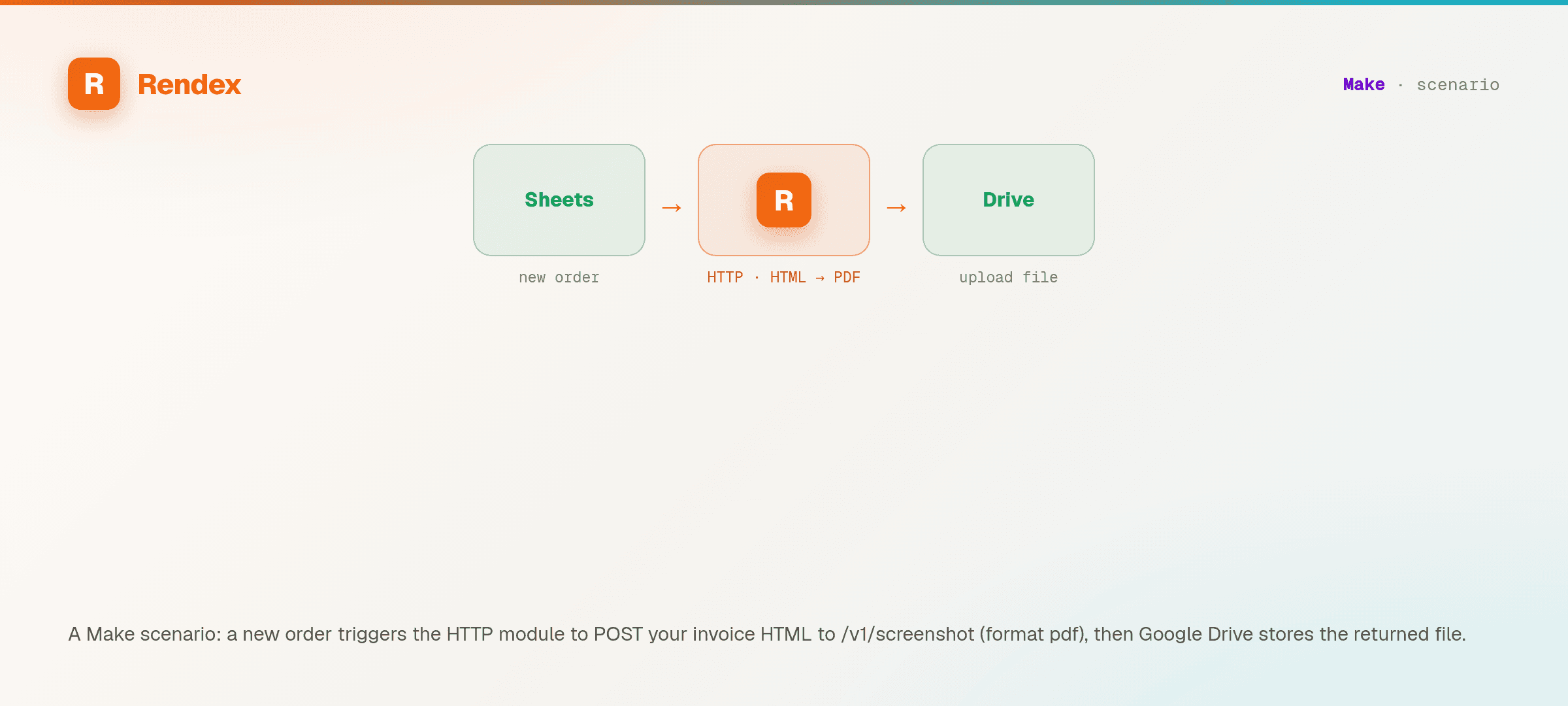
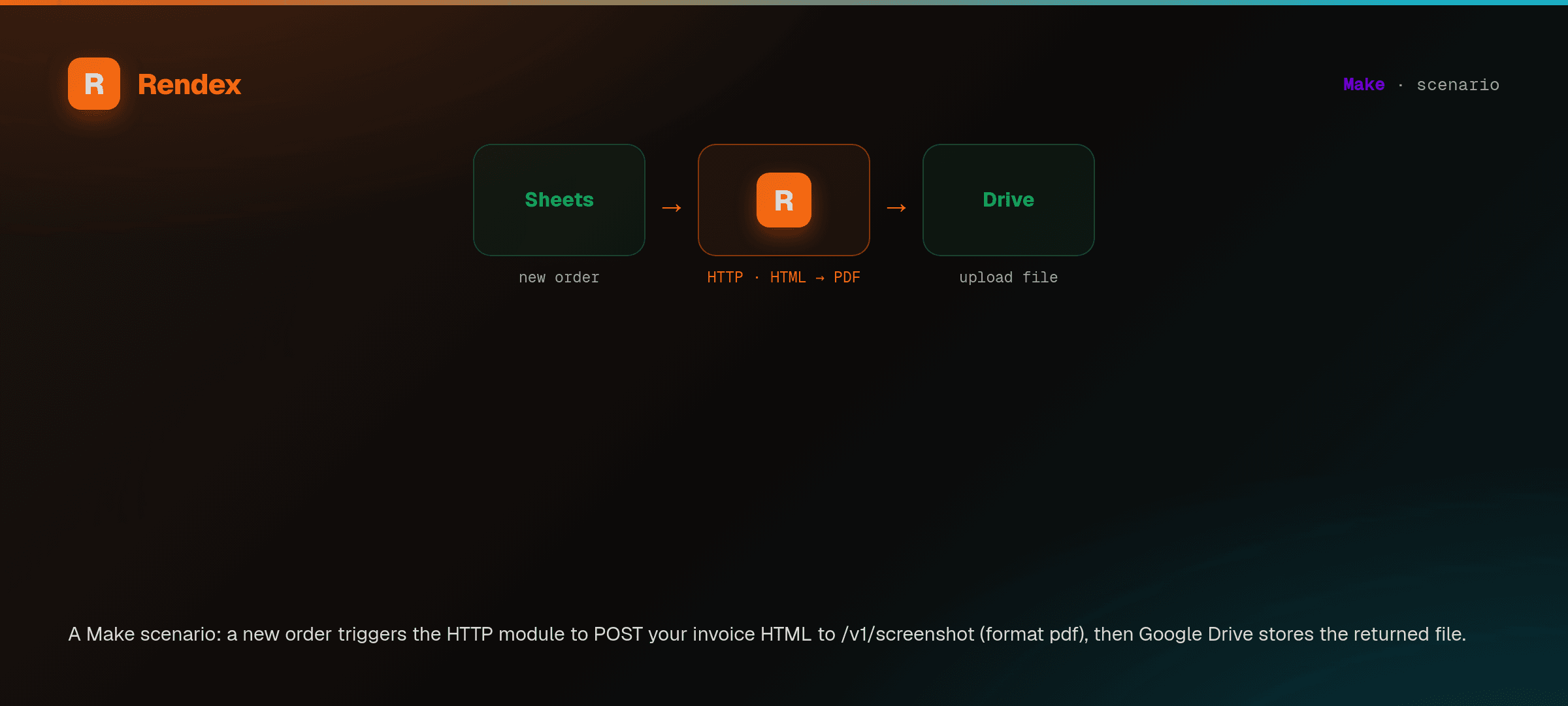
Recipe 1 — Render an invoice PDF on each new order
- Trigger: a new row in Google Sheets or a new order from your store.
- HTTP module: POST to
/v1/screenshotwith your invoice HTML (map order fields into the markup) and"format": "pdf". - Email / Google Drive: attach or upload the returned
Databinary.
Recipe 2 — Generate a social OG card per new record
- Trigger: a new CMS or Airtable record.
- HTTP module: POST to
/v1/screenshotwith a branded HTML card,"format": "png", and 1200×630 dimensions. - Upload to S3 / Drive:store the PNG and use its URL as the record's
og:image.
Recipe 3 — Weekly competitor screenshots
- Trigger:Make's scheduler, every Monday.
- Iterator: loop over a list of competitor URLs.
- HTTP module: POST each URL to
/v1/screenshotwith"fullPage": true. - Upload + notify: store each image and post a Slack message.
Website monitoring (Watch)
Rendex Watch monitors a page for changes and fires a webhook when it changes. Make has no native Watch module, but you create and manage a watch with the same HTTP > Make a request module you use for screenshots — just POST to https://api.rendex.dev/v1/watches with the same Authorization: Bearer rdx_… header:
{
  "url": "https://status.northwind.io",
  "intervalMinutes": 180,
  "diffMode": "both",
  "webhookUrl": "https://hook.make.com/your-custom-webhook",
  "notifyEmail": "you@youraccount.com"
}
Only url is required. intervalMinutes sets how often to check (plan floors: 1440 / daily on Free, 180 on Starter, 30 on Pro), diffMode is both (default — visual + text, alerting on either), visual, or text, threshold is 0–1 (default 0.01; the visual sensitivity), and an optional webhookUrl (Starter+) or notifyEmail (your account email, any plan) sets where alerts go. Each check uses 1 credit from your shared pool.
To receive change events in Make, add a Custom webhooktrigger (Webhooks module), copy its URL, and set it as the watch's webhookUrl. Make catches the HMAC-signed watch.changed (plus watch.recovered and watch.error) payload — which carries a one-line summary of what changed, the textDiff lines, diffScore, and beforeUrl/afterUrl/diffOverlayUrl/cropUrl images — and routes it to any downstream module. See the webhooks reference for the signature details.
Plan Limits
Every Rendex API limit applies to requests made from Make.
| Limit | Free | Basic | Starter | Pro | Enterprise |
|---|---|---|---|---|---|
| Rate limit (req/min) | 3 | 20 | 60 | 300 | 1000 |
| Batch size | — | 10 | 25 | 100 | 500 |
| Concurrent async jobs | 3 | 15 | 50 | 200 | 1000 |
| Geo-targeting | — | — | — | Yes | Yes |
See the pricing page for full plan details.
Tips & Best Practices
- Keep binary output for attachments. The default
/v1/screenshotendpoint returns raw bytes, which Make attaches and uploads without any decoding step. - Use /json when you need a URL. If a downstream module expects a hosted image URL or a base64 string, switch to
/v1/screenshot/jsonand enable Parse response. - Escape HTML for JSON. When pasting markup into the request body, escape inner double quotes (or build the body with a Make text aggregator) so the JSON stays valid.
- Throttle high-volume scenarios.Add a delay between iterations to stay under your plan's per-minute rate limit, or upgrade for higher throughput.
Troubleshooting
I get a 401 Unauthorized
Confirm the Authorization header value is exactly Bearer followed by your rdx_ key (22 characters after the prefix). A common slip is omitting the Bearer prefix or leaving a trailing space.
The body is rejected as invalid JSON
Inner quotes in your HTML must be escaped. Set the HTTP module body type to JSON and let Make validate it, or assemble the JSON in a prior module and pass it through.
I get a 400 about sending exactly one input
Your JSON body must include exactly one of html, url, or markdown — never two at once, and never zero. A common Make slip is leaving a leftover field (say, both url and html) in the request content, which returns:
Send exactly one input source — you provided 'url' and 'html'. Pick one of 'url', 'html', or 'markdown'.Send just one source. The two common shapes are:
// Render your own HTML:
{ "html": "<h1>Hello</h1>", "format": "png" }

// Screenshot a live page:
{ "url": "https://example.com" }
To start from a known-good module instead of fixing a broken one, copy the pre-wired Render HTML to a PNG in Make recipe — it ships the exact single-source body.
The downstream module shows no image
If you called /v1/screenshot, map the binary Data output — not a text field. If you called /v1/screenshot/json, enable Parse response and map data.image (base64).
Support
For Rendex API questions, email support@rendex.dev or check the error reference. For Make-specific scenario help, see Make's own documentation for the HTTP module.
Next Steps
- Make.com automation use case — the scenarios, social cards, and invoice PDFs this pattern unlocks.
- Create a free Rendex API key — 100 renders/month, no credit card.
- Quickstart — see the raw REST and SDK equivalents of every request above.
- API Reference — every parameter you can pass in the HTTP module body.
- Webhooks — receive a callback into a second scenario when an async job finishes.