How AI Agents Can Screenshot and Analyze Web Pages
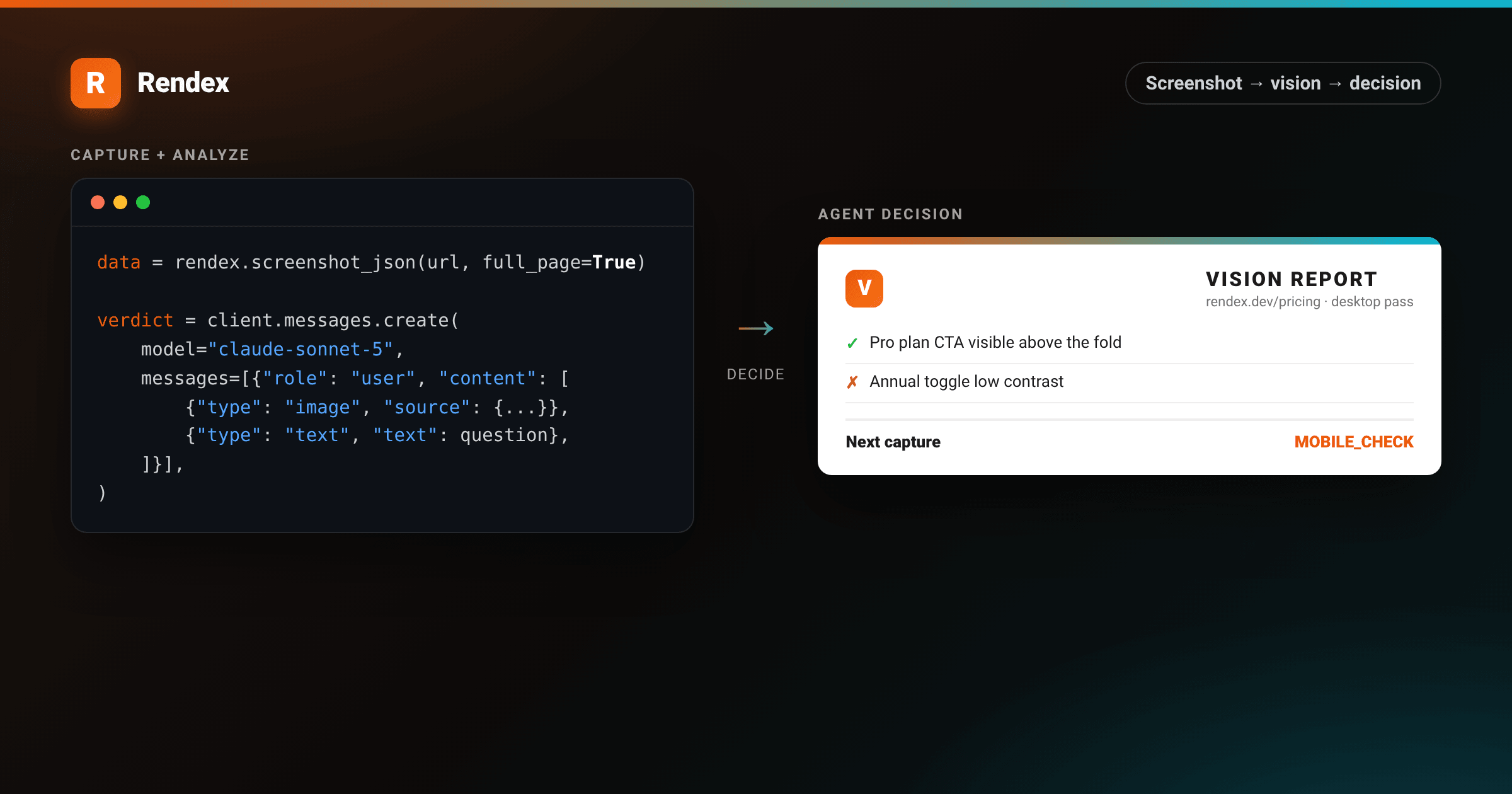
An AI agent that only reads HTML is working from a blueprint, not the building. Cookie banners, canvas-rendered charts, broken CSS, a modal stuck open, none of that shows up in raw markup. If you want an agent to actually judge how a page looks, it needs a screenshot and a vision model, not another string to parse.
This guide builds that loop end to end: capture a page as a base64 image with Rendex, hand it to Claude's vision API, and use the response to decide what the agent checks next. Every snippet below is working Python you can run as-is.
Prerequisites
- A Rendex API key. Get one free (100 calls/month, no credit card).
- An Anthropic API key with access to a Claude model that accepts image input.
- Python 3.10+ with
rendexandanthropicinstalled (pip install rendex anthropic).
Step 1: Capture the page as base64 JSON
Vision APIs want image bytes, not a file path, so skip the binary endpoint and call screenshot_json instead. It returns the same render as a JSON body with the image already base64-encoded.
# pip install rendex
from rendex import Rendex

rendex = Rendex("YOUR_API_KEY")

def capture(url: str, **options) -> dict:
    result = rendex.screenshot_json(
        url,
        full_page=True,
        wait_for_selector=options.pop("wait_for_selector", None),
        **options,
    )
    return result["data"]  # {"image": "<base64>", "contentType": "image/png", ...}
full_page captures the whole scroll height, not just the first viewport, which matters for an agent judging layout further down the page. wait_for_selectoris worth setting for any client-rendered app so the agent doesn't analyze a loading skeleton. The full parameter list, including PDF output and cookie injection for authenticated pages, is in the API reference.
Here is what that loop looks like end to end: the agent calls rendex_screenshot on a URL, gets the rendered page back, and turns it into the structured read a downstream step can act on.
<!DOCTYPE html>
<html lang="en">
<head>
<meta charset="utf-8">
<style>
  :root { --brand: #ea580c; --brand-2: #06b6d4; }
  * { box-sizing: border-box; margin: 0; padding: 0; }
  body { width: 1200px; height: 720px; }
  .wrap {
    width: 1200px; height: 720px; padding: 40px;
    background:
      radial-gradient(760px 420px at 10% -10%, rgba(234,88,12,0.16), transparent 60%),
      radial-gradient(760px 420px at 95% 115%, rgba(6,182,212,0.14), transparent 60%),
      linear-gradient(135deg, #1c1410 0%, #0c0a09 55%, #07171a 100%);
    font-family: -apple-system, BlinkMacSystemFont, "Segoe UI", Roboto, Helvetica, Arial, sans-serif;
    -webkit-font-smoothing: antialiased; color: #fafaf9;
    display: flex; flex-direction: column; gap: 20px;
  }
  .toolcall {
    display: flex; align-items: center; gap: 12px; font-family: ui-monospace, SFMono-Regular, Menlo, monospace;
    font-size: 17px; color: #d6d3d1;
    background: rgba(255,255,255,0.04); border: 1px solid rgba(255,255,255,0.10);
    border-radius: 12px; padding: 14px 18px;
  }
  .toolcall .chip { font-weight: 700; color: #fff; background: var(--brand); padding: 4px 10px; border-radius: 7px; font-size: 14px; }
  .toolcall .fn { color: var(--brand-2); font-weight: 700; }
  .toolcall .arg { color: #fafaf9; }
  .cols { display: flex; gap: 22px; flex: 1; min-height: 0; }
  .col { flex: 1 1 0; min-width: 0; display: flex; flex-direction: column; }
  .label { font-size: 12px; letter-spacing: 1.5px; text-transform: uppercase; color: #a8a29e; margin-bottom: 10px; font-weight: 700; }
  /* captured page inside browser chrome */
  .browser { background: #fff; border-radius: 12px; overflow: hidden; box-shadow: 0 20px 46px rgba(0,0,0,0.5); flex: 1; display: flex; flex-direction: column; }
  .bchrome { display: flex; align-items: center; gap: 8px; padding: 11px 14px; background: #f5f5f4; border-bottom: 1px solid #e7e5e4; }
  .bchrome i { width: 11px; height: 11px; border-radius: 50%; display: block; }
  .bchrome i:nth-child(1){ background:#ff5f56 } .bchrome i:nth-child(2){ background:#ffbd2e } .bchrome i:nth-child(3){ background:#27c93f }
  .bchrome .addr { margin-left: 8px; font-family: ui-monospace, monospace; font-size: 12px; color: #78716c;
    background: #fff; border: 1px solid #e7e5e4; border-radius: 6px; padding: 4px 10px; flex: 1; }
  .page { padding: 22px; color: #1c1917; flex: 1; }
  .page .brandrow { display: flex; align-items: center; gap: 8px; margin-bottom: 18px; }
  .page .plogo { width: 24px; height: 24px; border-radius: 6px; background: linear-gradient(135deg,#6366f1,#8b5cf6); }
  .page .pname { font-weight: 800; font-size: 15px; }
  .page h3 { font-size: 22px; font-weight: 800; letter-spacing: -0.4px; }
  .page .sub { color: #78716c; font-size: 13px; margin-top: 6px; }
  .tiers { display: flex; gap: 10px; margin-top: 18px; }
  .tier { flex: 1; border: 1px solid #e7e5e4; border-radius: 10px; padding: 12px; }
  .tier.mid { border-color: #8b5cf6; box-shadow: 0 6px 16px rgba(139,92,246,0.16); }
  .tier .tn { font-size: 12px; color: #78716c; font-weight: 700; text-transform: uppercase; letter-spacing: 0.5px; }
  .tier .tp { font-size: 22px; font-weight: 800; margin-top: 4px; }
  .tier .tp span { font-size: 12px; color: #78716c; font-weight: 600; }
  .tier .tf { font-size: 11px; color: #57534e; margin-top: 8px; line-height: 1.6; }
  /* analysis panel */
  .analysis { background: rgba(255,255,255,0.04); border: 1px solid rgba(255,255,255,0.10); border-radius: 12px; padding: 20px 22px; flex: 1; }
  .analysis .h { display: flex; align-items: center; gap: 9px; font-size: 15px; font-weight: 800; margin-bottom: 14px; }
  .analysis .h .r { width: 26px; height: 26px; border-radius: 7px; background: linear-gradient(135deg, var(--brand), #f97316);
    display: flex; align-items: center; justify-content: center; font-weight: 800; font-size: 15px; color: #fff; }
  .row { display: flex; gap: 10px; font-size: 15px; line-height: 1.5; color: #e7e5e4; margin-bottom: 12px; }
  .row .k { color: #a8a29e; min-width: 92px; font-weight: 600; }
  .row .v { color: #fafaf9; }
  .verdict { margin-top: 4px; font-size: 15px; line-height: 1.55; color: #d6d3d1;
    border-top: 1px solid rgba(255,255,255,0.10); padding-top: 14px; }
  .verdict b { color: #fafaf9; }
</style>
</head>
<body>
  <div class="wrap">
    <div class="toolcall">
      <span class="chip">MCP</span>
      <span><span class="fn">rendex_screenshot</span>({ url: <span class="arg">"https://acme.dev/pricing"</span>, fullPage: true })</span>
    </div>
    <div class="cols">
      <div class="col">
        <div class="label">Captured page</div>
        <div class="browser">
          <div class="bchrome"><i></i><i></i><i></i><span class="addr">acme.dev/pricing</span></div>
          <div class="page">
            <div class="brandrow"><div class="plogo"></div><div class="pname">Acme</div></div>
            <h3>Pricing that scales with you</h3>
            <div class="sub">Start free. Upgrade when your team grows.</div>
            <div class="tiers">
              <div class="tier"><div class="tn">Starter</div><div class="tp">$0<span>/mo</span></div><div class="tf">1 project<br>Community support</div></div>
              <div class="tier mid"><div class="tn">Team</div><div class="tp">$29<span>/mo</span></div><div class="tf">Unlimited projects<br>Priority support</div></div>
              <div class="tier"><div class="tn">Scale</div><div class="tp">$99<span>/mo</span></div><div class="tf">SSO + SLA<br>Dedicated manager</div></div>
            </div>
          </div>
        </div>
      </div>
      <div class="col">
        <div class="label">What the agent gets back</div>
        <div class="analysis">
          <div class="h"><span class="r">R</span>Analysis of the captured page</div>
          <div class="row"><span class="k">Page type</span><span class="v">Pricing page, 3 tiers</span></div>
          <div class="row"><span class="k">Tiers</span><span class="v">Starter $0, Team $29, Scale $99</span></div>
          <div class="row"><span class="k">Highlighted</span><span class="v">Team (middle plan)</span></div>
          <div class="row"><span class="k">Primary CTA</span><span class="v">Start free</span></div>
          <div class="verdict">
            The middle <b>Team</b> plan is visually emphasized to anchor buyers away from the free tier. SSO and SLA are gated to the top <b>Scale</b> tier, signaling an enterprise upsell.
          </div>
        </div>
      </div>
    </div>
  </div>
</body>
</html>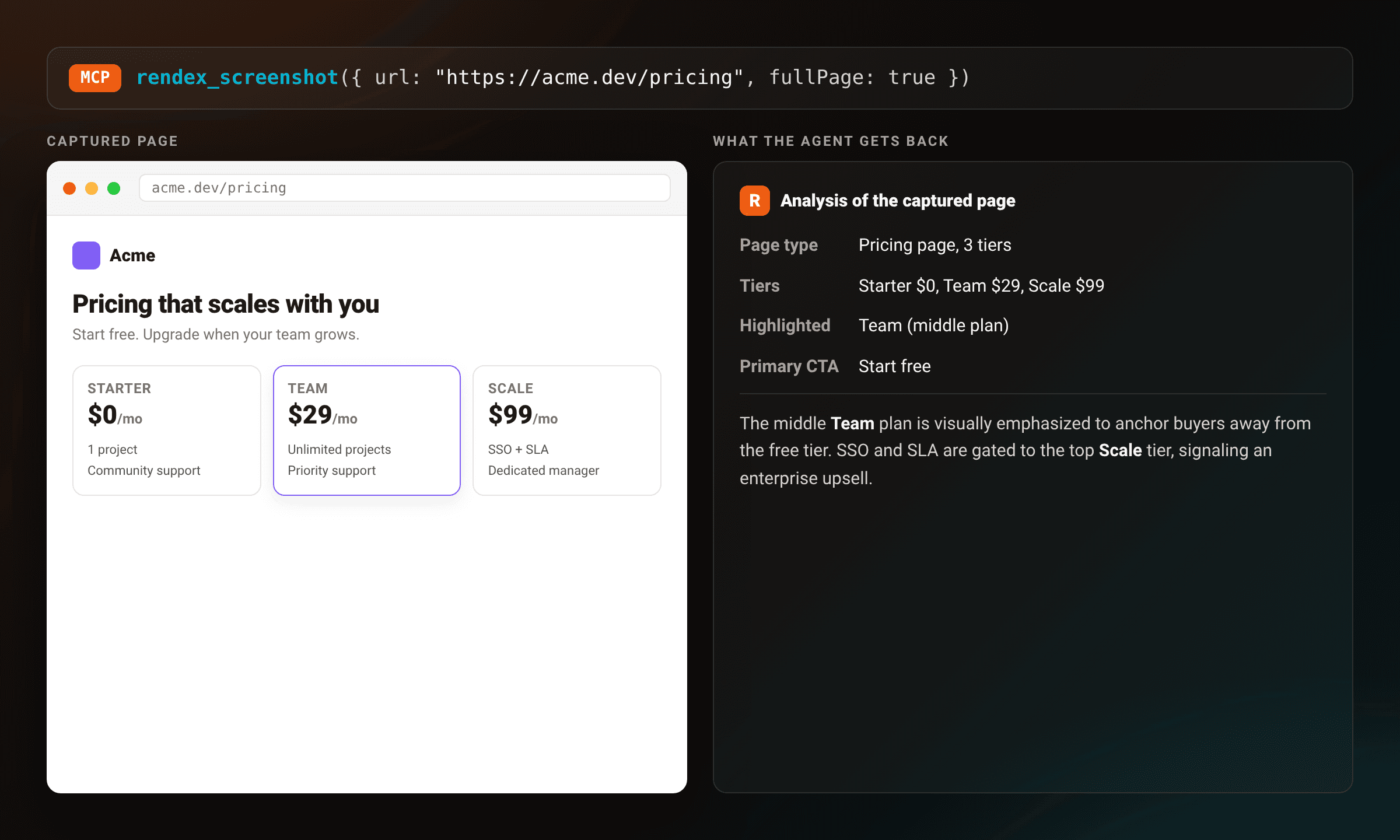
Step 2: Feed the image to a vision model
Claude's Messages API accepts an image content block alongside text in the same user turn. Pass the base64 string and content type straight from the Rendex response, no re-encoding needed.
import anthropic

client = anthropic.Anthropic()

def analyze(image_data: dict, question: str) -> str:
    message = client.messages.create(
        model="claude-sonnet-5",
        max_tokens=1024,
        messages=[
            {
                "role": "user",
                "content": [
                    {
                        "type": "image",
                        "source": {
                            "type": "base64",
                            "media_type": image_data["contentType"],
                            "data": image_data["image"],
                        },
                    },
                    {"type": "text", "text": question},
                ],
            }
        ],
    )
    return message.content[0].text
This is the whole visual-analysis step: one capture, one Claude call. Ask a specific question rather than a vague "describe this page" and the response is a lot more actionable.
Step 3: Let the agent decide the next capture
The useful part of an AI agent web screenshot workflow is the loop, not a single snapshot. Capture, read the analysis, and let it decide whether another capture is worth taking, for example checking the same page on a phone-sized viewport after the desktop pass flags a layout concern.
def review_page(url: str) -> list[str]:
    findings = []

    desktop = capture(url, wait_for_selector="body")
    verdict = analyze(
        desktop,
        "Check the pricing cards and primary CTA button. "
        "Reply with any layout or contrast problems you see, "
        "and say MOBILE_CHECK if this needs a phone-sized re-check.",
    )
    findings.append(f"desktop: {verdict}")

    if "MOBILE_CHECK" in verdict:
        mobile = capture(url, device="iphone_15", wait_for_selector="body")
        mobile_verdict = analyze(
            mobile, "Check the same pricing cards on this phone-sized capture."
        )
        findings.append(f"mobile: {mobile_verdict}")

    return findings

for line in review_page("https://example.com/pricing"):
    print(line)
device swaps in a phone-sized viewport and user agent in one parameter, so the second capture needs no extra configuration beyond the preset name. Rendex renders and returns the image; the agent decides what that image means and whether to look again. Wire the same pair of calls into a larger agent framework and review_page becomes one tool the planner can call whenever it needs to see something instead of guess.
Troubleshooting
The vision model says the page looks empty or half-loaded. Set wait_for_selector to an element that only exists once the app has rendered, or add a fixed delay in milliseconds for pages that finish JS work after the network goes idle.
Requests get slow or expensive at scale. Retina output defaults to a deviceScaleFactor of 2, which doubles image dimensions and therefore the tokens a vision model spends reading it. Drop to 1, or set resizeWidth to downscale the capture, when pixel-level detail is not the point.
Full-page captures come back huge. Combine selector with a specific element (a pricing card, a header) instead of the whole page when the agent only needs to judge one region. It is a smaller image and a more focused question for the model.
Next steps
This same pattern works for anything an agent needs to see rather than read: confirming a deploy looks right, spotting a broken OG image, or reviewing a competitor's page for an ai visual analysis pass before a report goes out. If the agent already talks over MCP instead of raw API calls, the MCP rendering guide covers wiring an agent screenshot tool into Claude Desktop and Cursor directly, so the model can call captures on its own without you writing the loop above by hand.
For llm web browsing screenshot workflows that need every option this API exposes, viewport sizing, dark mode, ad blocking, PDF output, the free screenshot tool lets you try a capture with no code, and a free API key gets the loop above running against your own pages in a couple of minutes.