Give Your AI Agent PDF Generation via MCP
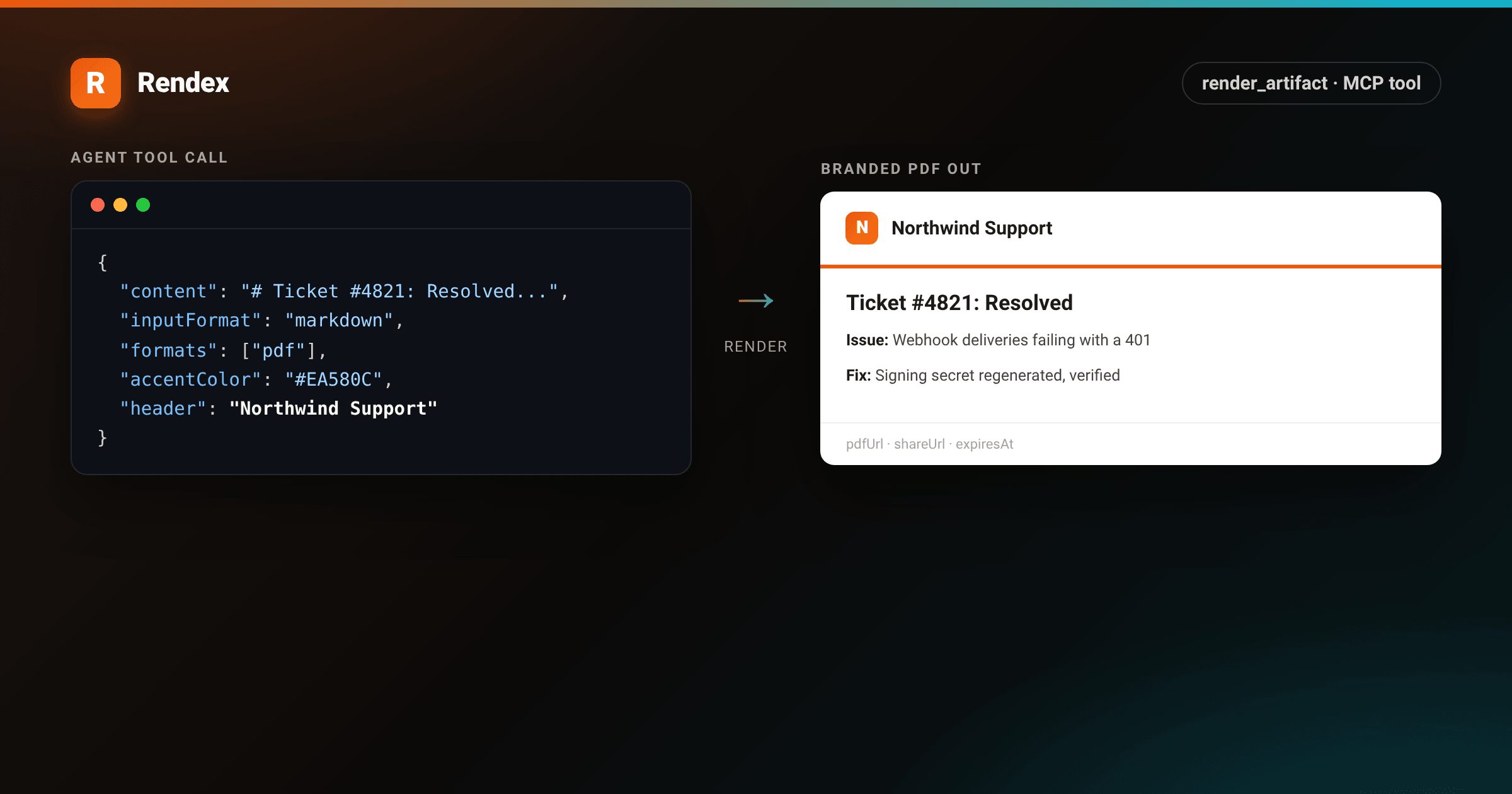
A screenshot tool is good at showing an agent what a page looks like. It is no good at handing back a document. If a user asks an agent to close out a support ticket with a written resolution report, or turn a project update into something they can forward as a PDF, rendex_screenshot can capture a page, but it has no idea how to take Markdown the agent just wrote and turn it into a branded file the user can download.
That is what render_artifact is for. It is one of the tools on the Rendex MCP server: give it Markdown or HTML plus a few branding fields, and it renders a PDF, a PNG, and a hosted share page in one call. This is AI agent PDF generation without a separate library, a headless browser, or a template engine the agent has to drive itself. This guide covers wiring the tool into an MCP client, the exact parameters it accepts, and what an agent gets back, all verified against the tool's source.
Prerequisites
- An MCP client that can call tools: Claude Desktop, Claude Code, Cursor, Windsurf, or a custom agent.
- A Rendex API key. The free tier gives 100 renders a month, no card required.
- The Rendex MCP server, either run locally via
npxor connected remotely with no install.
Step 1: Connect the Rendex MCP server
The fastest path for Claude Desktop, Cursor, Claude Code, or Windsurf is the local server over stdio. Add this to your client's MCP config:
{
  "mcpServers": {
    "rendex": {
      "command": "npx",
      "args": ["-y", "@copperline/rendex-mcp"],
      "env": {
        "RENDEX_API_KEY": "YOUR_API_KEY"
      }
    }
  }
}
Claude Desktop and ChatGPT can also connect straight to mcp.rendex.dev over OAuth, no key pasted anywhere. Full setup for every client, including the connector flow, is in the MCP docs. Once it's connected, restart the client and confirm the tool list includes render_artifact.
Step 2: Meet render_artifact
render_artifacthas its own request shape, deliberately simpler than the screenshot tool's: a content string, an input format, which formats to produce, and a small set of flat branding fields.
content— the Markdown or HTML body to render, up to about 4 MB.inputFormat—"markdown"(default) or"html".formats— an array of"pdf"and/or"png", defaults to both. Each format costs one render credit.accentColor,logo,header,footer,font— branding, all optional and all flat top-level params on the tool.pageSetup— PDF page size, orientation, margins, and scale, plus PNG viewport width and height.dataandexpiresIn— optional Mustache values to fill intocontent, and how long the hosted URLs stay live (3,600 to 2,592,000 seconds, default 24 hours).
The branding fields are flat on purpose: an agent produces a valid tool call far more reliably against five top-level strings than against a nested object. Under the hood the MCP server folds them into a single branding object before it calls the Rendex API.
Step 3: Generate a branded PDF from Markdown
Say an agent just resolved ticket #4821 and the user asks it to "turn this into a PDF I can email the customer." The agent already has the resolution notes as Markdown, so it calls render_artifact with that content and a couple of branding fields:
{
  "content": "# Ticket #4821: Resolved\n\n**Issue:** Webhook deliveries were failing with a 401.\n\n**Root cause:** The signing secret was rotated on the account but not updated in the customer's endpoint.\n\n**Fix:** Regenerated the secret and confirmed three consecutive deliveries returned 200.\n\n| Step | Time |\n| --- | --- |\n| Reported | 09:14 |\n| Root cause found | 09:41 |\n| Fix confirmed | 10:02 |",
  "inputFormat": "markdown",
  "formats": ["pdf"],
  "accentColor": "#EA580C",
  "header": "Northwind Support",
  "footer": "Generated by the Northwind support desk"
}
Rendex converts the Markdown to HTML, wraps it in a branded header and footer using the accent color, and renders the result. The header gets a 3‑pixel accent underline, the body keeps GitHub-flavored markdown styling (tables, code, headings), and the footer sits below a thin divider:
<!DOCTYPE html>
<html lang="en">
<head>
<meta charset="utf-8">
<style>
  :root {
    --brand: #ea580c;
    --brand-2: #06b6d4;
    --ink: #1c1917;
    --muted: #78716c;
    --line: #e7e5e4;
    --tint: #f5f3f0;
  }
  * { box-sizing: border-box; }
  body {
    margin: 0;
    background:
      radial-gradient(1100px 460px at 15% -10%, rgba(6,182,212,0.10), transparent 60%),
      var(--tint);
    font-family: -apple-system, BlinkMacSystemFont, "Segoe UI", Roboto, Helvetica, Arial, sans-serif;
    color: var(--ink);
    padding: 56px 48px;
    -webkit-font-smoothing: antialiased;
  }
  .page {
    max-width: 780px; margin: 0 auto; background: #fff; border-radius: 6px;
    box-shadow: 0 24px 60px rgba(28,25,23,0.16), 0 2px 6px rgba(28,25,23,0.06);
    overflow: hidden;
  }
  /* Mirrors composeArtifactHtml's real .rx-header: logo + header text, 3px accent border-bottom */
  .rx-header {
    display: flex; align-items: center; gap: 12px;
    padding: 26px 44px; border-bottom: 3px solid var(--brand);
  }
  .rx-logo {
    width: 34px; height: 34px; border-radius: 8px; flex: none;
    background: linear-gradient(135deg, var(--brand), #f97316);
    color: #fff; font-weight: 800; font-size: 17px;
    display: flex; align-items: center; justify-content: center;
  }
  .rx-header-text { font-size: 17px; font-weight: 650; }
  /* Mirrors DEFAULT_MARKDOWN_CSS body typography, scoped to this page */
  .rx-body { padding: 38px 44px 8px; }
  .rx-body h1 { font-size: 27px; margin: 0 0 18px; padding-bottom: 10px; border-bottom: 1px solid var(--line); }
  .rx-body p { font-size: 14.5px; line-height: 1.6; margin: 0 0 14px; }
  .rx-body strong { font-weight: 650; }
  .rx-body table { width: 100%; border-collapse: collapse; margin: 4px 0 8px; }
  .rx-body th, .rx-body td { padding: 9px 14px; border: 1px solid var(--line); font-size: 13.5px; text-align: left; }
  .rx-body th { background: #1c1917; color: #fafaf9; font-size: 11.5px; letter-spacing: 0.5px; text-transform: uppercase; }
  .rx-body tr:nth-child(2n) td { background: #faf9f7; }
  .rx-footer {
    padding: 16px 44px 26px; border-top: 1px solid var(--line);
    font-size: 12.5px; color: var(--muted);
  }
</style>
</head>
<body>
  <div class="page">
    <div class="rx-header">
      <div class="rx-logo">N</div>
      <div class="rx-header-text">Northwind Support</div>
    </div>
    <div class="rx-body">
      <h1>Ticket #4821: Resolved</h1>
      <p><strong>Issue:</strong> Webhook deliveries were failing with a 401.</p>
      <p><strong>Root cause:</strong> The signing secret was rotated on the account but not updated in the customer's endpoint.</p>
      <p><strong>Fix:</strong> Regenerated the secret and confirmed three consecutive deliveries returned 200.</p>
      <table>
        <thead><tr><th>Step</th><th>Time</th></tr></thead>
        <tbody>
          <tr><td>Reported</td><td>09:14</td></tr>
          <tr><td>Root cause found</td><td>09:41</td></tr>
          <tr><td>Fix confirmed</td><td>10:02</td></tr>
        </tbody>
      </table>
    </div>
    <div class="rx-footer">Generated by the Northwind support desk</div>
  </div>
</body>
</html>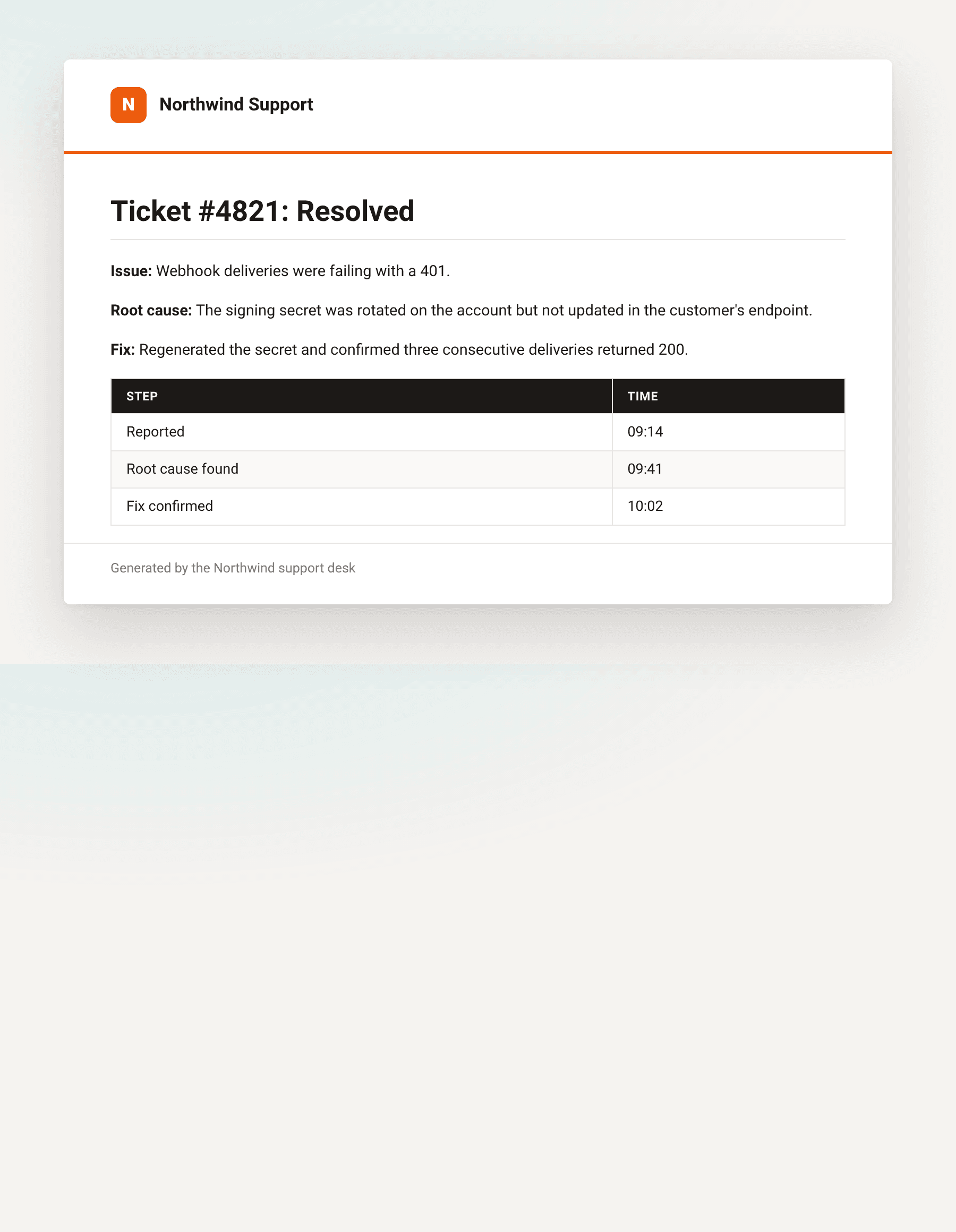
Prefer raw HTML over Markdown? Set inputFormat: "html" and pass a fragment instead; Rendex drops it straight into the same branded shell rather than running it through the Markdown converter.
Step 4: Handle the response
The tool returns hosted URLs, not bytes, so the agent can hand a link straight to the user instead of juggling a file:
{
  "pdfUrl": "https://api.rendex.dev/v1/images/8f2c1a...",
  "shareUrl": "https://api.rendex.dev/v1/images/9d47be...",
  "expiresAt": "2026-10-14T10:02:00.000Z"
}
Only the formats you asked for come back: request formats: ["pdf"] and there is no pngUrl in the result. shareUrl always shows up: it points at a small hosted page with a preview and download links, safe to drop straight into a chat reply. All three URLs are signed and expire on the schedule set by expiresIn.
When to reach for rendex_screenshot instead
rendex_screenshot also renders Markdown or HTML to PDF with format: "pdf", and it is the right call when you are capturing an existing URL, or when you already have a fully-styled document and don't want Rendex adding a header and footer around it. Rendering a live page to PDF is squarely its job. Reach for render_artifact instead when the source is bare content an agent just generated and you want a branded look, a PNG alongside the PDF, and a shareable link, all from one call instead of composing the HTML yourself first.
Troubleshooting
- Calling the REST API directly instead of through MCP? The flat
accentColor/logo/header/footer/fontparams are an MCP convenience.POST /v1/artifactexpects them nested under abrandingobject, and rejects unknown top-level fields. - Logo never shows up.
logomust be an absolute, publicly reachablehttp(s)URL. A relative path or a local file fails validation before anything renders. - expiresIn rejected. The valid range is 3,600 to 2,592,000 seconds (one hour to thirty days). Anything shorter or longer is a validation error.
- Watermark on the render. Free-plan artifacts carry a Rendex watermark; every paid plan renders clean.
Ship it
render_artifact turns whatever Markdown or HTML an agent already produced into a branded PDF, a PNG, and a link to share both, without the agent touching a PDF library. Wire up the MCP server, and if the agent's primary job is turning web pages into screenshots rather than generating documents, the AI agent screenshots use case covers that side of the same server. New accounts get a free render allowance, enough to wire up the whole flow before you pay anything. Create an account and give your agent something better than a chat reply to hand back.