How to Monitor a Competitor's Website for Changes
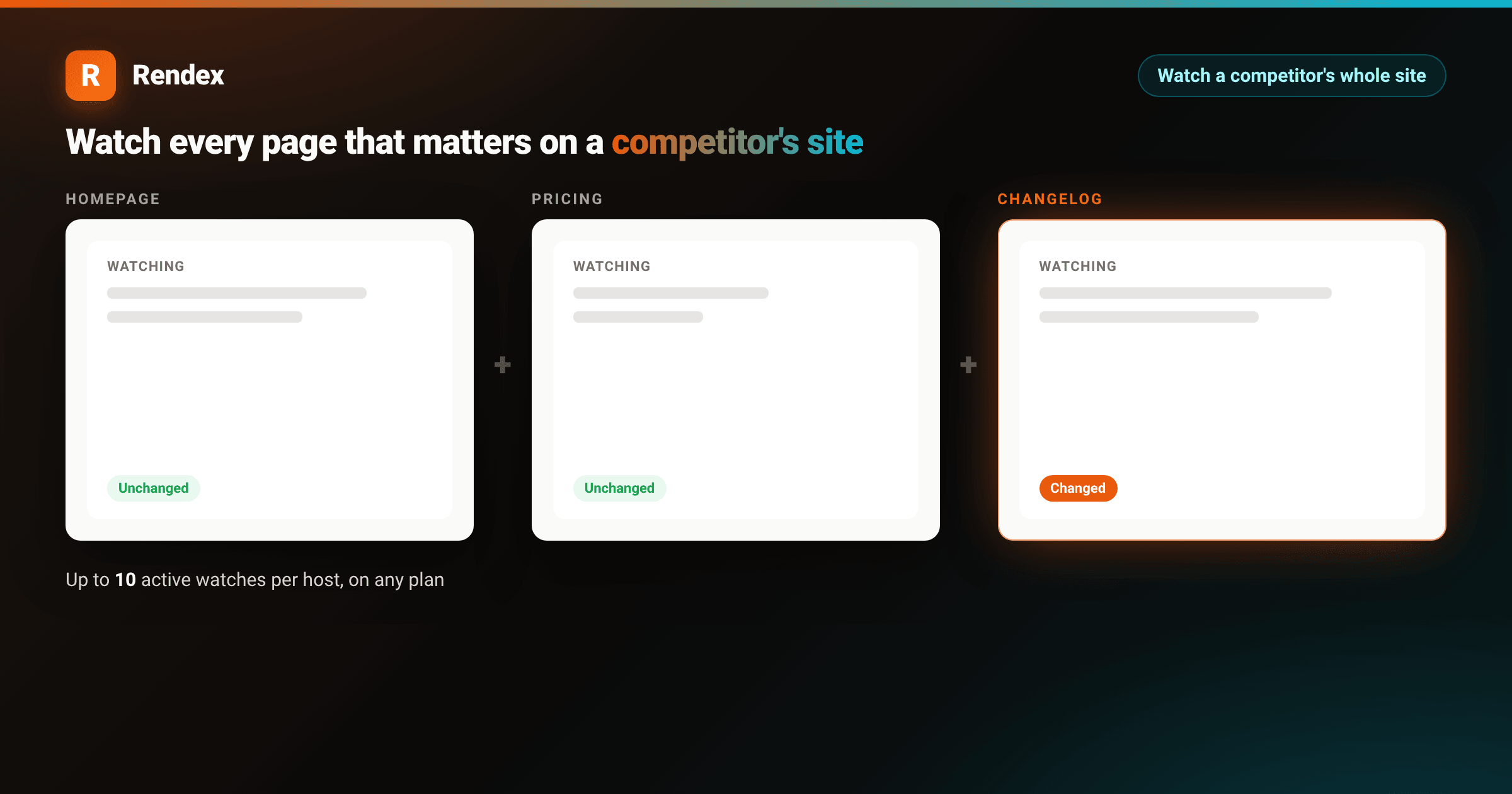
Most competitive intelligence starts as a bookmark folder someone opens every so often: the competitor's homepage, their pricing page, maybe their changelog if they have one. It works until the team gets busy, the folder goes stale, and a competitor ships a new integration, repositions their homepage headline, or quietly raises a price, and nobody on your team notices for weeks.
A single price watch catches one signal on one page. To actually monitor a competitor's website, you need eyes on every page that tells you something: the homepage for messaging shifts, the pricing page for plan and price changes, and the changelog or blog for new features and launches. Rendex Watch does this with one watch per page, all under the same key and credit pool, each one rendering in real Chrome on a schedule and alerting you the moment something moves.
One page misses the story
A competitor's pricing page tells you when a number changes. It tells you nothing about a repositioned headline on the homepage, a new "Enterprise" tier mentioned only in a blog post, or a changelog entry announcing the exact feature your roadmap has been planning for next quarter. Each page type carries a different signal, and a single watch only ever tells you about the one page it points at.
The fix isn't a smarter single watch, it's more watches pointed at the pages that actually matter: the homepage for positioning, the pricing page for plans, and the changelog or blog index for launches. All three run independently, on their own schedule, and roll up under the same account, so watching a competitor's whole site is a handful of API calls, not a monitoring project.
Create a watch for each page
Every watch is one call to POST /v1/watches (or createWatch in the JS/TS SDK). The only required field is url; a sensible check interval and diffMode: "both"(visual and text diffing together) are the defaults, so watching three pages on a competitor's site is three calls with different URLs and intervals:
import { Rendex } from "@copperline/rendex"

const rendex = new Rendex("rdx_YOUR_KEY") // https://rendex.dev/login

const pages = [
  { url: "https://northwindcloud.com", name: "Homepage", intervalMinutes: 360 },
  { url: "https://northwindcloud.com/pricing", name: "Pricing", intervalMinutes: 180 },
  { url: "https://northwindcloud.com/changelog", name: "Changelog", intervalMinutes: 60 },
]

for (const page of pages) {
  const watch = await rendex.createWatch({
    ...page,
    notifyEmail: "you@youraccount.com",
    webhookUrl: "https://your.app/hooks/rendex", // Starter+
  })
  console.log(`Watching ${watch.name}: ${watch.id}`)
}
The changelog watch checks every hour because launches are the highest-value signal and the cheapest to catch early; the homepage checks every six hours because messaging changes less often. Each interval is only a floor your plan enforces, not a fixed schedule you have to match everywhere, so scope the frequency to how much a page actually moves. Before committing to a schedule, run the same config through POST /v1/watches/test (or try it directly with the free website watch preview tool) to confirm the page is reachable and see what a check would capture, no watch created and no credit spent on a bad config.
Scope a watch to a specific section with renderParams.selector when the rest of a page is noisy. A homepage watch pointed at the hero and nav ("header, .hero") catches a headline or CTA change without tripping on a rotating testimonial carousel further down the page. Leave selector unset and Watch diffs the whole page, which is usually right for a changelog or blog index where the entire feed is the point.
How many pages of one site you can watch
Two limits apply, and they answer different questions. The first is your plan's total watch count: Free carries 1 watch, Starter 10, Pro 50, Enterprise 1,000 (counts are total, active plus paused). The second is a per-host cap that exists independent of plan: at most 10 active watches may point at the same host at once. That cap is generous enough to cover a homepage, pricing page, changelog, docs index, and a handful of product pages on one competitor without coming close to the limit, and it applies on every plan, Free included.
Check interval floors scale by plan and set how fast the fastest watch on that host can run: Free checks once a day, Starter as often as hourly, Pro as often as every 30 minutes, and Enterprise as often as every 5 minutes. A Starter plan watching three pages on one competitor, for example, could run the changelog hourly and the homepage every six hours, all within the same per-host cap and the same 10-watch plan total. See the Watch API reference for the current numbers before you plan a larger rollout.
What an alert looks like
Each watch runs independently, so a change on the changelog alerts you without waiting on the pricing or homepage checks. Every alert (email, or a signed webhook on Starter+) carries the before and after state and, on Pro and Enterprise, a one-sentence AI summary of what moved:
<!DOCTYPE html>
<html lang="en">
<head>
<meta charset="utf-8">
<style>
:root { --brand: #ea580c; --brand-2: #06b6d4; }
* { box-sizing: border-box; }
body { margin: 0; }
.stage {
width: 1000px; height: 740px; position: relative; overflow: hidden;
display: flex; align-items: center; justify-content: center;
background:
radial-gradient(640px 320px at 12% -10%, rgba(234,88,12,0.18), transparent 60%),
radial-gradient(640px 320px at 92% 110%, rgba(6,182,212,0.16), transparent 60%),
linear-gradient(135deg, #1c1410 0%, #0c0a09 50%, #07171a 100%);
font-family: -apple-system, BlinkMacSystemFont, "Segoe UI", Roboto, Helvetica, Arial, sans-serif;
-webkit-font-smoothing: antialiased;
}
.card {
width: 860px; background: #ffffff; border-radius: 16px; overflow: hidden;
color: #1c1917; box-shadow: 0 30px 70px rgba(0,0,0,0.55);
}
.pbar { height: 6px; background: linear-gradient(90deg, var(--brand), var(--brand-2)); }
.pin { padding: 30px 36px 34px; }
.head { display: flex; align-items: center; gap: 12px; }
.mark { width: 36px; height: 36px; border-radius: 9px; background: linear-gradient(135deg, var(--brand), #f97316);
color: #fff; font-weight: 800; font-size: 21px; display: flex; align-items: center; justify-content: center;
box-shadow: 0 6px 16px rgba(234,88,12,0.35); }
.head .word { font-size: 19px; font-weight: 800; letter-spacing: -0.3px; color: #1c1917; }
.head .pill { margin-left: auto; font-size: 13px; font-weight: 700; color: #0e7490;
background: rgba(6,182,212,0.10); border: 1px solid rgba(6,182,212,0.28); padding: 6px 13px; border-radius: 999px; }
h2 { margin: 22px 0 4px; font-size: 24px; font-weight: 800; letter-spacing: -0.4px; }
.sub { margin: 0; font-size: 15px; color: #78716c; }
.rows { margin-top: 22px; border: 1px solid #e7e5e4; border-radius: 12px; overflow: hidden; }
.row { display: flex; align-items: center; gap: 16px; padding: 16px 18px; background: #fff; }
.row + .row { border-top: 1px solid #f0efed; }
.row.hot { background: #fff7ed; }
.rname { flex: 1 1 0; min-width: 0; }
.rname .page { font-size: 15px; font-weight: 700; color: #1c1917; }
.rname .path { font-size: 13px; color: #a8a29e; margin-top: 2px; }
.rinterval { flex: none; width: 120px; font-size: 13px; color: #78716c; }
.rstatus { flex: none; width: 150px; text-align: right; }
.dot { display: inline-block; width: 7px; height: 7px; border-radius: 999px; margin-right: 7px; }
.dot.ok { background: #22c55e; }
.dot.hot { background: var(--brand); }
.status-text { font-size: 13px; font-weight: 700; color: #57534e; }
.status-text.hot { color: var(--brand); }
.meta { margin-top: 20px; display: flex; align-items: center; gap: 14px; }
.badge { font-size: 14px; font-weight: 700; color: #1c1917; background: #fafaf9; border: 1px solid #e7e5e4;
border-radius: 10px; padding: 10px 14px; }
.badge .v { color: var(--brand); }
.btn { margin-left: auto; font-size: 15px; font-weight: 700; color: #fff;
background: linear-gradient(135deg, var(--brand), #f97316); border-radius: 10px; padding: 12px 22px;
box-shadow: 0 8px 20px rgba(234,88,12,0.35); }
</style>
</head>
<body>
<div class="stage">
<div class="card">
<div class="pbar"></div>
<div class="pin">
<div class="head">
<div class="mark">R</div>
<div class="word">Rendex Watch</div>
<div class="pill">3 pages, one key</div>
</div>
<h2>Watching northwindcloud.com</h2>
<p class="sub">3 active watches on this host</p>
<div class="rows">
<div class="row">
<div class="rname">
<div class="page">Homepage</div>
<div class="path">/</div>
</div>
<div class="rinterval">every 6h</div>
<div class="rstatus"><span class="dot ok"></span><span class="status-text">Unchanged</span></div>
</div>
<div class="row hot">
<div class="rname">
<div class="page">Changelog</div>
<div class="path">/changelog</div>
</div>
<div class="rinterval">every 1h</div>
<div class="rstatus"><span class="dot hot"></span><span class="status-text hot">Changed 2h ago</span></div>
</div>
<div class="row">
<div class="rname">
<div class="page">Pricing</div>
<div class="path">/pricing</div>
</div>
<div class="rinterval">every 3h</div>
<div class="rstatus"><span class="dot ok"></span><span class="status-text">Unchanged</span></div>
</div>
</div>
<div class="meta">
<div class="badge"><span class="v">3</span> of 10 active watches allowed on this host</div>
<div class="btn">View change →</div>
</div>
</div>
</div>
</div>
</body>
</html>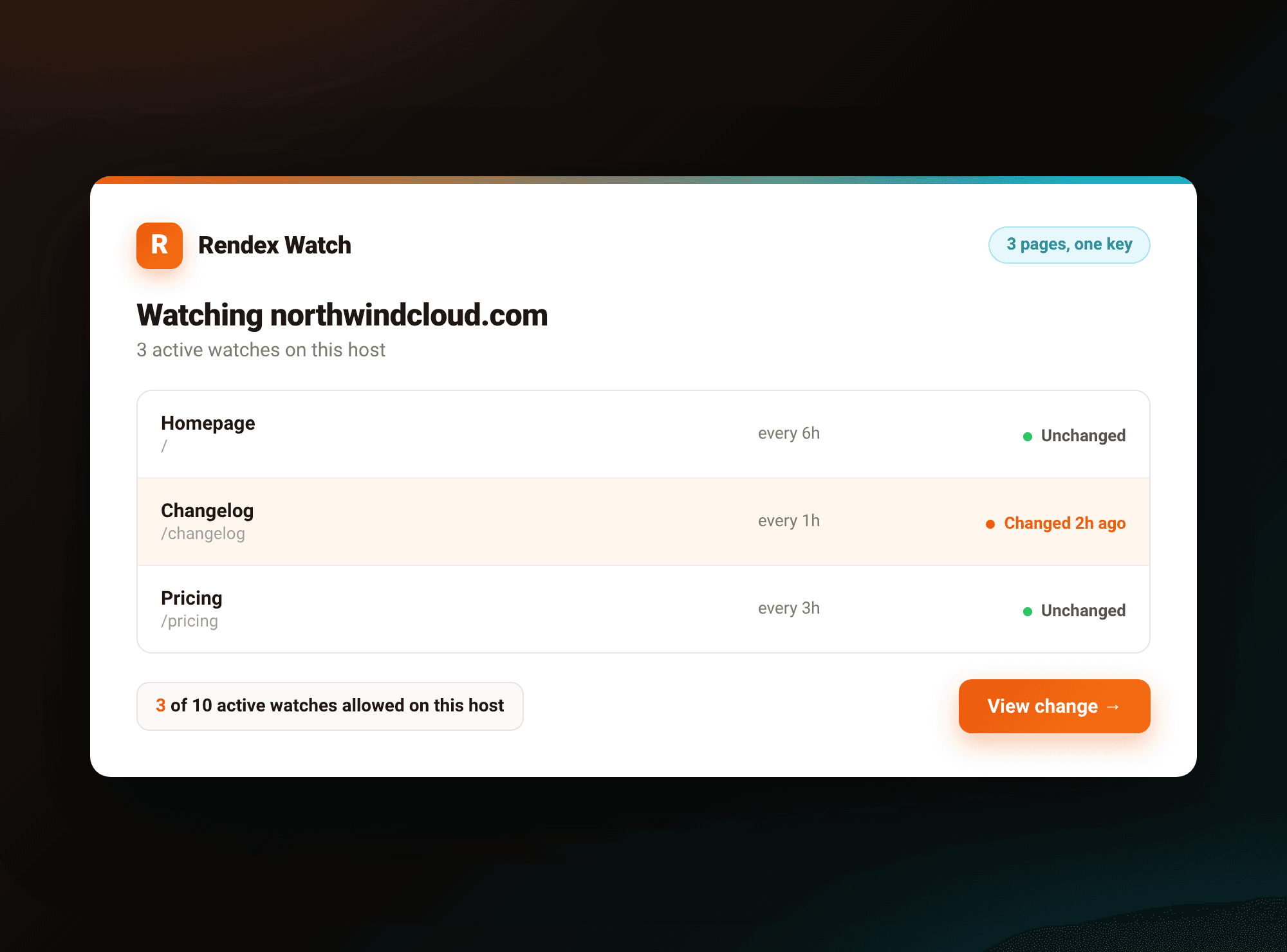
The webhook payload for a single change carries the full before, after, and diff-overlay URLs plus a structured text diff, the same shape whichever page fired it, covered in detail (including the raw JSON) in the competitor price monitoring walkthrough. Routing three watches into one handler is a matter of branching on the payload's watchId or url to know which page fired.
Production considerations for a multi-page watch
- Name every watch. The optional
namefield is what shows up in alerts and inlistWatchesresults, and with several watches on one host it is the difference between an alert you can triage in seconds and one you have to look up. - Suppress known noise per page.
renderParams.ignoreTextstrips volatile substrings (a timestamp, a visitor counter) before the text diff runs, andsuppressWhilePresentholds off alerting while a string like "Loading…" is still on the page. A changelog feed and a pricing card usually need different ignore lists. - A scope change re-baselines. Editing a watch's
url,selector, or output format clears its stored baseline, since the next capture is a different shape than the last one. Expect one "first look" run after any such edit before diffing resumes. - Alerts are plan-gated, watches aren't.
notifyEmailworks on every plan and defaults to your account email if unset;webhookUrldelivery requires Starter or above. The watches themselves, and the per-host cap, apply the same way regardless of plan. - Cost stays predictable.Each scheduled check draws one credit from your normal Rendex credit pool, whichever page it is, and a failed check is refunded automatically. Three watches on different schedules don't need separate billing to track, just more credits in the same pool.
For the full feature rundown, including how the visual and text diff engines work together, see the Rendex Watch launch post, and for a side-by-side look at Watch against dedicated monitoring tools, the website monitoring tools comparison covers where a purpose-built monitor still wins, and the Visualping alternative post digs into that specific comparison for developers.
Get started
Watching a competitor's whole site, not just one page, is the subject of the website monitoring use case, which covers the same setup in more depth alongside other targets worth watching (your own site, a partner's status page, a vendor's docs). If you already use Rendex for screenshots, PDFs, or extraction, Watch needs no new account or key, it draws from the same rdx_ key and credit pool.
Start at rendex.dev/login. The free tier includes one watch on a daily check alongside 100 render calls a month, no credit card required, enough to point at a competitor's pricing page and see the alert before you scale up to a full multi-page watch.
Continue Reading
Oct 20, 2026
Automate Competitor Price Monitoring with Rendex Watch
Jun 18, 2026
Rendex Watch: Visual Website-Change Monitoring
May 8, 2026
Website Monitoring with Automated Screenshots
Solution
Website Monitoring & Change Detection Screenshot API
Documentation
Watch
Free Tool
Preview Website Watch Tool
Comparison
Best Website Monitoring Tools 2026