Automate Competitor Price Monitoring with Rendex Watch
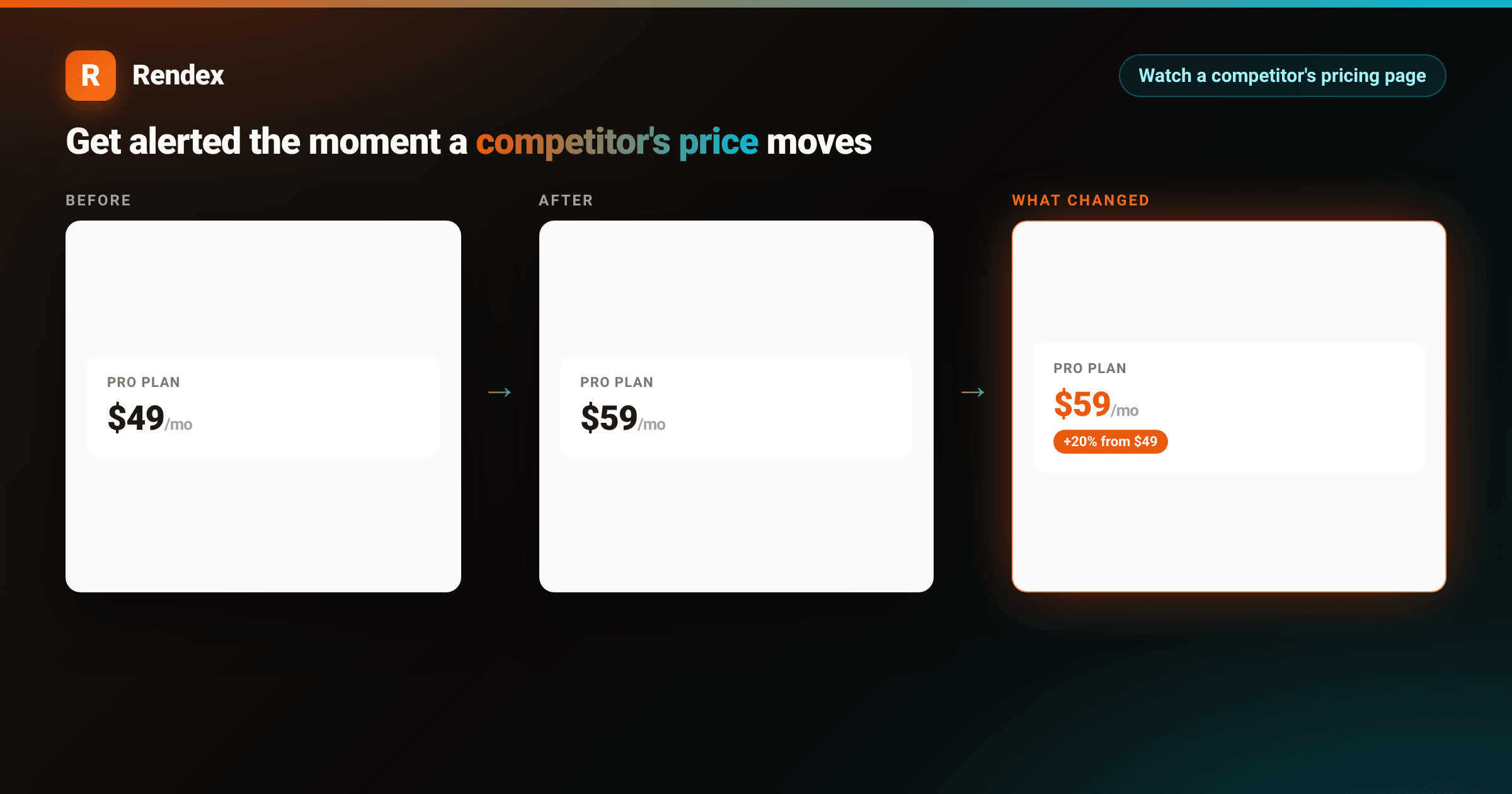
Competitor price monitoring usually means someone on the ops or growth team opens a handful of pricing pages every so often and eyeballs them for changes. It works until it doesn't: a competitor drops a price the same week you're running a promo, or quietly adds a tier above yours, and nobody notices for a month. Manual checks don't scale past a couple of competitors, and they never run on the day it actually matters.
This is a use case for Rendex Watch: point it at a competitor's pricing page, and Rendex renders the page on a schedule in real Chrome, compares it to the last check, and alerts you the moment something moves. No cron job, no headless browser to maintain, no diffing code to write.
Why uptime checks miss a price change
A pricing page returning 200 OKtells you nothing about what's on it. The number in the price column can change, a tier can get renamed or removed, a "most popular" badge can move to a different plan, all while the page keeps loading fine. Catching that requires actually rendering the page and comparing what it looks like (or what it says) against the last known version, which is exactly what a screenshot-and-diff pipeline does and what Watch does for you out of the box.
How a watch catches a price change
A watch runs two independent checks on every interval, by default:
- A visual diff— a real-Chrome before/after pixel comparison that flags a changed region, so a redesigned pricing table or a moved "popular" badge gets caught even if the text is identical.
- A text diff— the page's extracted visible text, compared line by line. This is what reliably catches
$49 → $59regardless of where the number sits in the markup or how the page is laid out.
Either signal firing counts as a change, so a watch on a pricing page catches both a real price move and a layout change that might hint at an upcoming one. You don't have to pick which one matters in advance.
Create a watch on a pricing page
Creating a watch is one call to POST /v1/watches. The only required field is url; everything else has a working default.
curl -X POST https://api.rendex.dev/v1/watches \
  -H "Authorization: Bearer rdx_YOUR_KEY" \
  -H "Content-Type: application/json" \
  -d '{
    "url": "https://northwindcloud.com/pricing",
    "name": "Northwind Cloud - Pro plan",
    "intervalMinutes": 180,
    "renderParams": {
      "selector": ".pricing .pro-plan"
    },
    "webhookUrl": "https://your.app/hooks/rendex",
    "notifyEmail": "you@youraccount.com"
  }'
# diffMode defaults to "both" — this catches a wording change AND a
# visual redesign of the plan card, not just one or the other.renderParams.selectorscopes the capture (and the diff) to just the pricing card instead of the whole page, so a rotating hero banner or a cookie-consent redesign elsewhere on the page doesn't register as a change. Get your API key from rendex.dev/loginfirst if you don't have one; before committing to a watch, you can also preview what a watch would capture on a given URL for free, no sign-up required.
Get the selector wrong or the page unreachable and you'll find out immediately — POST /v1/watches/test dry-runs the same config before you create anything, and the check itself is refunded if the page turns out to be unreadable.
What the alert looks like
When the check detects a change, Rendex sends the alert with the before frame, the after frame, and the price delta already computed, so triaging it doesn't require opening a dashboard:
<!DOCTYPE html>
<html lang="en">
<head>
<meta charset="utf-8">
<style>
:root { --brand: #ea580c; --brand-2: #06b6d4; }
* { box-sizing: border-box; }
body { margin: 0; }
.stage {
width: 1000px; height: 720px; position: relative; overflow: hidden;
display: flex; align-items: center; justify-content: center;
background:
radial-gradient(640px 320px at 12% -10%, rgba(234,88,12,0.18), transparent 60%),
radial-gradient(640px 320px at 92% 110%, rgba(6,182,212,0.16), transparent 60%),
linear-gradient(135deg, #1c1410 0%, #0c0a09 50%, #07171a 100%);
font-family: -apple-system, BlinkMacSystemFont, "Segoe UI", Roboto, Helvetica, Arial, sans-serif;
-webkit-font-smoothing: antialiased;
}
.card {
width: 860px; background: #ffffff; border-radius: 16px; overflow: hidden;
color: #1c1917; box-shadow: 0 30px 70px rgba(0,0,0,0.55);
}
.pbar { height: 6px; background: linear-gradient(90deg, var(--brand), var(--brand-2)); }
.pin { padding: 30px 36px 34px; }
.head { display: flex; align-items: center; gap: 12px; }
.mark { width: 36px; height: 36px; border-radius: 9px; background: linear-gradient(135deg, var(--brand), #f97316);
color: #fff; font-weight: 800; font-size: 21px; display: flex; align-items: center; justify-content: center;
box-shadow: 0 6px 16px rgba(234,88,12,0.35); }
.head .word { font-size: 19px; font-weight: 800; letter-spacing: -0.3px; color: #1c1917; }
.head .pill { margin-left: auto; font-size: 13px; font-weight: 700; color: #c2410c;
background: rgba(234,88,12,0.10); border: 1px solid rgba(234,88,12,0.25); padding: 6px 13px; border-radius: 999px; }
h2 { margin: 22px 0 4px; font-size: 25px; font-weight: 800; letter-spacing: -0.4px; }
.sub { margin: 0; font-size: 15px; color: #78716c; }
.frames { display: flex; gap: 16px; margin-top: 22px; align-items: stretch; }
.frame { flex: 1 1 0; min-width: 0; }
.flabel { font-size: 11px; letter-spacing: 1.2px; text-transform: uppercase; color: #a8a29e; font-weight: 700; margin-bottom: 8px; }
.flabel.hot { color: var(--brand); }
.shot { border-radius: 10px; overflow: hidden; border: 1px solid #e7e5e4; height: 260px; background: #fafaf9;
display: flex; align-items: center; justify-content: center; padding: 18px; }
.shot.hot { border-color: rgba(234,88,12,0.55); box-shadow: 0 0 0 1px rgba(234,88,12,0.25); }
.pricecard { width: 100%; background: #fff; border: 1px solid #e7e5e4; border-radius: 12px; padding: 18px 20px; text-align: left; }
.pricecard .plan { font-size: 12px; font-weight: 700; letter-spacing: 0.8px; text-transform: uppercase; color: #78716c; }
.pricecard .price { margin-top: 8px; font-size: 34px; font-weight: 800; letter-spacing: -0.6px; color: #1c1917; }
.pricecard .price span { font-size: 15px; font-weight: 600; color: #a8a29e; }
.pricecard.hot .price { color: var(--brand); }
.pricecard .ring { margin-top: 4px; display: inline-block; font-size: 12px; font-weight: 700; color: #fff;
background: var(--brand); padding: 4px 9px; border-radius: 999px; }
.pricecard ul { list-style: none; margin: 14px 0 0; padding: 0; }
.pricecard li { font-size: 13px; color: #57534e; padding: 5px 0; border-top: 1px solid #f5f5f4; }
.meta { margin-top: 22px; display: flex; align-items: center; gap: 14px; }
.badge { font-size: 14px; font-weight: 700; color: #1c1917; background: #fafaf9; border: 1px solid #e7e5e4;
border-radius: 10px; padding: 10px 14px; }
.badge .v { color: var(--brand); }
.btn { margin-left: auto; font-size: 15px; font-weight: 700; color: #fff;
background: linear-gradient(135deg, var(--brand), #f97316); border-radius: 10px; padding: 12px 22px;
box-shadow: 0 8px 20px rgba(234,88,12,0.35); }
</style>
</head>
<body>
<div class="stage">
<div class="card">
<div class="pbar"></div>
<div class="pin">
<div class="head">
<div class="mark">R</div>
<div class="word">Rendex Watch</div>
<div class="pill">Change detected</div>
</div>
<h2>Competitor pricing changed</h2>
<p class="sub">https://northwindcloud.com/pricing</p>
<div class="frames">
<div class="frame">
<div class="flabel">Before</div>
<div class="shot">
<div class="pricecard">
<div class="plan">Pro plan</div>
<div class="price">$49<span>/mo</span></div>
<ul>
<li>25 seats included</li>
<li>Priority support</li>
</ul>
</div>
</div>
</div>
<div class="frame">
<div class="flabel hot">What changed</div>
<div class="shot hot">
<div class="pricecard hot">
<div class="plan">Pro plan</div>
<div class="price">$59<span>/mo</span></div>
<div class="ring">+20% from $49</div>
<ul>
<li>25 seats included</li>
<li>Priority support</li>
</ul>
</div>
</div>
</div>
</div>
<div class="meta">
<div class="badge"><span class="v">$49 → $59</span> on the Pro plan</div>
<div class="btn">View change →</div>
</div>
</div>
</div>
</div>
</body>
</html>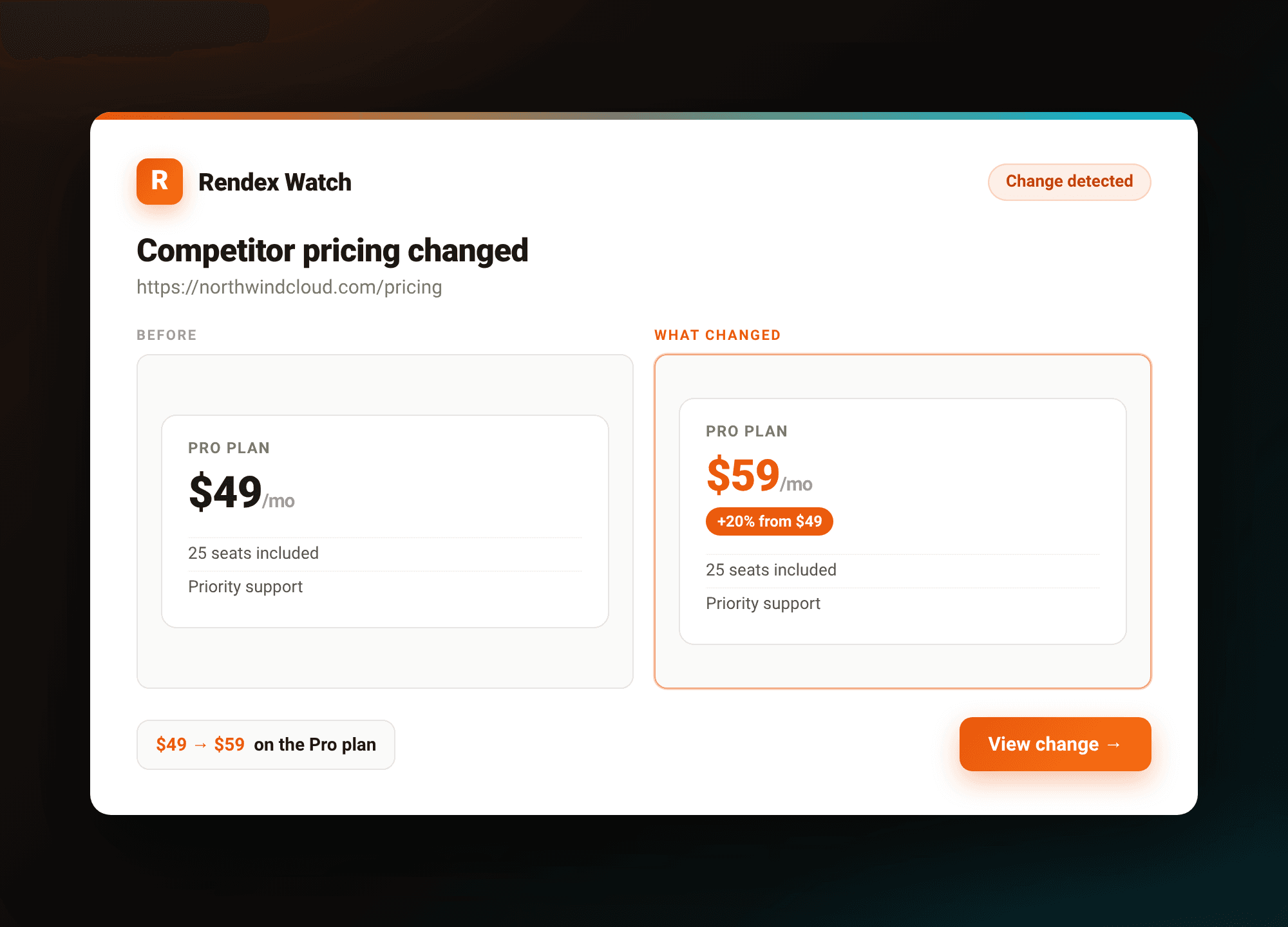
The same data is what lands in your webhook if you set webhookUrl, HMAC-signed and delivered raw (unlike the rest of the API, the webhook payload isn't wrapped in { success, data, meta }):
{
  "event": "watch.changed",
  "status": "changed",
  "watchId": "b1de4f2a-9abc-4def-8901-2a3b4c5d6e7f",
  "runId": "c2ef5a3b-0d1e-4a2b-9c3d-4e5f6a7b8c9d",
  "url": "https://northwindcloud.com/pricing",
  "changed": true,
  "diffScore": 0.031,
  "diffPixels": 4120,
  "summary": "The Pro plan price changed.",
  "textDiff": { "added": ["$59/mo"], "removed": ["$49/mo"] },
  "beforeUrl": "https://api.rendex.dev/v1/images/…",
  "afterUrl":  "https://api.rendex.dev/v1/images/…",
  "diffOverlayUrl": "https://api.rendex.dev/v1/images/…",
  "cropUrl": "https://api.rendex.dev/v1/images/…",
  "changedRegion": { "x": 0.1, "y": 0.22, "width": 0.3, "height": 0.18 },
  "completedAt": "2026-10-20T12:00:00Z"
}
textDiff.added and textDiff.removed are what make this useful for a price alert specifically: you can pattern-match on them in your webhook handler (a leading $, a /mosuffix) and skip straight to "price moved from X to Y" without touching the images at all, then still have beforeUrl/afterUrl/diffOverlayUrl on hand if a human needs to look.
Production considerations for a pricing watch
A few defaults are worth knowing before you point this at a real competitor set:
- Scope the selector. Without
selector, the watch diffs the whole page, so an A/B test banner or a rotating testimonial can trip a false alert. Point it at the plan card, or the price element specifically, if the rest of the page is noisy. - Suppress known noise.
renderParams.ignoreTextstrips volatile substrings (a timestamp, a "X people viewing" counter) from the text diff before comparing, andrenderParams.suppressWhilePresentholds off alerting while a string like "Loading…" is still on the page. - One host, multiple watches.If a competitor prices per-seat, per-region, or has separate pages per tier, watch each URL separately — up to 10 active watches per host are allowed on any plan, which comfortably covers most pricing page structures.
- Alerts are plan-gated.
notifyEmailalerts work on every plan (and default to your account email if you leave it unset);webhookUrldelivery requires Starter or above. Watch counts and the fastest allowed check interval also scale by plan — see the Watch API reference for the current table. - Cost is predictable.Each scheduled check draws one credit from your normal Rendex credit pool, and a failed check is refunded automatically. There's no separate monitoring bill to track.
For a broader look at watching a competitor's entire site, not just one page, see how to monitor a competitor's website for changes (homepage, pricing, and changelog on one key), and the Rendex Watch launch post for the full feature rundown, including AI-written change summaries on Pro and Enterprise.
Get started
If you already use Rendex for screenshots, PDFs, or extraction, a price watch needs no new account or key — it draws from the same rdx_ key and credit pool. Create your first watch from the Rendex dashboard or with the POST /v1/watches call above. The free tier includes one watch on a daily check, alongside 100 render calls a month, no credit card required.