Geo-Targeted Screenshots by Country
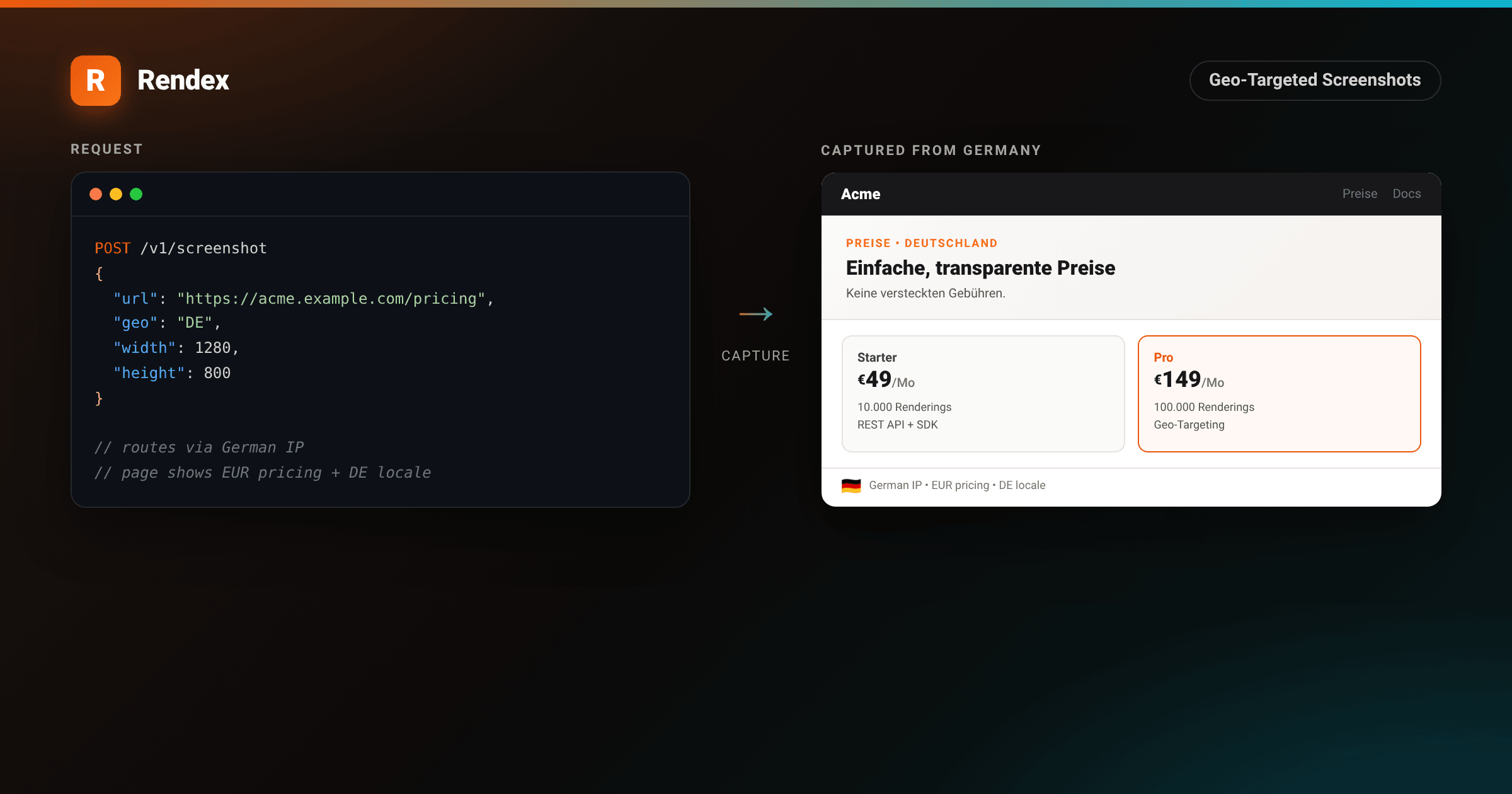
Some web pages render differently depending on where the request comes from. Pricing pages that show local currency, e-commerce stores that swap content for a specific region, or sites that block traffic from certain countries entirely. Capturing what those pages actually look like from a given location requires more than a regular screenshot call.
The Rendex geo parameter routes your capture through an IP in the country you specify. Pass a two-letter ISO 3166-1 alpha-2 country code and Rendex renders the page as a user in that country would see it. This is a Pro and Enterprise feature.
Prerequisites
- A Rendex Pro or Enterprise API key. Geo-targeting is not available on Free or Starter. See the pricing page to upgrade.
- An ISO 3166-1 alpha-2 country code for your target (e.g.,
US,DE,JP,BR).
Step 1: Send your first geo request
Add geo to any POST /v1/screenshot request. The value is a two-letter country code. The page will load through an IP registered to that country and return a PNG.
curl -X POST https://api.rendex.dev/v1/screenshot \
  -H "Authorization: Bearer rdx_YOUR_KEY" \
  -H "Content-Type: application/json" \
  -o screenshot.png \
  -d '{
    "url": "https://example.com/pricing",
    "geo": "DE",
    "width": 1280,
    "height": 800
  }'
# Get your API key at https://rendex.dev/login
The response is a raw PNG binary, the same as a normal screenshot call. The response header x-rendex-geo-country confirms which country code was used.
The JS and Python SDKs accept the same parameters:
import { Rendex } from "@copperline/rendex"

const rendex = new Rendex("rdx_YOUR_KEY")

const result = await rendex.screenshot("https://example.com/pricing", {
  geo: "DE",
  width: 1280,
  height: 800,
})

// Write the PNG to disk
await Bun.write("screenshot.png", result.image)from rendex import Rendex
from pathlib import Path
rendex = Rendex("rdx_YOUR_KEY")
result = rendex.screenshot(
"https://example.com/pricing",
geo="DE",
width=1280,
height=800,
)
Path("screenshot.png").write_bytes(result.image)
print(f"Captured from: {result.metadata.geo_country}")The proof image below shows the full request on the left and the captured page on the right, rendered through a German IP with EUR pricing and the German locale active.
<!DOCTYPE html>
<html lang="en">
<head>
<meta charset="utf-8">
<style>
:root { --brand: #ea580c; --brand-2: #06b6d4; }
* { box-sizing: border-box; }
body {
margin: 0;
background: #f0ede9;
display: flex;
align-items: center;
justify-content: center;
min-height: 900px;
font-family: -apple-system, BlinkMacSystemFont, "Segoe UI", Roboto, Helvetica, Arial, sans-serif;
-webkit-font-smoothing: antialiased;
}
.page {
width: 1020px;
background: #fff;
border-radius: 14px;
box-shadow: 0 28px 70px rgba(0,0,0,0.14), 0 4px 18px rgba(0,0,0,0.07);
overflow: hidden;
}
.topbar { height: 5px; background: linear-gradient(90deg, var(--brand), var(--brand-2)); }
.header {
padding: 28px 40px 22px;
border-bottom: 1px solid #e8e3df;
display: flex; align-items: center; justify-content: space-between;
}
.brand { display: flex; align-items: center; gap: 10px; }
.mark {
width: 32px; height: 32px; border-radius: 8px;
background: linear-gradient(135deg, var(--brand), #f97316);
display: flex; align-items: center; justify-content: center;
font-weight: 800; font-size: 17px; color: #fff;
box-shadow: 0 3px 10px rgba(234,88,12,0.3);
}
.brand-name { font-size: 16px; font-weight: 800; color: #1c1917; letter-spacing: -0.2px; }
.badge {
font-size: 12px; font-weight: 600; color: #78716c;
border: 1px solid #e2ded9; border-radius: 999px;
padding: 5px 12px;
}
.body { padding: 30px 40px 36px; }
.row { display: flex; gap: 22px; align-items: flex-start; }
.col { flex: 1 1 0; min-width: 0; }
.col-label {
font-size: 11px; font-weight: 700; letter-spacing: 1.2px;
text-transform: uppercase; color: #a8a29e; margin-bottom: 10px;
}
.editor {
background: #0d1117; border: 1px solid rgba(255,255,255,0.1);
border-radius: 11px; overflow: hidden;
box-shadow: 0 12px 32px rgba(0,0,0,0.28);
}
.chrome { display: flex; gap: 6px; padding: 11px 14px; border-bottom: 1px solid rgba(255,255,255,0.07); }
.chrome i { width: 10px; height: 10px; border-radius: 50%; display: block; }
.chrome i:nth-child(1){ background:#ff5f56 } .chrome i:nth-child(2){ background:#ffbd2e } .chrome i:nth-child(3){ background:#27c93f }
pre {
margin: 0; padding: 18px 20px;
font-family: ui-monospace, SFMono-Regular, Menlo, Consolas, monospace;
font-size: 12.5px; line-height: 1.7; color: #c9d1d9; white-space: pre;
}
.h { color: var(--brand); } .p { color: #58a6ff; }
.s { color: #a8d8a0; } .k { color: #ff9c8f; }
.c { color: #8b949e; font-style: italic; }
.arrow {
flex: none; width: 56px;
display: flex; flex-direction: column; align-items: center; justify-content: center;
gap: 6px; padding-top: 30px;
}
.arrow .a {
font-size: 38px; font-weight: 800; line-height: 1;
background: linear-gradient(90deg, var(--brand), var(--brand-2));
-webkit-background-clip: text; background-clip: text; color: transparent;
}
.arrow .l { font-size: 10px; color: #a8a29e; letter-spacing: 1px; text-transform: uppercase; }
/* — Fake captured website — */
.site {
border: 1px solid #e0dbd6; border-radius: 11px; overflow: hidden;
box-shadow: 0 10px 28px rgba(0,0,0,0.10);
background: #fff;
}
.site-nav {
background: #18181b; padding: 12px 20px;
display: flex; align-items: center; gap: 14px;
}
.site-logo { font-size: 14px; font-weight: 800; color: #fff; }
.site-nav-links { display: flex; gap: 16px; margin-left: auto; }
.site-nav-links span { font-size: 12px; color: #a1a1aa; }
.site-hero {
padding: 26px 24px 20px;
background: linear-gradient(135deg, #fafaf9 0%, #f5f1ee 100%);
border-bottom: 1px solid #e8e3df;
}
.site-eyebrow { font-size: 10px; font-weight: 700; letter-spacing: 1.2px; text-transform: uppercase; color: #f97316; margin-bottom: 6px; }
.site-h1 { font-size: 20px; font-weight: 800; color: #1c1917; line-height: 1.25; margin: 0 0 10px; }
.site-sub { font-size: 12.5px; color: #57534e; line-height: 1.5; margin: 0; }
.pricing-grid { display: grid; grid-template-columns: 1fr 1fr; gap: 14px; padding: 18px 24px; }
.plan {
border: 1px solid #e8e3df; border-radius: 10px; padding: 16px;
background: #fafaf9;
}
.plan.featured {
border-color: var(--brand); background: #fff8f5;
}
.plan-name { font-size: 12px; font-weight: 700; color: #44403c; margin-bottom: 4px; }
.plan.featured .plan-name { color: var(--brand); }
.plan-price { font-size: 22px; font-weight: 800; color: #1c1917; line-height: 1; margin-bottom: 3px; }
.plan-price .currency { font-size: 14px; vertical-align: top; margin-top: 4px; display: inline-block; }
.plan-price .period { font-size: 12px; font-weight: 500; color: #78716c; }
.plan-feature { font-size: 11px; color: #57534e; line-height: 1.6; margin-top: 8px; }
.plan-cta {
margin-top: 10px; padding: 7px 14px;
border-radius: 6px; font-size: 11px; font-weight: 700;
background: #f4ede8; color: var(--brand); border: none; cursor: pointer;
display: inline-block;
}
.plan.featured .plan-cta { background: var(--brand); color: #fff; }
.geo-badge {
display: flex; align-items: center; gap: 8px;
padding: 8px 24px 12px;
font-size: 11px; color: #57534e;
border-top: 1px solid #e8e3df;
}
.flag { font-size: 16px; }
.geo-text { font-size: 10.5px; color: #78716c; }
.geo-text strong { color: #1c1917; }
</style>
</head>
<body>
<div class="page">
<div class="topbar"></div>
<div class="header">
<div class="brand">
<div class="mark">R</div>
<div class="brand-name">Rendex</div>
</div>
<div class="badge">geo-targeted screenshot • DE</div>
</div>
<div class="body">
<div class="row">
<div class="col">
<div class="col-label">Request</div>
<div class="editor">
<div class="chrome"><i></i><i></i><i></i></div>
<pre><span class="h">curl</span> -X POST https://api.rendex.dev/<span class="p">v1/screenshot</span> \
-H <span class="s">"Authorization: Bearer rdx_YOUR_KEY"</span> \
-H <span class="s">"Content-Type: application/json"</span> \
-d <span class="s">'{
"url": "https://acme.example.com/pricing",
"geo": "DE",
"width": 1280,
"height": 800
}'</span>
<span class="c"># geo: "DE" routes the request through
# a German IP — page renders exactly
# as a user in Germany would see it</span></pre>
</div>
</div>
<div class="arrow">
<div class="a">→</div>
<div class="l">render</div>
</div>
<div class="col">
<div class="col-label">Captured from Germany</div>
<div class="site">
<div class="site-nav">
<div class="site-logo">Acme</div>
<div class="site-nav-links">
<span>Produkte</span>
<span>Preise</span>
<span>Docs</span>
</div>
</div>
<div class="site-hero">
<div class="site-eyebrow">Preise • Deutschland</div>
<div class="site-h1">Einfache, transparente Preise</div>
<div class="site-sub">Keine versteckten Gebühren. Kündigung jederzeit möglich.</div>
</div>
<div class="pricing-grid">
<div class="plan">
<div class="plan-name">Starter</div>
<div class="plan-price"><span class="currency">€</span>49<span class="period">/Mo</span></div>
<div class="plan-feature">10.000 Renderings/Mo<br>REST API + SDK<br>E-Mail-Support</div>
<div class="plan-cta">Starten</div>
</div>
<div class="plan featured">
<div class="plan-name">Pro</div>
<div class="plan-price"><span class="currency">€</span>149<span class="period">/Mo</span></div>
<div class="plan-feature">100.000 Renderings/Mo<br>Geo-Targeting enthalten<br>Prioritäts-Support</div>
<div class="plan-cta">Jetzt upgraden</div>
</div>
</div>
<div class="geo-badge">
<span class="flag">🇩🇪</span>
<div class="geo-text">Captured via <strong>German IP</strong> • EUR pricing • DE locale • x-rendex-geo-country: DE</div>
</div>
</div>
</div>
</div>
</div>
</div>
</body>
</html>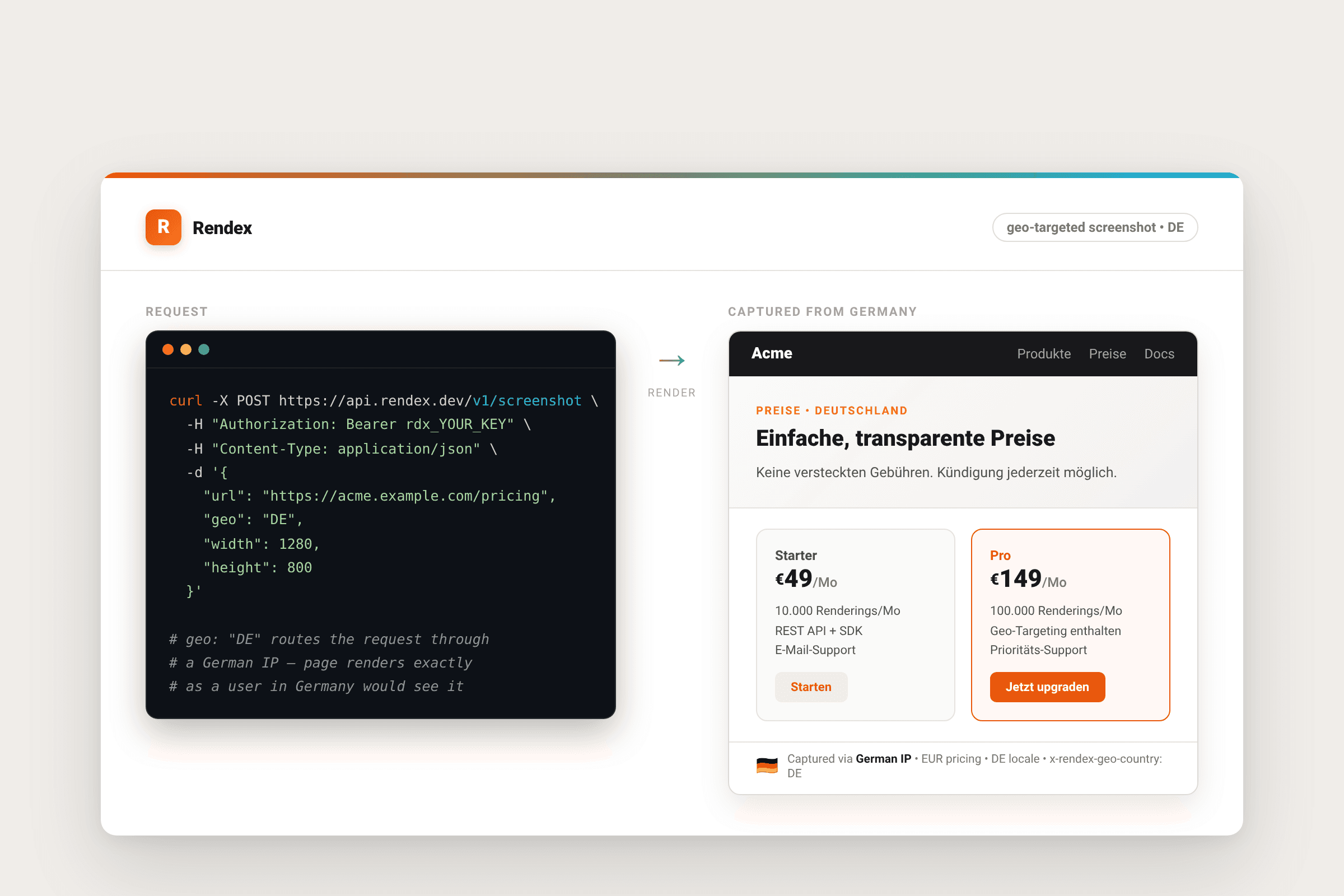
Step 2: Target a city or region
Country-level geo targets the country generally. If you need a more precise location, add geoCity and optionally geoState:
curl -X POST https://api.rendex.dev/v1/screenshot \
  -H "Authorization: Bearer rdx_YOUR_KEY" \
  -H "Content-Type: application/json" \
  -o screenshot.png \
  -d '{
    "url": "https://example.com/pricing",
    "geo": "US",
    "geoState": "California",
    "geoCity": "San Francisco",
    "width": 1280,
    "height": 800
  }'
geoCity requires geo to be set. geoState is optional but recommended when the city name is shared across multiple states. Both fields accept the English name of the location (e.g., Bavaria, not Bayern).
Supported countries
Geo-targeting maps ISO 3166-1 alpha-2 codes. Major markets across North America, Europe, Asia Pacific, Latin America, the Middle East, and Africa are supported. A few examples:
Americas:  US, CA, MX, BR, AR, CO, CL, PE
Europe:    GB, DE, FR, IT, ES, NL, SE, CH, PL, PT, NO, DK
Asia Pac:  JP, CN, IN, AU, KR, SG, HK, TW, ID, PH, MY, TH, VN, NZ
Mid East:  AE, SA, IL, TR
Africa:    ZA, NG, EG, KE
If you pass a code that is not in the supported list, the API returns a VALIDATION_ERROR. Stick to ISO 3166-1 alpha-2 codes.
Step 3: Know the geo path's limits
Geo requests go through a proxy rather than Cloudflare Browser Rendering. That path is more constrained. The following parameters cannot be used alongside geo:
- Input mode:
html(HTML source input). Only URL mode works with geo. - Injections:
css,js,cookies,headers,userAgent. The proxy handles rendering server-side. - Browser controls:
selector,waitForSelector,hideSelectors,blockCookieBanners,device,darkMode,blockAds,fullPage. - Output format: only
pngis returned. PDF, JPEG, and WebP are not available on the geo path. - Content extraction:
extractis not supported. Use the screenshot tool for standard captures instead.
If you include an incompatible parameter, the API returns GEO_FEATURE_UNAVAILABLE (HTTP 422) and lists the specific params that conflict. Remove them or remove geo to proceed.
{
  "success": false,
  "error": {
    "code": "GEO_FEATURE_UNAVAILABLE",
    "message": "These parameters are not supported with geo-targeting: fullPage, darkMode. Remove them or remove the geo parameter."
  }
}
Using geo with async mode
Geo captures can take longer than standard ones. For background workloads, combine geo with async: true and a webhookUrl to receive the PNG when it is ready rather than holding the connection open:
curl -X POST https://api.rendex.dev/v1/screenshot \
  -H "Authorization: Bearer rdx_YOUR_KEY" \
  -H "Content-Type: application/json" \
  -d '{
    "url": "https://example.com/pricing",
    "geo": "JP",
    "async": true,
    "webhookUrl": "https://api.your-app.com/hooks/rendex"
  }'
The response is an HTTP 202 with a jobId. Rendex posts the completed PNG URL to your webhook when the render finishes. See the rendering vs screenshot API comparison for more on when async makes sense.
Troubleshooting
PLAN_UPGRADE_REQUIRED (403): Your key is on Free or Starter. Geo-targeting requires Pro or Enterprise. Upgrade your plan.
GEO_FEATURE_UNAVAILABLE (422): You included a parameter that is incompatible with geo. The error message lists the specific fields. Remove them and retry.
VALIDATION_ERROR (422) on the country code: The code you passed is not in the supported list. Check it against ISO 3166-1 alpha-2 (two uppercase letters). Codes like EUR or DEU are ISO 3166-1 alpha-3 and will not work.
Page content looks wrong:Some sites detect proxies and serve different content to them. Geo-targeting routes through a country's IP but cannot guarantee a site treats it the same as an end-user browser. Test the target URL directly from a VPN in the same country to confirm the site serves the expected content.
Next steps
Geo-targeting is one option on the same API reference endpoint that handles all Rendex captures. You can combine it with width, height, quality, and timeout settings.
If you need to capture dozens of countries for a monitoring or QA run, the screenshot tool lets you test individual requests before wiring them into code. For batch captures across many URLs, see the batch endpoint covered in the API reference.
Start a geo capture from your current plan at rendex.dev/login, or upgrade to Pro to access the feature.