Capture Full-Resolution, Ship a Right-Sized Thumbnail
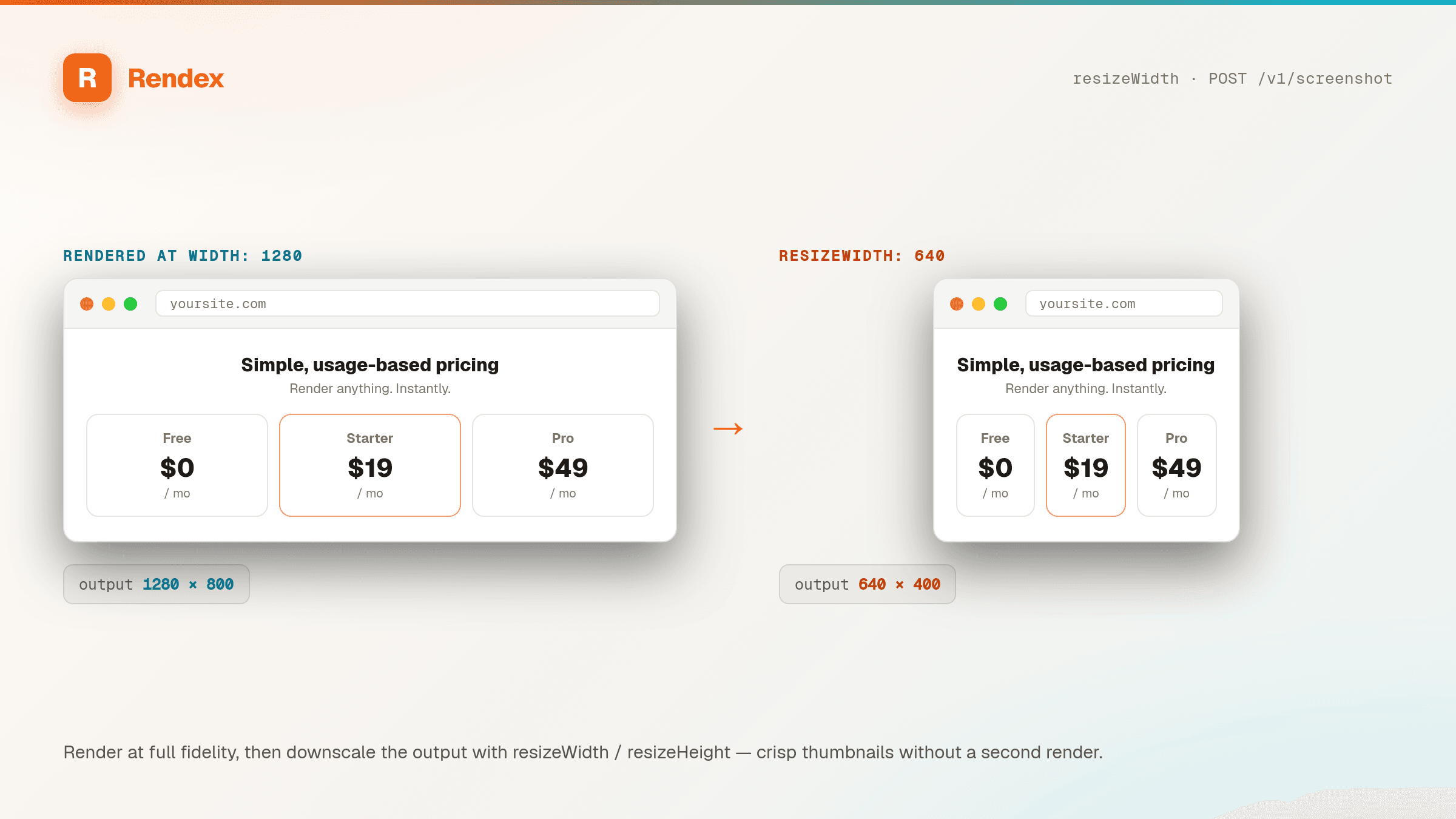
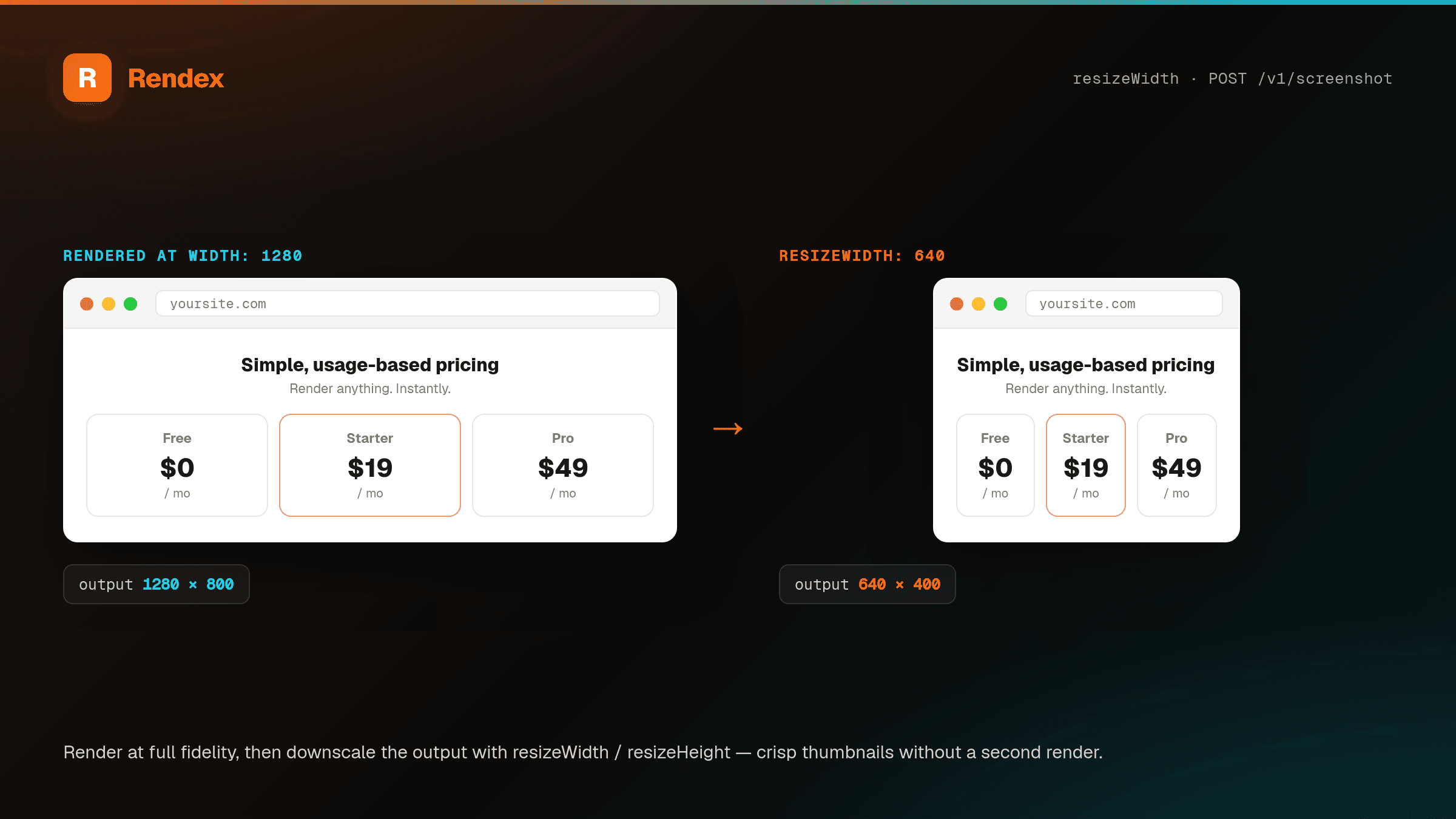
Add resizeWidth (and optionally resizeHeight) and Rendex downscales the rendered image before it returns — preserving aspect ratio, never upscaling. Generate gallery thumbnails, link previews, and responsive image sets from a single render call.
The Problem
A full-page or retina screenshot is great for detail and terrible for a thumbnail grid — multi-megabyte PNGs blow up page weight and bandwidth. The usual fix is a second pipeline: pull the full image, run it through a resizing library or an image CDN, store the variants, and keep them in sync. That's a lot of moving parts for 'make it smaller.'
The Solution
Rendex resizes the output for you. Pass resizeWidth and/or resizeHeight and the rendered PNG, JPEG, or WebP is downscaled server-side before the response — aspect ratio preserved when you give only one dimension, and never enlarged past the captured size. It works on both POST /v1/screenshot and the GET endpoint, so you can build <img> thumbnail URLs directly. (Resize applies to images; PDF output isn't resized.)
See it in action
Get Started in Minutes
# resizeWidth works on the GET endpoint too — perfect for <img> thumbnail URLs
curl -s -H "Authorization: Bearer YOUR_API_KEY" \
  "https://api.rendex.dev/v1/screenshot?url=https://example.com&resizeWidth=320" \
-o thumb.pngimport Rendex from "@copperline/rendex";
import { writeFileSync } from "fs";
const rendex = new Rendex("YOUR_API_KEY");
// Render at full size, get a 320px-wide thumbnail back.
const thumb = await rendex.screenshot({
url: "https://example.com",
resizeWidth: 320,
});
writeFileSync("thumb.png", thumb.image);from rendex import Rendex
from pathlib import Path
rendex = Rendex("YOUR_API_KEY")
# Aspect-preserving downscale to a 320px-wide thumbnail.
thumb = rendex.screenshot(url="https://example.com", resize_width=320)
Path("thumb.png").write_bytes(thumb.image)100 free API calls/month — no credit card required. Get your API key and start building.
Built for This Use Case
One-Parameter Downscale
resizeWidth and resizeHeight (16–3840 / 16–2160 px) downscale the rendered image server-side before it returns — no second request, no extra service.
Aspect-Preserving
Give only one dimension and Rendex keeps the original aspect ratio, scaling the other to match — so thumbnails never look stretched or squashed.
Never Upscales
Resize only ever shrinks. If your target is larger than the captured image, Rendex returns it at the captured size — no blurry upscaling artifacts.
Works on GET <img> URLs
resizeWidth and resizeHeight are query params on GET /v1/screenshot, so you can point an <img src> straight at a right-sized capture with no code.
Pairs with Any Capture
Combine resize with fullPage, device presets, dark mode, or HTML/Markdown input. Render once and downscale — a clean fit for responsive image sets.
Free on Every Plan
Output resize is available on every plan, including Free, and adds no extra call — it's a parameter on the render you're already making.
Start Free, Scale as You Grow
100 calls/month free. Starter at $69/mo for 10K calls (or $58/mo billed annually — 2 months free). Pro at $179/mo for 100K calls.