Capture the Whole Page, Not Just the Viewport
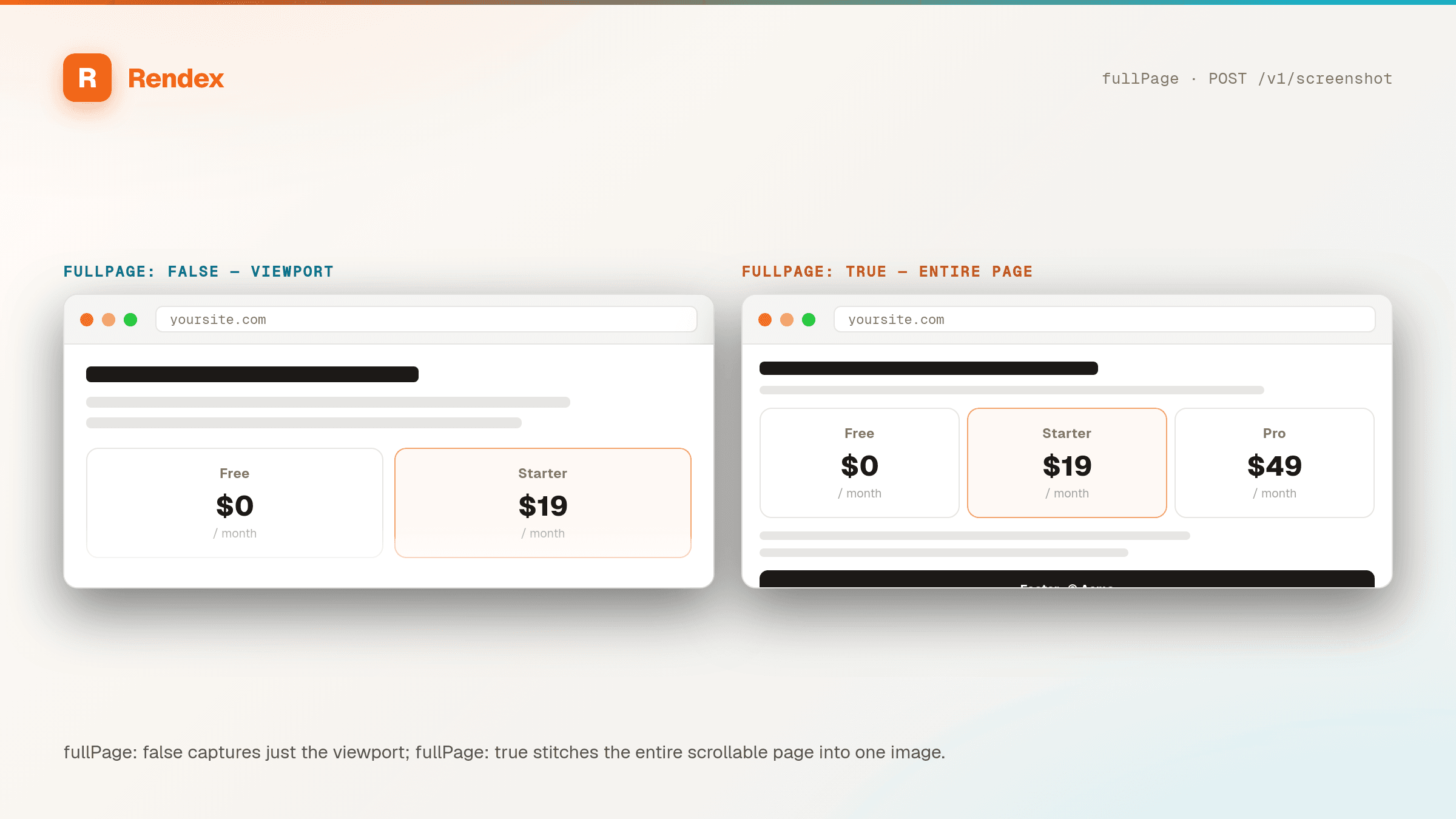
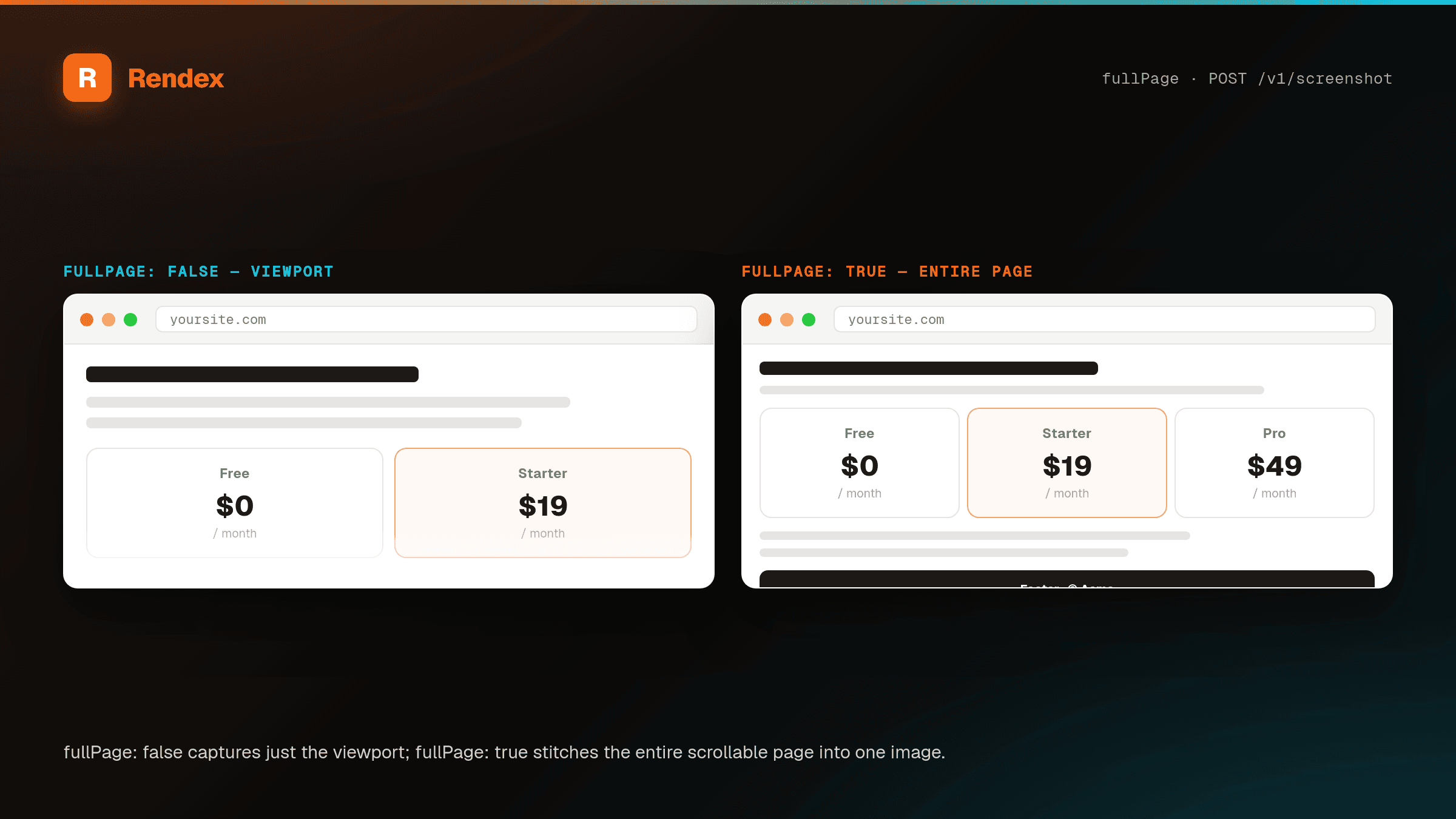
Pass fullPage: true and Rendex auto-scrolls the page to trigger lazy-loaded images, IntersectionObserver-based animations, and deferred content — then returns one stitched PNG, JPEG, or WebP of the entire document.
The Problem
Naive screenshot APIs capture a single viewport frame and miss everything below the fold. Build your own with headless Chromium and you quickly discover the real work: lazy-loaded images never fire, scroll-triggered animations stay hidden, infinite scrollers loop forever, CLS shifts content mid-capture, and tall marketing pages OOM the worker. You end up with half a landing page, a gray placeholder where a hero image should be, or a 500.
The Solution
Rendex handles the full-page capture pipeline for you. When fullPage is true, the renderer auto-scrolls the page top-to-bottom to activate lazy-image loaders and IntersectionObserver, pauses 800ms for scroll-triggered animations to settle, then takes a single stitched screenshot of the full document. A 16,384px safety cap prevents runaway infinite scrollers, and a truncated flag in the response tells you when the cap kicked in.
See it in action
Get Started in Minutes
curl -G "https://api.rendex.dev/v1/screenshot" \
  -H "X-API-Key: $RENDEX_KEY" \
  --data-urlencode "url=https://example.com/long-landing-page" \
  --data "fullPage=true&format=png" \
  --output full-page.png

# Response headers:
#   x-rendex-full-page: true
#   x-rendex-auto-scrolled: true
#   x-rendex-truncated: false
# x-rendex-load-time-ms: 2140from rendex import Rendex
rendex = Rendex("YOUR_API_KEY")
result = rendex.screenshot(
url="https://example.com/long-landing-page",
full_page=True,
format="png",
)
open("full-page.png", "wb").write(result.image)
if result.metadata.truncated:
print("Page exceeded 16,384px — captured up to the cap")import Rendex from "@copperline/rendex"
const rendex = new Rendex(process.env.RENDEX_KEY!)
const { image, metadata } = await rendex.screenshot({
url: "https://example.com/long-landing-page",
fullPage: true,
format: "webp",
quality: 85,
})
await Bun.write("full-page.webp", image)
console.log({ truncated: metadata.truncated, loadTimeMs: metadata.loadTimeMs })100 free API calls/month — no credit card required. Get your API key and start building.
Built for This Use Case
Auto-Scroll for Lazy Content
Rendex scrolls the page top-to-bottom before capture, triggering IntersectionObserver, lazy-loaded images, scroll-based animations, and deferred React components. No more gray placeholders where images should be.
16,384px Safety Cap
A hard ceiling on full-page height prevents infinite scrollers and runaway feeds from OOM-crashing the render. When the cap engages, the response includes truncated: true so your pipeline can surface it.
PNG, JPEG, or WebP
Full-page captures support every image format. Use WebP or JPEG with a quality setting (default 80) for smaller payloads on long marketing pages, PNG for pixel-perfect archival captures.
Animation Settle Window
After auto-scroll completes, Rendex waits 800ms for scroll-triggered animations and late network requests to finish — so the stitched image shows the final rendered state, not a half-animated one.
Start Free, Scale as You Grow
100 calls/month free. Starter at $69/mo for 10K calls (or $58/mo billed annually — 2 months free). Pro at $179/mo for 100K calls.