Auto-Generate Social OG Images per Blog Post in n8n
Every post deserves a branded social preview — without opening a design tool. Build the OG card once as HTML, inject each post's title and author, and Rendex Render Link returns a hosted, auto-caching image URL you drop straight into your og:image tag.
Last updated 2026-07-21
The Problem
Social preview images move the needle on click-through, but making one per post by hand doesn't scale, and generating an image means rendering it, uploading it somewhere, and tracking the URL. Inside n8n that's a headless browser plus a storage integration plus bookkeeping.
The Solution
Design the OG card once as an HTML template with the title and author as expressions. On each new post, Rendex Render Link renders the card and returns a signed, hosted URL that renders on first hit and caches after. Write that URL back to your CMS as the og:image — no image upload, no storage to manage.
How the Workflow Runs
New post
RSS, a CMS webhook, or a new Google Sheets row fires
Rendex Render Link
Render a branded card and return a signed, hosted image URL
Write back
Save the URL as the post's og:image (CMS / Sheets / HTTP)
Input → Rendered Output
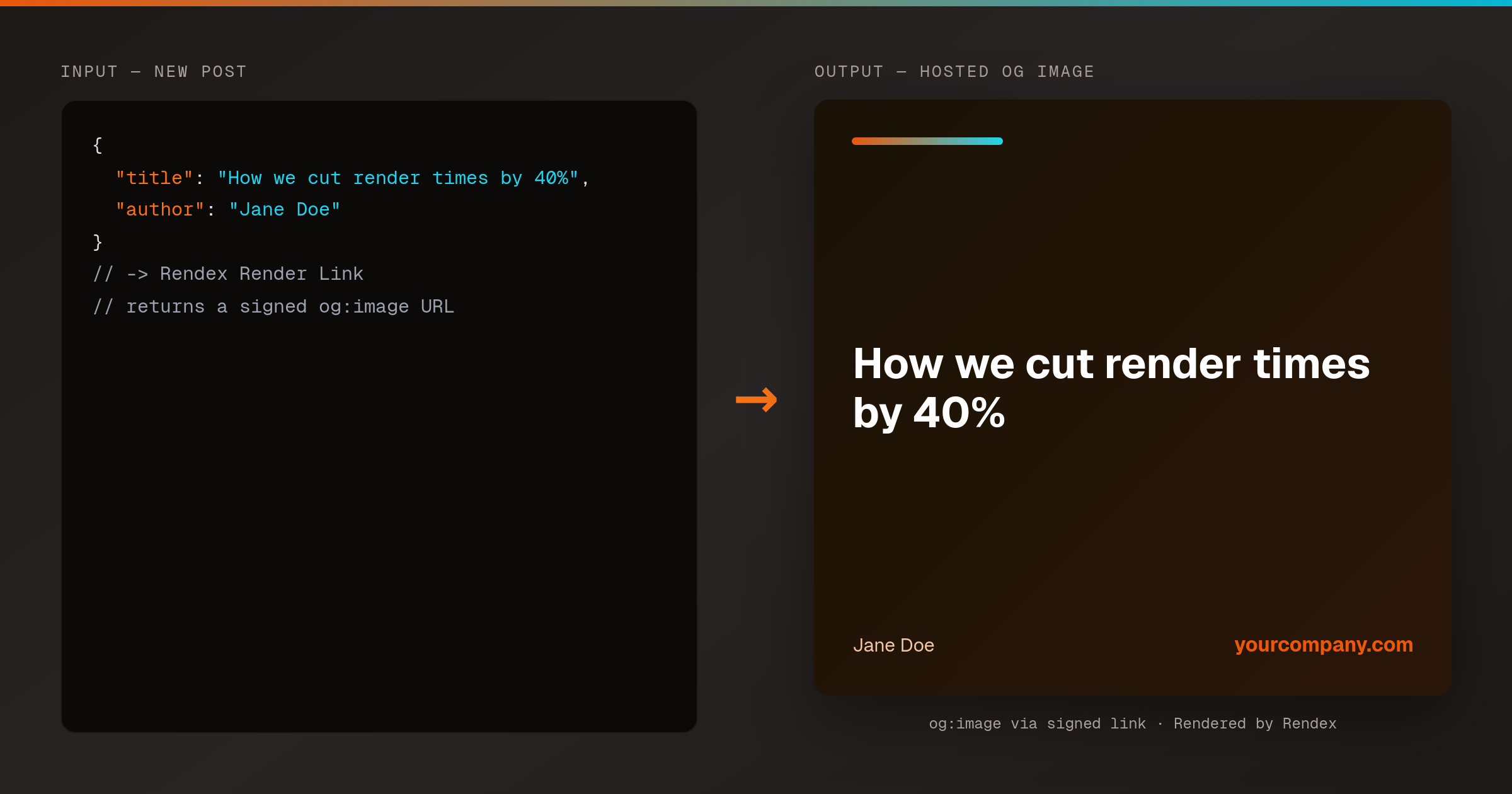
Rendered by Rendex
What You Need
- A Rendex API key — free tier, 100 renders/month, no card
- n8n with the Rendex community node installed
- A post source — an RSS Feed Trigger, CMS webhook, or Google Sheets
- A way to write the URL back (HTTP Request, Google Sheets, or a CMS node)
What This Recipe Uses
Hosted, signed URL
Render Link returns a signed image URL — no bytes to store. Paste it straight into an og:image tag.
Renders once, caches after
The link renders on the first hit and serves a cached copy after, so social scrapers hitting it repeatedly don't burn credits.
One template, filled per post
The card HTML uses expressions for title and author, so a single design produces a unique image for every post.
Build It
{
  "parameters": {
    "resource": "screenshot",
    "operation": "renderLink",
    "source": "html",
    "html": "=<div style=\"width:1200px;height:630px;...\">{{ $json.title }}</div>",
    "format": "png",
    "expiresIn": 2592000,
    "additionalOptions": { "width": 1200, "height": 630 }
  },
  "name": "Rendex — Render Link",
  "type": "n8n-nodes-rendex.rendex",
  "typeVersion": 1
}
100 free API calls/month — no credit card required. Get your API key and start building.
Use this whenever content ships on a schedule and each piece needs a distinct, on-brand share image — a blog, a docs site, a changelog, a job board. Because the card is just HTML with expressions, your design lives in one place and every post is filled from the trigger data. Render Link is the key move: instead of bytes you have to store, you get a hosted URL that caches after the first crawl, so repeat opens by social scrapers don't spend credits. Wire the returned URL into an HTTP Request to your CMS, a Google Sheets write, or a WordPress node, and the preview image publishes with the post. Render links are a free-tier feature.