Generate Multi-Page PDF Invoices from One HTML Template
Store one invoice template with a line-item loop, pass each invoice's data, and let long invoices flow across multiple A4 pages — Rendex returns a print-ready PDF with modern CSS, page-break control, and configurable page size and margins. No wkhtmltopdf, no Puppeteer, one call per invoice.
The Problem
A real invoice isn't a fixed layout — line items vary from three to three hundred, so the document has to paginate, keep each row intact across a page break, and repeat the column header on every page. Fixed template engines can't express that, self-hosted Puppeteer/wkhtmltopdf means infrastructure to run, and a plain 'HTML to image' call flattens a multi-page invoice into one oversized page.
The Solution
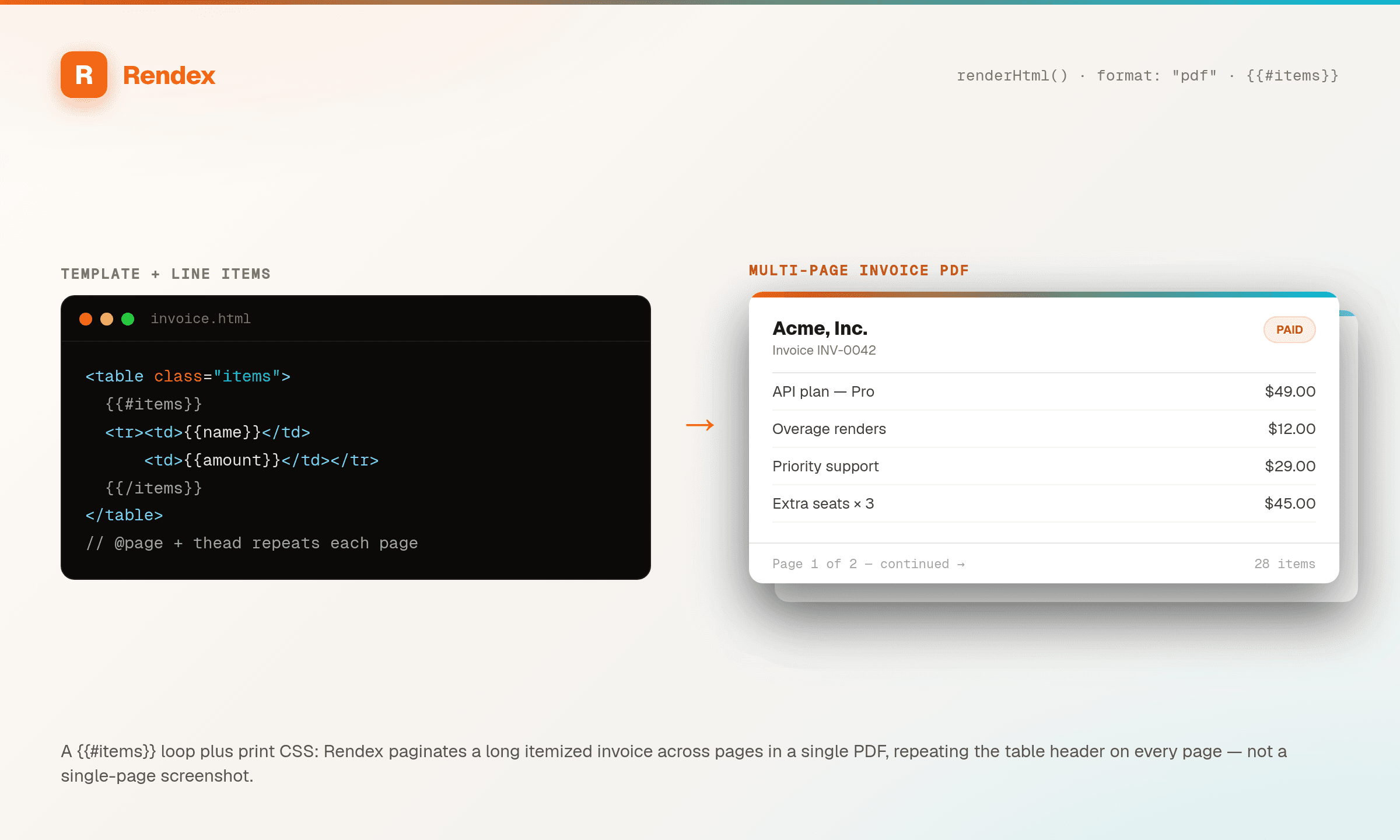
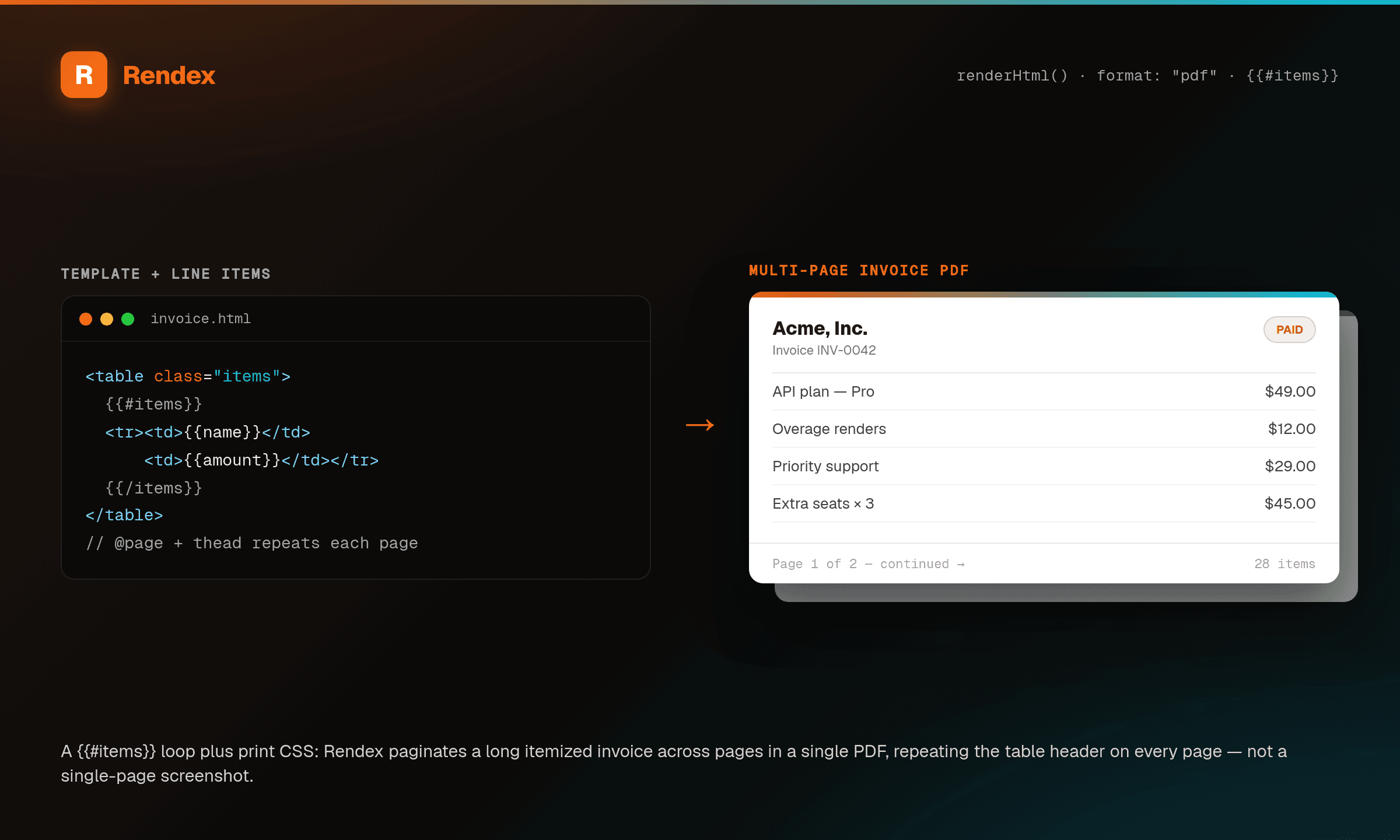
Rendex renders your invoice HTML to a paginated, print-ready PDF with real print controls. Store one template with a Mustache {{#items}} loop for the line items and Rendex fills the rows server-side — a 3-line and a 300-line invoice use the same template. Set pdfFormat (A4/Letter/Legal), pdfMargin, and pdfPrintBackground so the document paginates cleanly, and use CSS page-break-inside: avoid so no line item is split across a page boundary. This is the document-with-pagination page; for a generic {{placeholder}} fill see data templating, and for capturing a live hosted invoice URL see url-to-pdf.
See it in action
Get Started in Minutes
from rendex import Rendex
from pathlib import Path

rendex = Rendex("YOUR_API_KEY")

# One template with a Mustache {{#items}} loop — 3 rows or 300, same template.
# page-break-inside:avoid keeps a line item from splitting across A4 pages;
# a table-header-group <thead> repeats the column header on every page.
template = """
<style>
  body { font-family: system-ui; color: #1e293b; padding: 8px; }
  tbody tr { page-break-inside: avoid; }
  thead { display: table-header-group; }
</style>
<h1>Invoice {{number}}</h1>
<div>Billed to: {{customer}}</div>
<table style="width:100%;border-collapse:collapse;margin-top:24px;">
  <thead><tr style="border-bottom:2px solid #e2e8f0;">
    <th style="text-align:left;padding:10px;">Item</th>
    <th style="text-align:right;padding:10px;">Amount</th>
  </tr></thead>
  <tbody>
    {{#items}}
    <tr style="border-bottom:1px solid #e2e8f0;">
      <td style="padding:10px;">{{description}}</td>
      <td style="text-align:right;padding:10px;">{{amount}}</td>
    </tr>
    {{/items}}
  </tbody>
</table>
"""

result = rendex.screenshot(
    html=template,
    data={
        "number": "INV-2026-001",
        "customer": "Acme GmbH",
        "items": [
            {"description": "API calls (10,000)", "amount": "$29.00"},
            {"description": "Overage (2,400)",    "amount": "$7.20"},
        ],
    },
    format="pdf",
    pdf_format="A4",
    pdf_print_background=True,
    pdf_margin={"top": "18mm", "right": "16mm", "bottom": "18mm", "left": "16mm"},
)
Path("invoice.pdf").write_bytes(result.image)curl -X POST https://api.rendex.dev/v1/screenshot \
-H "Authorization: Bearer YOUR_API_KEY" \
-H "Content-Type: application/json" \
-d '{
"html": "<h1>Invoice {{number}}</h1> ...{{#items}}<tr>...</tr>{{/items}}...",
"data": { "number": "INV-2026-001", "items": [ {"description": "...", "amount": "$29.00"} ] },
"format": "pdf",
"pdfFormat": "A4",
"pdfPrintBackground": true,
"pdfMargin": { "top": "18mm", "bottom": "18mm", "left": "16mm", "right": "16mm" }
}' --output invoice.pdf100 free API calls/month — no credit card required. Get your API key and start building.
Built for This Use Case
Line Items That Loop
Store one template with a Mustache {{#items}} block. A 3-line invoice and a 300-line invoice render from the same template — Rendex fills every row server-side from your data.
Paginates Across Pages
Long invoices flow onto multiple A4/Letter pages. CSS page-break-inside: avoid keeps a line item whole, and a table-header-group <thead> carries the column header onto every page.
Real Print Controls
Set pdfFormat, pdfMargin, pdfLandscape, and pdfPrintBackground per call — print-ready output for archive, print, or email attachment, with backgrounds and brand colors preserved.
Start Free, Scale as You Grow
100 calls/month free. Starter at $69/mo for 10K calls (or $58/mo billed annually — 2 months free). Pro at $179/mo for 100K calls.