Screenshots Without the Cookie Banner in the Way
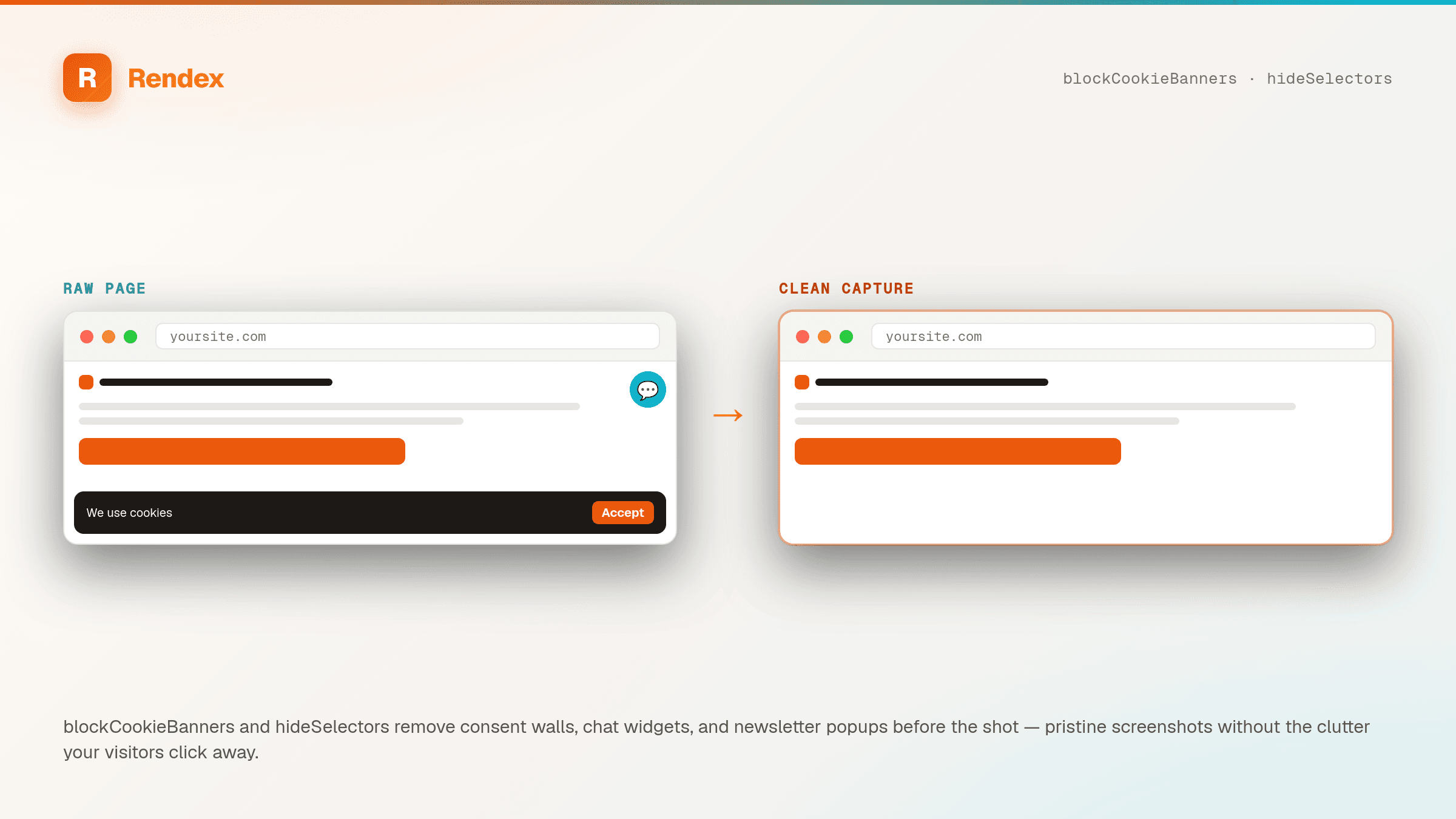
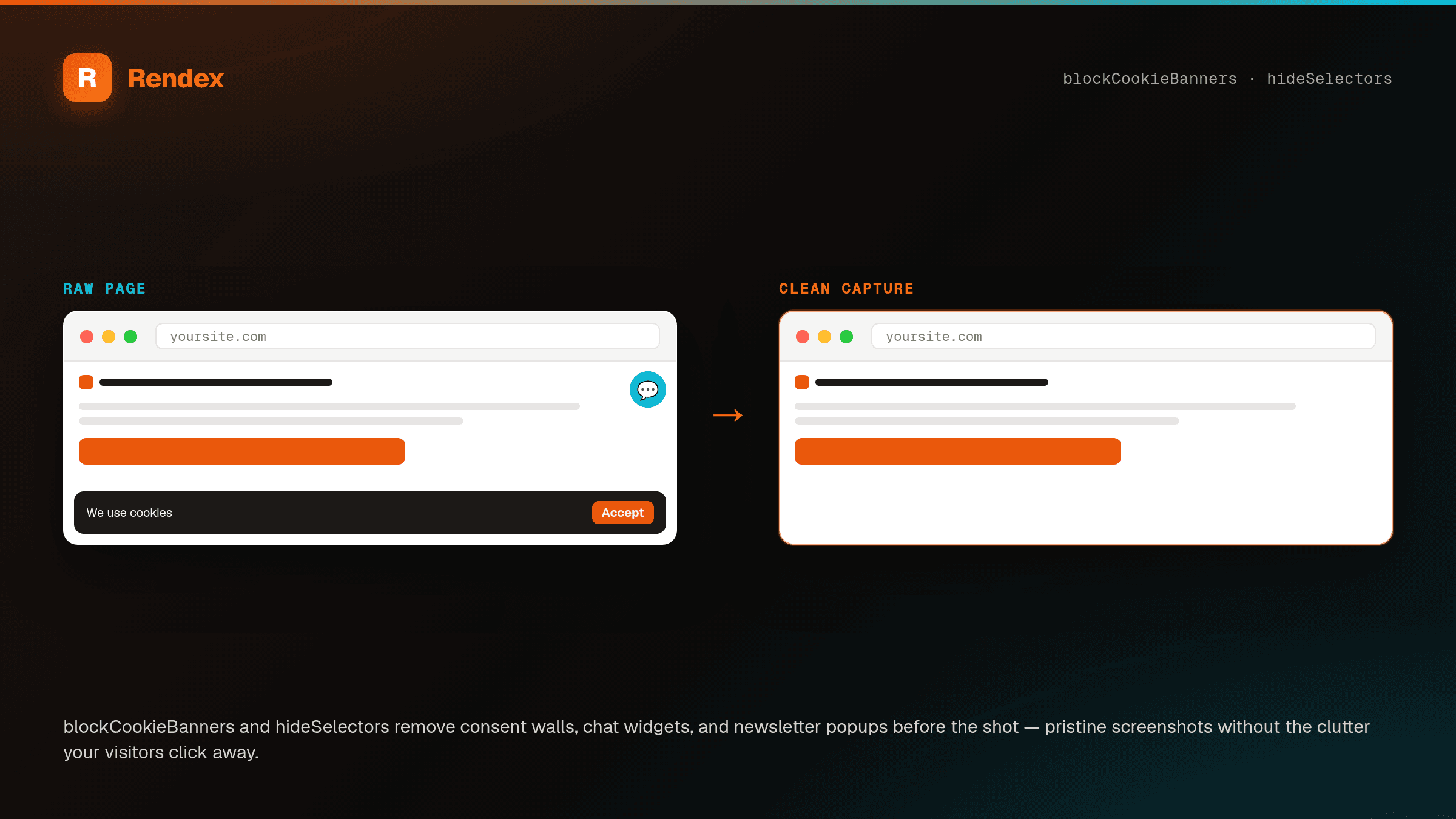
Set blockCookieBanners: true to auto-hide consent walls from common CMPs, and pass hideSelectors to remove any chat widget, popup, or sticky bar by CSS selector. The capture shows the page your users came for — not the overlay covering it.
The Problem
Cookie consent walls, chat bubbles, and newsletter modals love to land right where your screenshot needs to be clean. Dismissing them by hand doesn't scale, and scripting click-to-dismiss is brittle: every CMP has a different button, banners reappear per session, and one missed click leaves a giant overlay in your marketing asset or documentation grab.
The Solution
Rendex strips the noise before it captures. blockCookieBanners applies a curated hide list covering common consent-management platforms, and hideSelectors removes anything else you name — .intercom-launcher, #newsletter-modal, .sticky-promo — by CSS selector (up to 50). Both run as part of the render, so the screenshot, PDF, or extracted text comes back clean. Available on every plan, including Free.
See it in action
Get Started in Minutes
curl -s -X POST https://api.rendex.dev/v1/screenshot \
  -H "Authorization: Bearer YOUR_API_KEY" \
  -H "Content-Type: application/json" \
  -d '{
    "url": "https://example.com/pricing",
    "blockCookieBanners": true,
    "hideSelectors": [".intercom-launcher", "#newsletter-modal"]
  }' \
-o clean-pricing.pngimport Rendex from "@copperline/rendex";
import { writeFileSync } from "fs";
const rendex = new Rendex("YOUR_API_KEY");
const shot = await rendex.screenshot({
url: "https://example.com/pricing",
blockCookieBanners: true,
hideSelectors: [".intercom-launcher", "#newsletter-modal", ".sticky-promo"],
fullPage: true,
});
writeFileSync("clean-pricing.png", shot.image);from rendex import Rendex
from pathlib import Path
rendex = Rendex("YOUR_API_KEY")
shot = rendex.screenshot(
url="https://example.com/pricing",
block_cookie_banners=True,
hide_selectors=[".intercom-launcher", "#newsletter-modal", ".sticky-promo"],
full_page=True,
)
Path("clean-pricing.png").write_bytes(shot.image)100 free API calls/month — no credit card required. Get your API key and start building.
Built for This Use Case
Auto-Block Cookie Banners
One flag — blockCookieBanners: true — applies a curated hide list for common consent-management platforms, so the consent wall is gone before the shot.
Hide Anything by Selector
hideSelectors removes any element you name by CSS selector — chat launchers, newsletter modals, sticky promos, GDPR bars — up to 50 per request.
Clean Marketing Screenshots
Capture competitor pages, your own product, or documentation without an overlay covering the part that matters. Pairs with fullPage for whole-page grabs.
Cleaner PDFs & Extracts
The same flags run for PDF output and /v1/extract, so generated documents and reader-mode text skip the cookie wall and popup clutter too.
Hides, Never Consents
Rendex hides the banner in the rendered page — it doesn't click "Accept" or submit anything on your behalf. No consent is given and no navigation happens.
Free on Every Plan
Both blockCookieBanners and hideSelectors are available on every plan, including Free — no tier gate, just parameters on the render you're already making.
Start Free, Scale as You Grow
100 calls/month free. Starter at $69/mo for 10K calls (or $58/mo billed annually — 2 months free). Pro at $179/mo for 100K calls.